 Vidova
How to make a fitness reel with AI from raw workout footage
Turn raw workout footage into a fitness reel with AI: cut the rest between sets, slow the hardest rep and land it on the beat. Formats, briefs and music rules.
 Vidova team
Last updated
The short answer
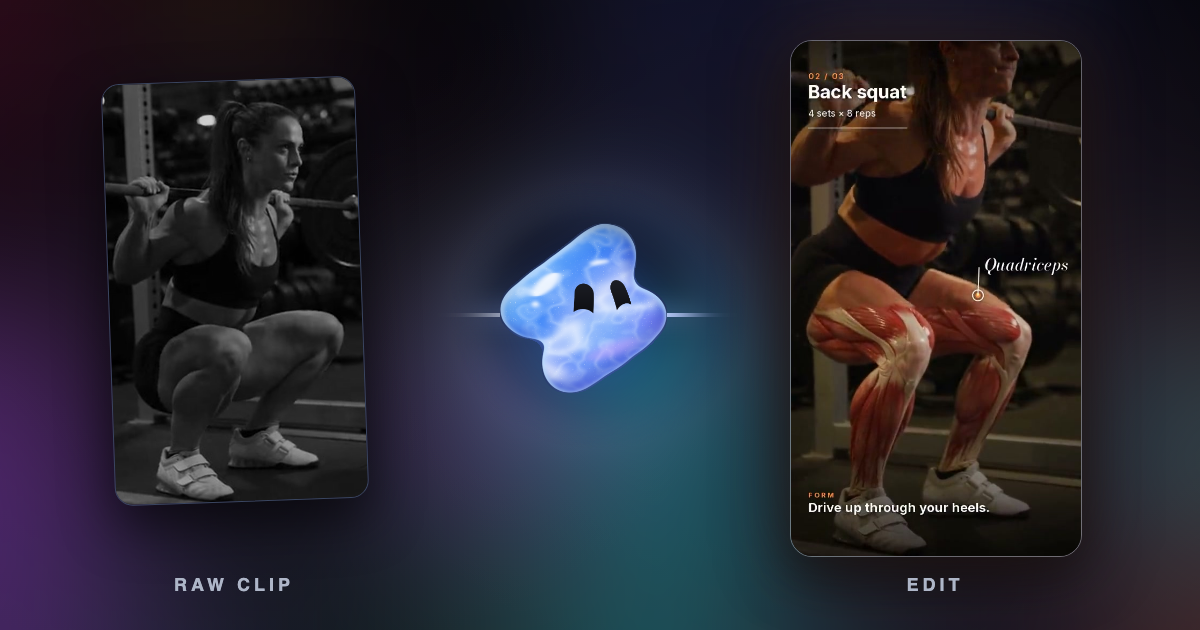
Vidova is an AI video editor: you upload raw workout clips, say what the reel is about, and its agent cuts the rest between sets, times the reps to the beat and slows the hardest rep on a timeline you can change. A good fitness reel has one point: one set, one form cue or one workout to follow. CapCut and Instagram Edits fit editing by hand on a phone.
Key takeaways
- Give each reel one point: one set, one form cue or one workout to follow.
- Cut everything where the camera only sees time passing, and slow only the sticking point of the hardest rep.
- A gym or a brand needs music cleared for business use. An original track avoids the problem.
Tools for a fitness reel, compared
| Tool | Starts from | Runs on | Price and limits | Fits |
|---|---|---|---|---|
| Vidova | Your workout clips, photos and audio | Browser, or the Telegram bot on a phone. No iPhone or Android app yet | Plans from $49 a month, with no watermark | Any format, from a hype edit to a follow-along, changed by asking |
| CapCut | Your clips, with speed curves and templates | Mac, Windows, browser and phone | Free plan. The Pro price differs by country | Editing by hand |
| Instagram Edits | Your clips, with automatic captions and beat-synced effects | iPhone and Android | Free, with in-app purchases. Exports in 4K with no watermark | Reels you edit by hand on a phone |
| Kapwing Kai | A raw upload. It can find the strongest clips in a long recording | Browser | Free: 10 credits, exports up to 4 minutes, 720p, watermark. Pro from $16 a month | Editing by chat in a browser |
Prices and limits change. Each row comes from the vendor's site, linked under Sources.
Pick one format per reel
A whole session is a vlog. A reel makes one point, so decide which one before you upload.
| Format | What it shows | Length | Where to start in Vidova |
|---|---|---|---|
| Hype edit | One lifter or fighter, with the hits on the beat | 10 to 25 seconds, or 9 to 20 where each hit breaks the screen | Velocity fan edit, or Freeze and shatter |
| Follow-along workout | 2 to 8 exercises with the move's name, a countdown timer and what comes next | 15 seconds to 2 minutes, 30 seconds as the ideal | Fitness circuit |
| Form cue | One move, one mistake and one cue, with the key moment slowed or [frozen](/blog/how-to-make-a-freeze-frame-edit) | 15 to 30 seconds | Ask for it in chat |
| Progress set | One heavy set with the weight and reps on screen, next to last week's numbers | Under 30 seconds | Ask for it in chat |
| Gym ad | One member's lift, the class, the coach, then the gym's name | 9 to 16 seconds, 4:5 | Gym membership promo |
If you run a gym and want reels that teach and bring people in, read our guide to gym and fitness reels that get views. For a longer film of a training day, see how to turn clips into a vlog.
Film the session so it can be cut
- Put the phone on a tripod or a bench at hip height, with your whole body in frame. A rep with the feet cut off is hard to save later.
- Film each main move from the side and from the front, so the edit has two angles to cut between.
- Start recording before you touch the bar, and stop after you rack it. The agent can cut the extra time, but it cannot add a moment you did not film.
- Film at 60 fps for any rep you want to slow down. Our guide on smooth slow motion explains why.
- Film near a window or under even light. A strong light behind you turns you into a silhouette.
- Ask the gym, and anyone in the background, before you post. You can blur faces of people who did not agree.
What to keep and what to cut
Cut everything where the camera only sees time passing. Say this in your brief, because the agent cannot tell which set matters to you unless you name it.
| Keep | Cut |
|---|---|
| The first setup of the exercise, once | Every later setup, walk-out and plate change |
| The last hard rep, a little longer than feels comfortable | The easy warm-up sets, unless they set up a comparison |
| A failed rep and your reaction to it | Phone checks and water breaks that carry no story |
| The moment after the lift: the breath, the grin, the coach's reaction | Dead time where you are out of the frame |
Slow only the sticking point, such as the drive out of the hole or the press lockout. Rush into it at 1.5 to 2 times speed and play it at about quarter speed with AI smoothing. A whole set in slow motion loses the effect.
Make it with an AI editor
These steps use Vidova.
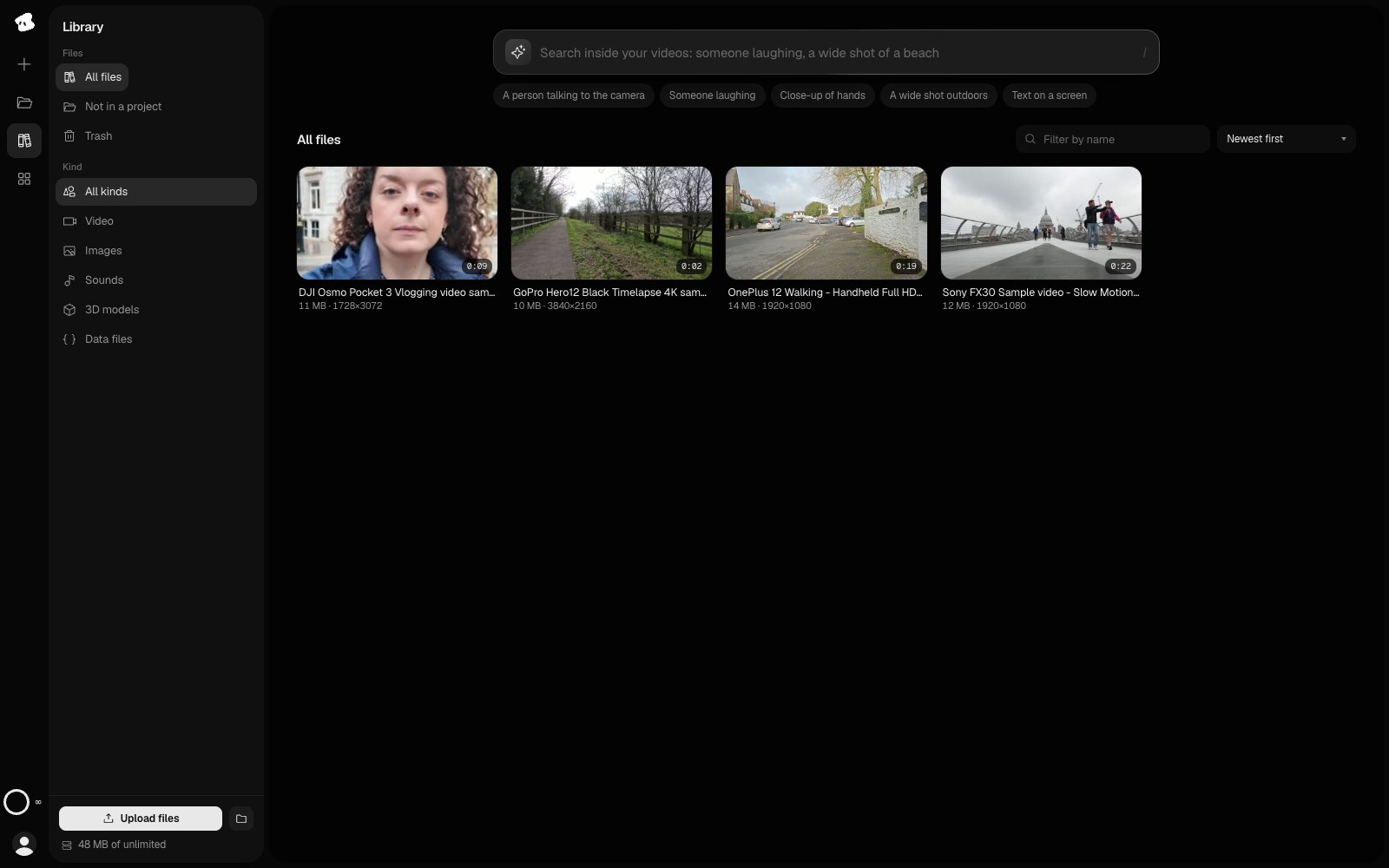
- Upload your clips. On Creator, each clip can be up to 2 hours and 20 GB. Analysis is billed by the second, so you can import only a range of a long file.
- Write the brief: the format, the set or move that matters, the real numbers, the length and what to cut.
- The agent reads your clips and finds the sets. You can also search your Library by moment, such as “the last rep of the deadlift”. Video search uses credits.
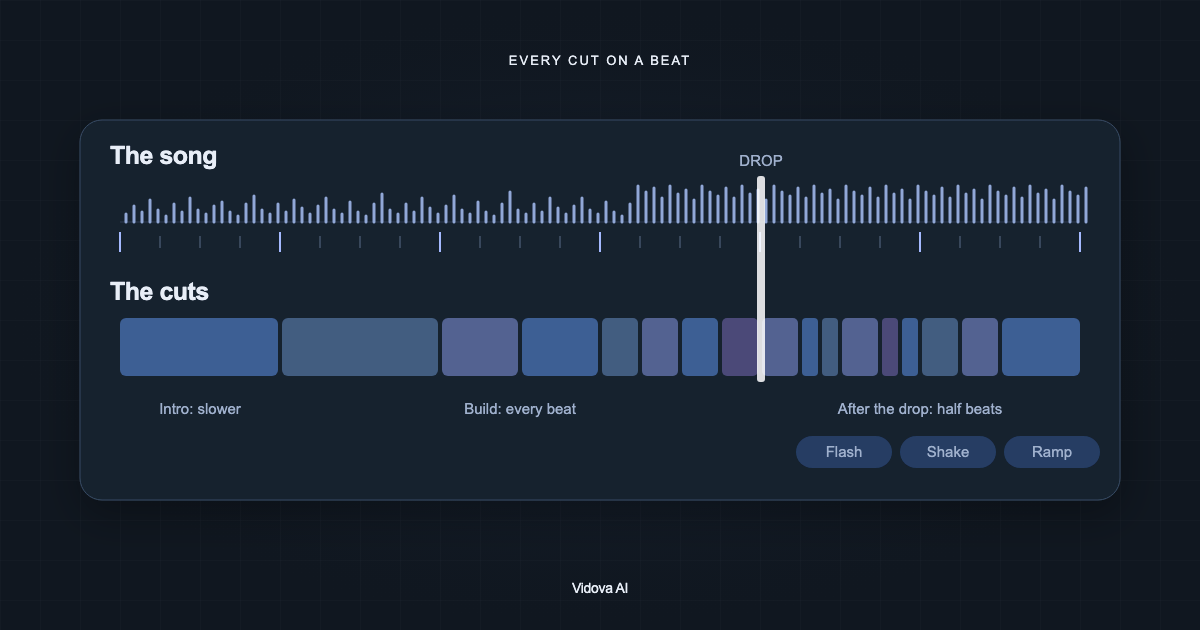
- It cuts on the song's beats, writes the speed curve for the hard rep and adds your labels. It previews frames of the cut before it reports back.
- Ask for changes in plain words, or move a clip on the timeline yourself. Editing on the timeline uses no credits.
- Export an MP4, or make a second version in another shape.
Make a 20-second vertical reel of my last squat set from this session. Cut the walk-outs, the rest and the phone checks. Open on the bar on my back with the label “Set 5: 140 kg × 3”, and show “Last week: 135 kg × 3” beside it. Rush the first two reps. Slow only the drive out of the hole on the last rep to quarter speed with AI smoothing, and land it on a downbeat. Keep the real sound of the plates and my breathing under an original hard track. Use only my clips. End on my face after I rack it.
Make a 30-second vertical follow-along workout from these 4 clips, one per move. Show each move's name, a countdown timer and what comes next. Cut to a driving track at about 130 BPM. Keep the full movement in frame, and punch in only where I am small in the shot. End on a line that asks people to save the workout.
These are example briefs. The agent uses the weights and reps you write, so give it the real ones.
Labels and sound
- Show the label early. Put the set, the weight or the move on screen in the first second, so the clip explains itself with the sound off.
- Make it readable on a phone. On a 1080-wide frame, make every word that carries meaning at least 48 pixels.
- Keep words off the lift. Put them beside the body, or in the empty part of the gym, and inside the safe zone.
- Keep highlights on the muscle. A highlight on a working muscle has to stay on it while the body moves. Check it across the whole rep.
- Compose for vertical. A centre crop of a horizontal frame can cut off the lift. Ask the agent to track you and keep you in frame.
- Keep the real sound. Plates, chalk and breathing sound real. Keep them at real speed under slow motion, and let the music run under them to the end.
Music rules for gyms and brands
A personal account and a business have different rights to the same song. Meta's music guidelines say use of music “for commercial or non-personal purposes in particular is prohibited” unless you have the licences, and that blocking or muting are possible limits. TikTok's help centre says “Businesses cannot use the general music library for commercial usage” and points them to its Commercial Music Library. Both pages checked November 2026.
If you post for a gym, a coach or a brand, use a track you licensed, or ask Vidova for an original one, which uses credits. There is also a free AI music generator.
Body and result claims
If you pay to run the reel as an ad, the ad rules apply. TikTok's ad policy bars “References to unrealistic muscle gain or weight loss” and suggestions that a change is easy or guaranteed. It also bars ads that shame people about their bodies or suggest an ideal body type. Meta's Ad Standards list a side-by-side weight loss comparison as prohibited. Both pages checked November 2026.
A progress set shows numbers and leaves the body out of the comparison, so these rules touch it less. For a body transformation, read our before and after guide first.
What goes wrong, and how to fix it
| Problem | Cause | Fix |
|---|---|---|
| The reel drags | Setups and rest stayed in | Write “cut the walk-outs, the rest and the phone checks”, and name the set that matters |
| The whole set is in slow motion | The brief asks for slow motion and names no moment | Name the rep and the moment, such as “the lockout on the last rep” |
| The slow part stutters | The clip has too few frames for that speed | Film at 60 fps, and ask for AI smoothing |
| Your head or feet are cut off | A wide clip was cropped to vertical | Ask the agent to track you. If the feet were never in the shot, pick another clip |
| Labels cover the lift | The text sits in the middle of the frame | Ask for the labels beside the body |
| The weights on screen are wrong | The brief did not state them | Write the real numbers in the brief |
| The music hides the plates | The music is too loud under the real sound | Ask for the music lower, and the plates and breathing up |
| The song is muted after you post | A business account used a song without a licence | Use a licensed or original track |
Questions about fitness reels
How long should a fitness reel be? It depends on the format: 10 to 25 seconds for a hype edit and about 30 seconds for a follow-along. Our guide on Reel length has the platform limits.
Can it cut a whole session? Yes. Upload the session and name the set you want. A paid plan takes longer clips, and analysis is billed by the second, so importing a range costs less.
Will AI change my body? Not when you cut your own clips and write “use only my clips”. Our guide on what an AI editor changes explains where generation comes in.
Can it show which muscle a move works? Yes. Ask for a highlight on the working muscle with its name as a label, then check that it stays on the muscle through the rep.
Can I start from ChatGPT? Yes. ChatGPT can write the brief. To cut the video, paste the brief into Vidova's chat, or run Vidova from ChatGPT. See ChatGPT wrote a video editing prompt. Which app can run it?
Is there a phone app? Vidova has no iPhone or Android app yet. On a phone, you can send clips to the @vidovabot bot in Telegram, and the finished video comes back in the chat.
Make your first fitness reel
Plans start at $49 a month, with no watermark.