How to make a beat-synced edit with AI: cuts on the beat, shakes, flashes and speed ramps
Make a car, sports or hype edit from your own clips with AI: cuts that land on the beat, a flash on the drop, shakes and speed ramps. What to upload and what to ask for.
Last updated
The short answer
A beat-synced edit cuts on the beats of a song and puts each clip's best moment on a hit. In Vidova, you upload your clips and the song. The agent detects the beats, the bars and the drop, cuts each clip's peak onto a beat, and adds flashes, shakes and speed ramps on the hits. Use footage you filmed and music you have the rights to.
Key takeaways
- A beat edit is a song plus the best second of every clip, with each peak on a beat.
- Upload your own clips and the song. The agent detects the beats, bars and drop before it cuts.
- Put effects on the hits, not on every cut, and save the best clip for the drop.
What makes an edit feel on the beat
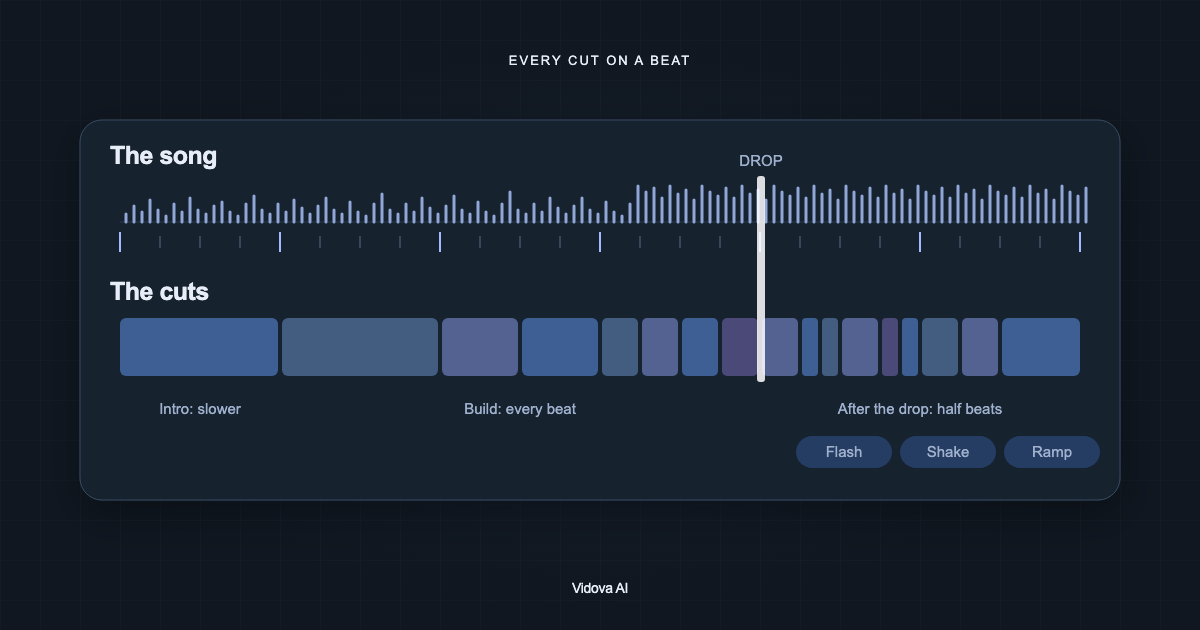
A beat edit is a song and the best second of every clip. Each cut lands on a beat, and each clip's peak (the drift, the goal, the jump, the trick) lands on a hit. The pace builds toward the drop, and the drop gets the best clip of all.
- Beat: the steady pulse you tap your foot to.
- Bar: a group of beats, usually four. The first beat of a bar is the strongest place for a cut.
- Drop: the moment the song hits hardest after a build.
- Fill: a quick run of drum hits into the next bar. A fill sounds wrong under one long shot.
Use footage you own
Edit clips you filmed: your car, your bike, your team's match, your skate session, your dog. Clips cut from films, series, anime, music videos or sports broadcasts belong to someone else. An edit made from them can be muted or removed, and the account that posts it can receive a copyright claim.
The same goes for the song. Use your own track or music you have the rights to. You can also ask Vidova to generate a track for the edit, which spends credits.
Upload your clips and the song
- Open Vidova and attach your clips and the song to the prompt on the home screen. The song can be an audio file or the sound of one of your videos.
- Write the brief (an example follows) and press Start.
- The agent detects the song's beats, bar starts, sections and drop, and reads each clip to find its peak moment.
- It builds the cut on the timeline and checks the cuts against the beats before it reports back.
Vidova takes MP4, MOV, MKV and WebM video, and MP3, WAV, AAC, M4A, FLAC and Ogg audio. Short clips work best: 5 to 20 seconds each, with the action in the middle.
Write the brief
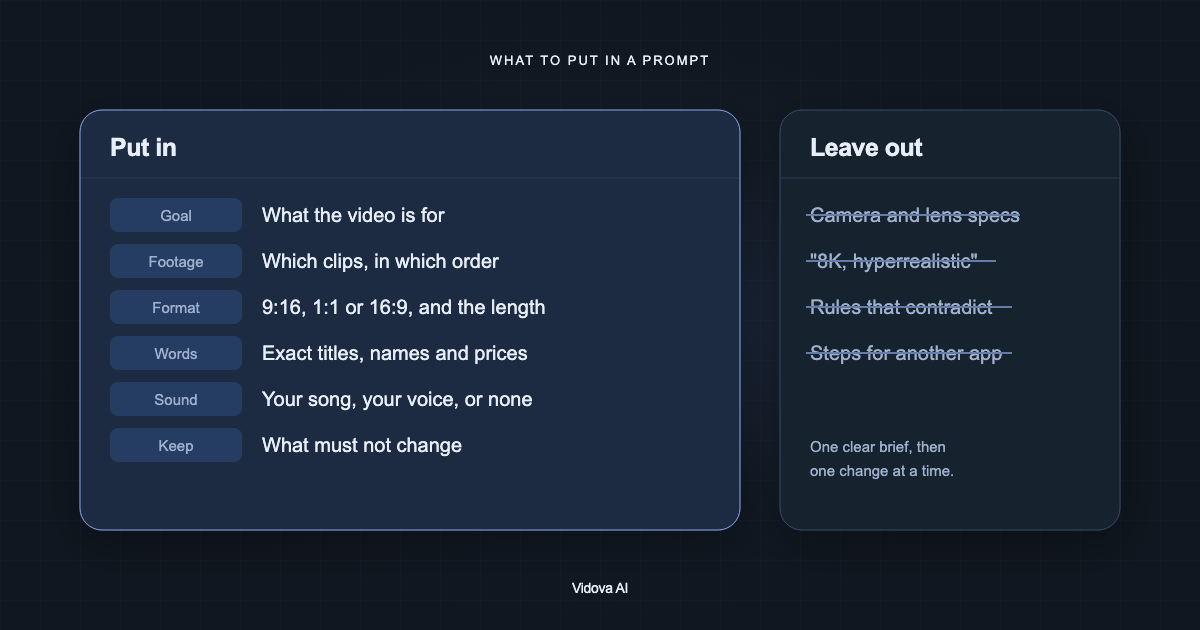
Make a 20-second vertical car edit from my 10 clips and this song. Start four bars before the drop. Put the drift from clip 4 on the drop with a white flash and a shake. Use speed ramps that slow down on each car's best moment. Dark, punchy colour. Mute the clips' own sound. End on the car parked at night, frozen in black and white.
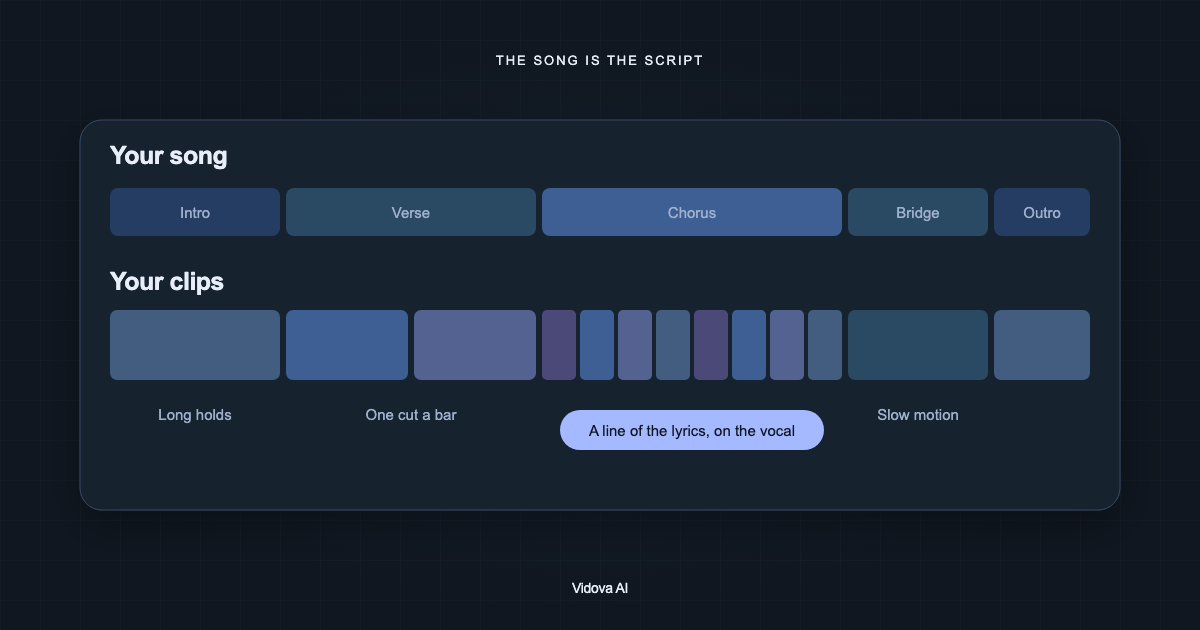
This is an example brief. If you give no structure, the agent follows its own beat edit plan: a slower intro, a build that cuts on every beat, the drop, then cuts on every beat or half beat, and the strongest image held at the end. Your length, format and rules always win over that plan.
Effects and where they go
| Effect | What it does | Where it goes |
|---|---|---|
| Flash | A white frame for a split second | The drop, or the first beat of a burst |
| Shake | The frame jolts for about a fifth of a second | Hard hits in the song |
| Speed ramp | The clip rushes in, slows on its peak, rushes out | Each clip's best moment, on a beat |
| Punch-in | A quick zoom that settles back | Beat cuts after the drop |
| RGB split | The colour channels pull apart for a moment | The drop |
| Freeze | The last peak holds, often in black and white | The end |
Slowed clips are smoothed by default at no credit cost: Vidova fills in frames when a clip plays slower. Whooshes and impacts can be generated as sound effects, and each one spends credits. Three to eight effects in a 20-second edit is plenty. The song carries the edit.
Check the edit
- Watch at full speed with sound. Every cut should land on a beat.
- The drop has the best clip, with a flash or a hit you can see.
- Nothing stays still for more than a beat, except the intro and the ending.
- The first frame is bright and shows the subject, because it is also the thumbnail.
- The length and format are the ones you asked for.
Ask for one change at a time: “swap clips 3 and 7”, “more shake on the drop” or “start one bar later in the song”.
Make your first beat edit
You can try this on the free plan. It needs a card check that charges nothing, gives you 750 credits once, and adds a Vidova watermark to previews and exports. Paid plans start at $19 a month, billed monthly or yearly, and remove the watermark.