Free screen recorder
Record once. The editing is already done.
Vidova Recorder is a free screen recorder for Mac, Windows and Linux. It records your screen, camera and mic, then adds zooms, cuts pauses, writes captions and splits chapters.
The short answer
Vidova Recorder is the Vidova desktop app for screen recording. It records a display or a window with your camera, microphone and system audio, and tracks the cursor, clicks and keys. After the take it zooms in on clicks, moves a camera with the cursor, cuts silences and filler words, writes editable captions and splits the video into chapters. Every edit lands on a timeline you can keep or undo. It runs on macOS 13 or later on Apple Silicon, Windows 10 or later, and Linux, and you can download it and record without an account.
- macOS
- 13 or later, Apple Silicon
- Windows
- 10 or later, Intel, AMD and ARM
- Linux
- Debian package or AppImage, x64 and ARM64
- Capture
- 24, 30 or 60 fps, up to 2560 px wide
- Exports
- MP4, FCPXML, OTIO
- Price
- Free to download
Screen recording features
- Screen, camera and micRecord all three at once, plus system audio, from a display or one window.
- Automatic zoomClicks become punch-ins on the part of the screen that matters.
- Cursor-following cameraSmooth camera paths with motion blur on every move.
- Silence and filler cutsPauses and ums are found from the transcript and cut.
- CaptionsEvery word on screen, and every word editable.
- ChaptersThe walkthrough is split into titled sections.
- TeleprompterKeep your script in view at 60 to 320 words per minute, with a reading guide.
- Export your wayMP4, Premiere Pro FCPXML or DaVinci Resolve OTIO. Rendering runs on your computer.
See it in the app
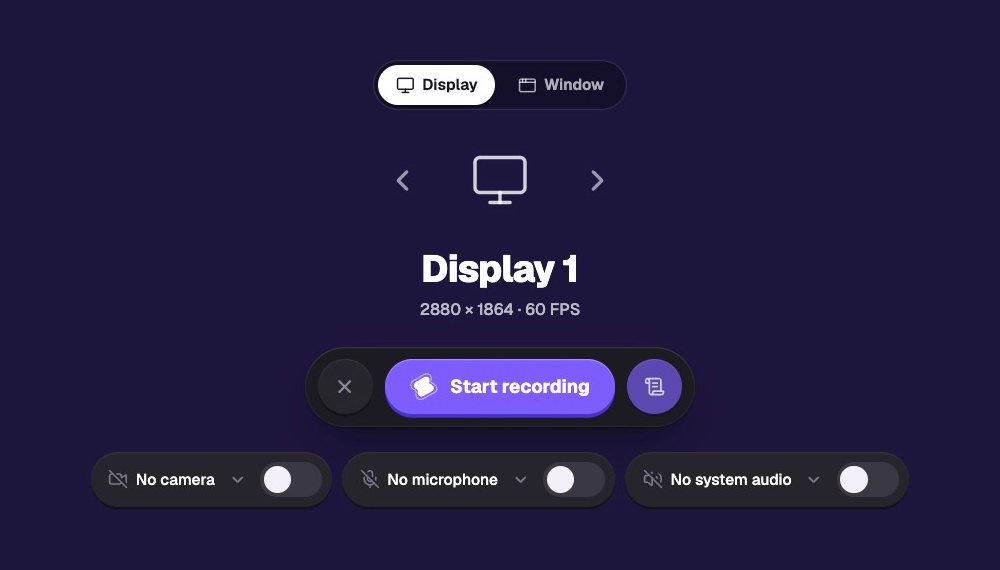
Pick a display or one window
Choose what to record, then switch the camera, microphone and system audio on or off. The recorder shows the size and frame rate before you start.
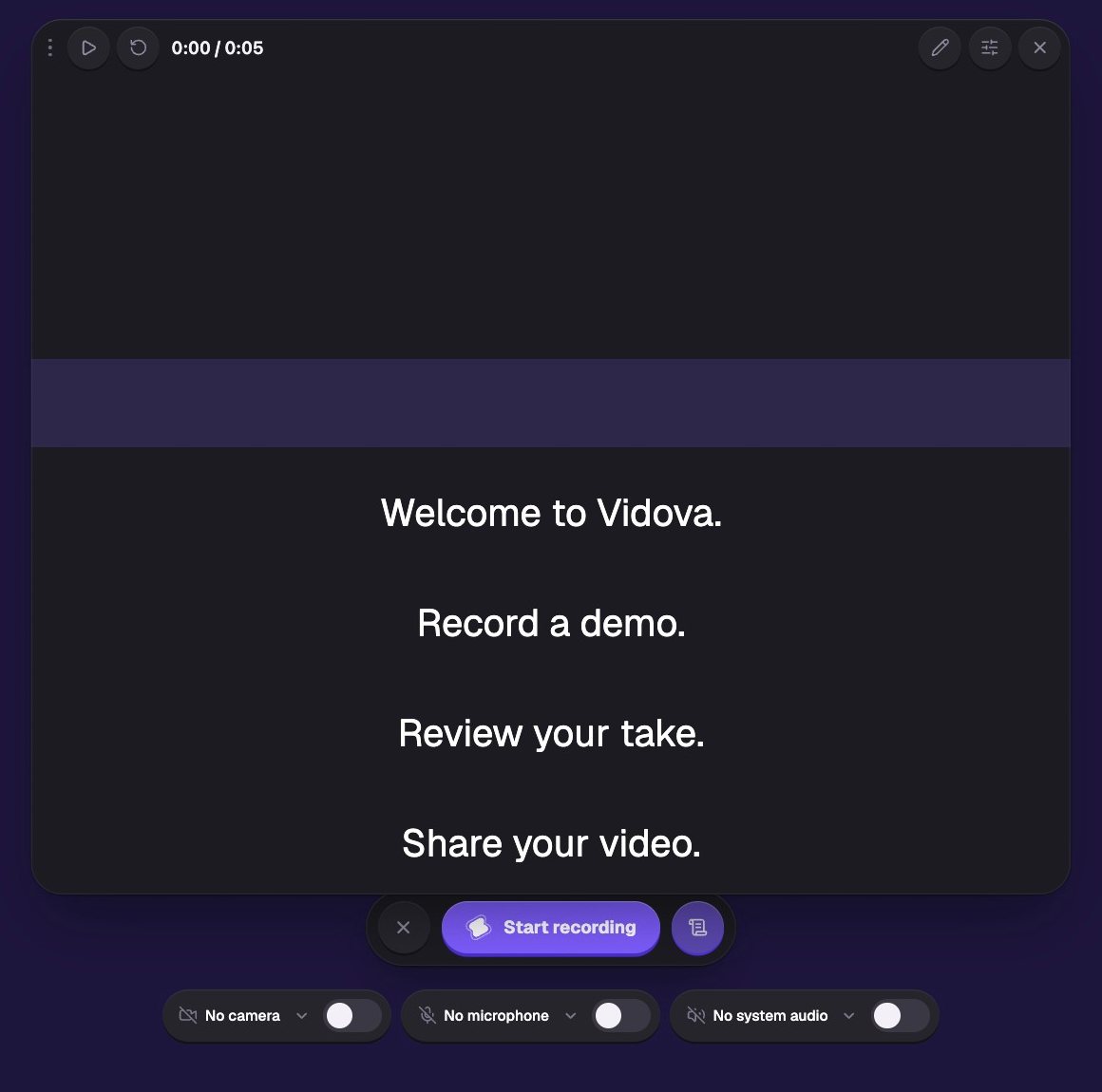
Read your script while you record
The teleprompter scrolls your words at your pace, with a reading band that shows where to look. It can start when the take starts.
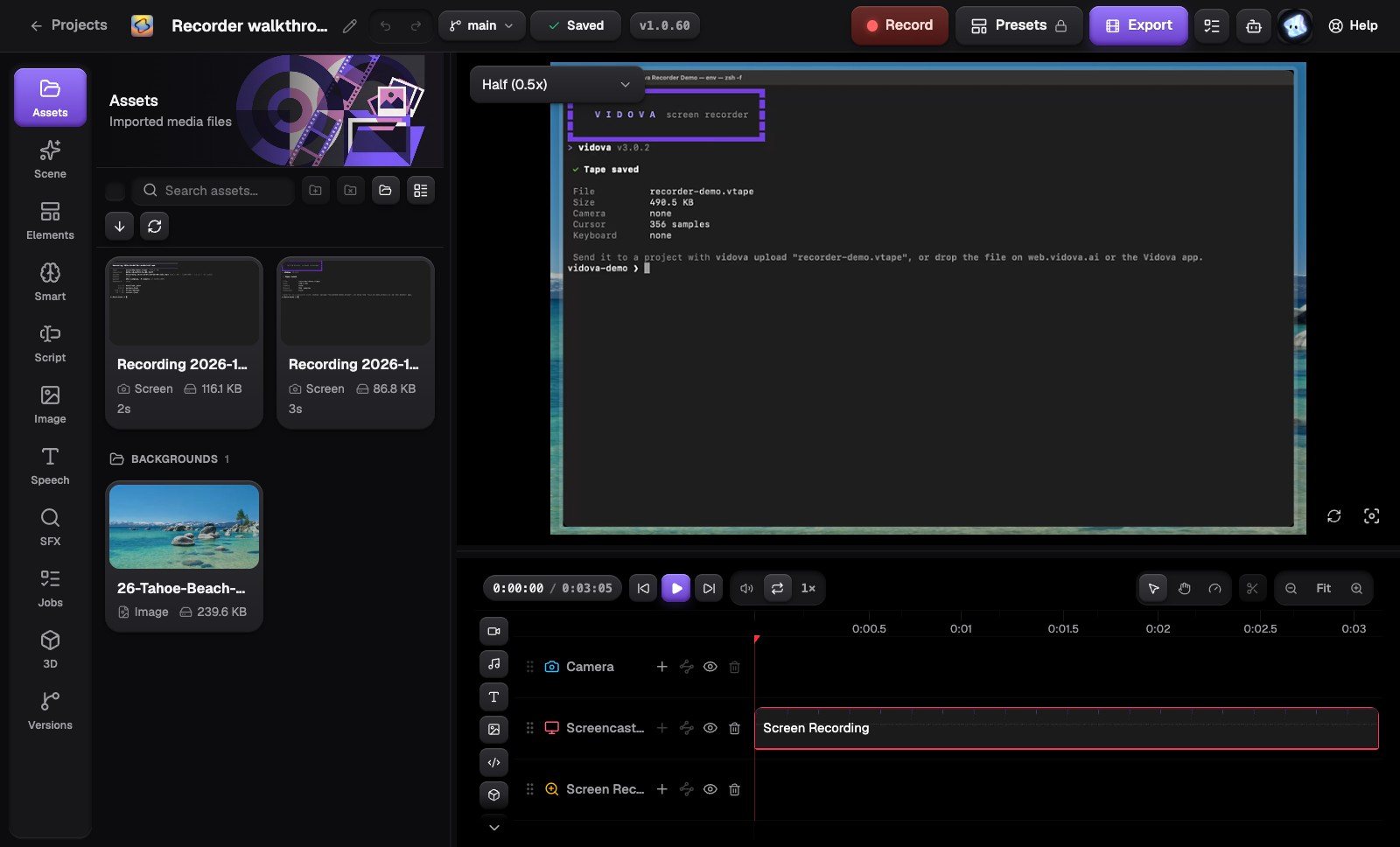
The take opens on a real timeline
Screen, camera, cursor and zoom each get their own track. Trim, move or undo any edit, then export.
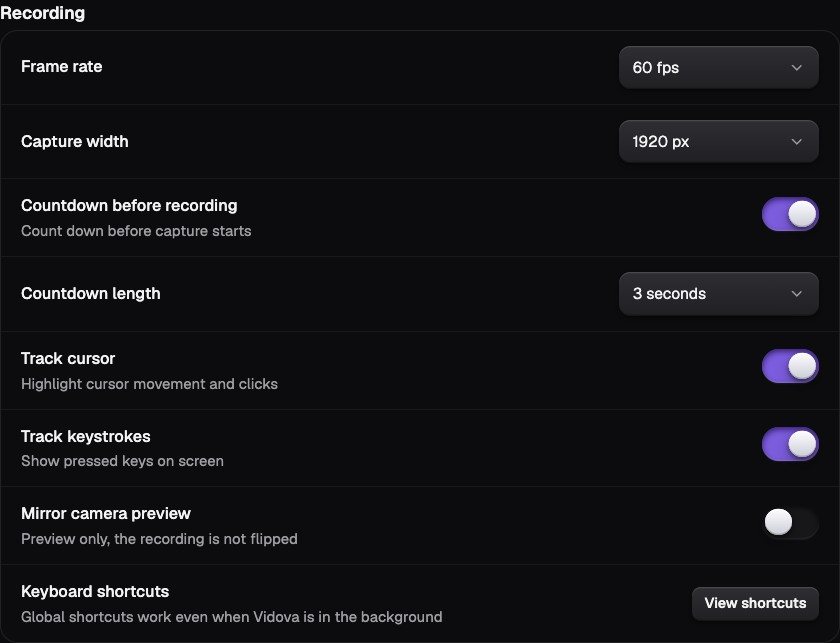
Set quality once
Record at 24, 30 or 60 fps and up to 2560 pixels wide, with a countdown, cursor tracking and key tracking.
From a take to a finished walkthrough
Download and open Vidova
Pick the installer for your computer on the download page. No account is needed to record.
Choose what to record
Pick a display or a window, then turn on the camera, microphone and system audio you need.
Record
Start, pause and stop from the recording bar or with global shortcuts while another app is in front.
Review the automatic edit
The take opens on a timeline with zooms, cuts, captions and chapters. Keep, change or undo each one, then export.
What people record with it
- Product demosShow a feature with zooms on every click, ready to post.
- Tutorials and coursesCaptions and chapters make long lessons easy to follow.
- Bug reportsKeys and clicks on screen show exactly what was pressed.
- Onboarding and help videosRecord once with the teleprompter, then fix a word in the captions.
- Launch and release videosExport to Premiere Pro or DaVinci Resolve for the final polish.
- Sales walkthroughsPut your camera next to the screen and cut the pauses out.
A Screen Studio alternative for Windows and Linux
Screen Studio made click zooms popular, but it runs only on macOS and needs a paid plan. Vidova Recorder gives Mac, Windows and Linux users the same automatic zooms, and the download is free.
| Feature |  Vidova Recorder Vidova Recorder | Screen Studio |
|---|---|---|
| Runs on | macOS, Windows and Linux | macOS only |
| Price | Free to download, no account to record | $29 a month, or $9 a month billed yearly |
| Automatic zoom on clicks | Yes | Yes |
Frequently asked questions
Is Vidova Recorder free?
Yes. The download is free and you can record without an account. Your recordings stay on your computer until you choose to share them. AI features in the editor use your Vidova plan. The free plan needs a card check that charges nothing.
Does Vidova Recorder work on Mac, Windows and Linux?
Yes. There are installers for macOS 13 or later on Apple Silicon, Windows 10 or later on Intel, AMD and ARM PCs, and Linux as a Debian package or an AppImage for x64 and ARM64.
How does the automatic zoom work?
The recorder saves every click and the cursor path next to the video. The editor zooms in where you click and moves a smooth camera with the cursor. Each zoom is a clip on the timeline that you can move, change or delete.
Can I record my camera and screen at the same time?
Yes. The camera is saved as its own track, so you can move it, resize it or remove its background after the take.
Does it have a teleprompter?
Yes. The teleprompter shows your script while you record, at 60 to 320 words per minute, with a reading guide, mirroring and keyboard shortcuts to change the pace.
Can I edit the recording in Premiere Pro or DaVinci Resolve?
Yes. Export the edit as Premiere Pro FCPXML or DaVinci Resolve OTIO, or render an MP4 on your computer.
Is Vidova Recorder a good Screen Studio alternative?
Yes, if you are on Windows or Linux, or want a free recorder. Screen Studio runs only on macOS and costs $29 a month, or $9 a month billed yearly, as of October 2026. Vidova Recorder runs on Mac, Windows and Linux, zooms in on clicks the same way, and is free to download.
Is there a command-line version?
Yes. The Vidova CLI records from the terminal with the same recorder. Install it with "npm install -g @vidova/cli". See vidova.ai/cli.
Guides
All docsMore from Vidova
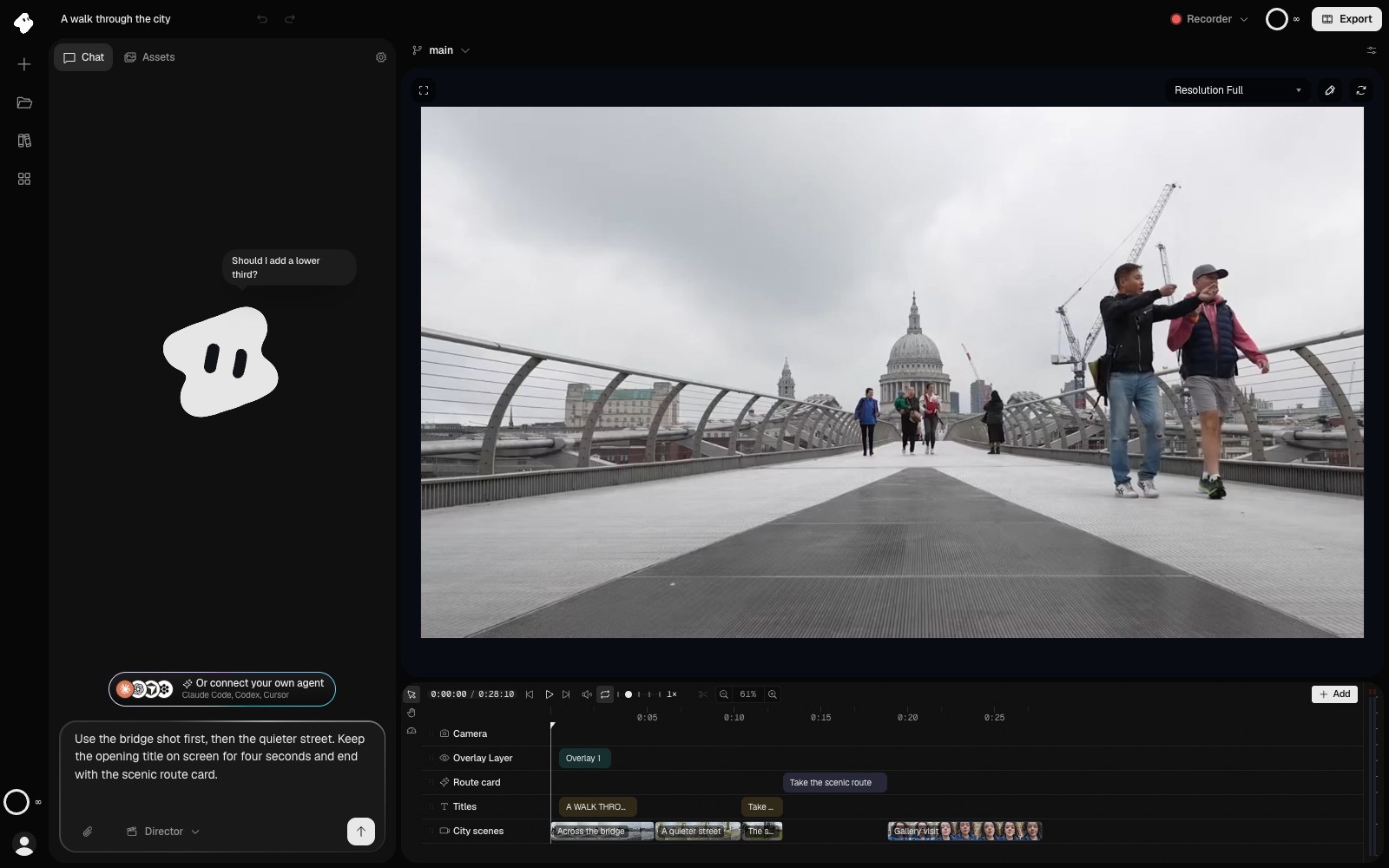
Vidova can also edit the video for you
Hand the take to an AI agent that edits on a real timeline, or record from a terminal script.
Agentic AI video editor
Tell an agent the edit. It cuts it on a real timeline.
Describe the video you want in one sentence. The Vidova agent cuts, captions, animates and previews it, and every edit stays on a timeline you can change or undo.
- Cuts, titles and transitions from one prompt
- Captions, music and sound effects added for you
- Works from Claude, Cursor and Codex over MCP
Vidova CLI
Record from the terminal, or let your coding agent do it.
One npm install gives you a screen recorder you can script. Each take goes straight to a Vidova project.
- A display or one window, chosen with flags
- Made for Claude Code, Codex and CI scripts
- Uploads to a project with one flag
No sign-in needed
Record your first walkthrough.
Free for Mac, Windows and Linux. The download starts at once.