Telegram bot
Make videos in Telegram. Send clips, get the edit back.
Chat with the Vidova agent in Telegram at @vidovabot. Send your clips, photos and voice messages, say what you want, and the finished video comes back in the chat.
 Vidova@vidovabot


short video for my bakery. people should get hungry
Here it is. It opens on the syrup pour and ends on the cheese pull.
The short answer
@vidovabot is the Vidova AI video editor in Telegram. Connect your Vidova account once, then send clips, photos, albums and voice messages and say what you want in plain words. The agent picks the project, edits the video, shows frames of the edit while it works, asks with buttons when it needs a choice, and sends the finished video back to the chat. Every file you send is saved to your Vidova Library, and every edit stays in your account. It works in Telegram on iPhone, Android, Mac, Windows, Linux and the web.
- Bot
- @vidovabot
- Works in
- Telegram on iPhone, Android, Mac, Windows, Linux and the web
- You send
- Clips, photos, albums, voice messages and files
- You get
- Frames of the edit and the finished video
- Languages
- 10
- Price
- Your Vidova plan
What the bot does
- Just say what you wantNo commands and no menus. Type the video you want the way you would tell a friend.
- Clips, photos and albumsSend files one by one or as an album. An album is one message.
- Voice messagesSay what you want instead of typing it. The agent listens and gets to work.
- Frames while it worksA status line shows what the agent is doing, and its replies show frames of the edit.
- Choices as buttonsWhen the agent needs a choice, tap an answer or type your own.
- The video in the chatThe finished video arrives in the chat, ready to save, post or forward.
- Saved to your LibraryEvery file you send lands in your Vidova Library, and the agent picks the right project.
- In your languageThe bot speaks 10 languages, and the agent answers in the language you write in.
Start in Telegram in four steps
Open @vidovabot
Open t.me/vidovabot in Telegram and tap Start.
Connect your Vidova account
Tap Connect Vidova, then sign in or sign up. You do this once.
Send clips and say what you want
Send clips, photos or a voice message, then write what the video is for.
Get the video
The finished video comes back in the chat. Reply to change it.
What people make with it
- Reels between customersFilm at the counter, send the clips and post the Reel before closing.
- Trips and eventsSend the day's clips from your phone and get a recap the same night.
- Podcast and talking clipsSend a recording and ask for short clips with captions.
- Quick changesAsk for a shorter intro or bigger captions in the same chat.
Frequently asked questions
What is @vidovabot?
@vidovabot is the Vidova AI video editor in Telegram. You chat with the same agent as in the Vidova editor: send clips, say what you want, and it sends the finished video back to the chat.
Do I need a Vidova account?
Yes. The first time you open the bot, tap Connect Vidova and sign in or sign up. The chat stays connected after that.
What can I send to the bot?
Clips, photos, albums, voice messages and files. Each file is saved to your Vidova Library, and a voice message counts as a message to the agent.
Are there commands to learn?
No. The only command is /start. You type what you want, and the agent picks the project or starts a new one.
Where do my videos go?
The finished video comes back in the chat. The project stays in your Vidova account, so you can also open it in the editor at vidova.ai.
Can I change the video after it is done?
Yes. Reply in the same chat, for example "make the intro shorter" or "bigger captions", and the agent edits the same project.
What does it cost?
The bot uses your Vidova plan, the same as a chat in the editor. The free plan needs a card check that charges nothing.
Guides
All docsMore from Vidova
Prefer a big screen?
The same agent edits in your browser on a real timeline, and the free desktop app records your screen.
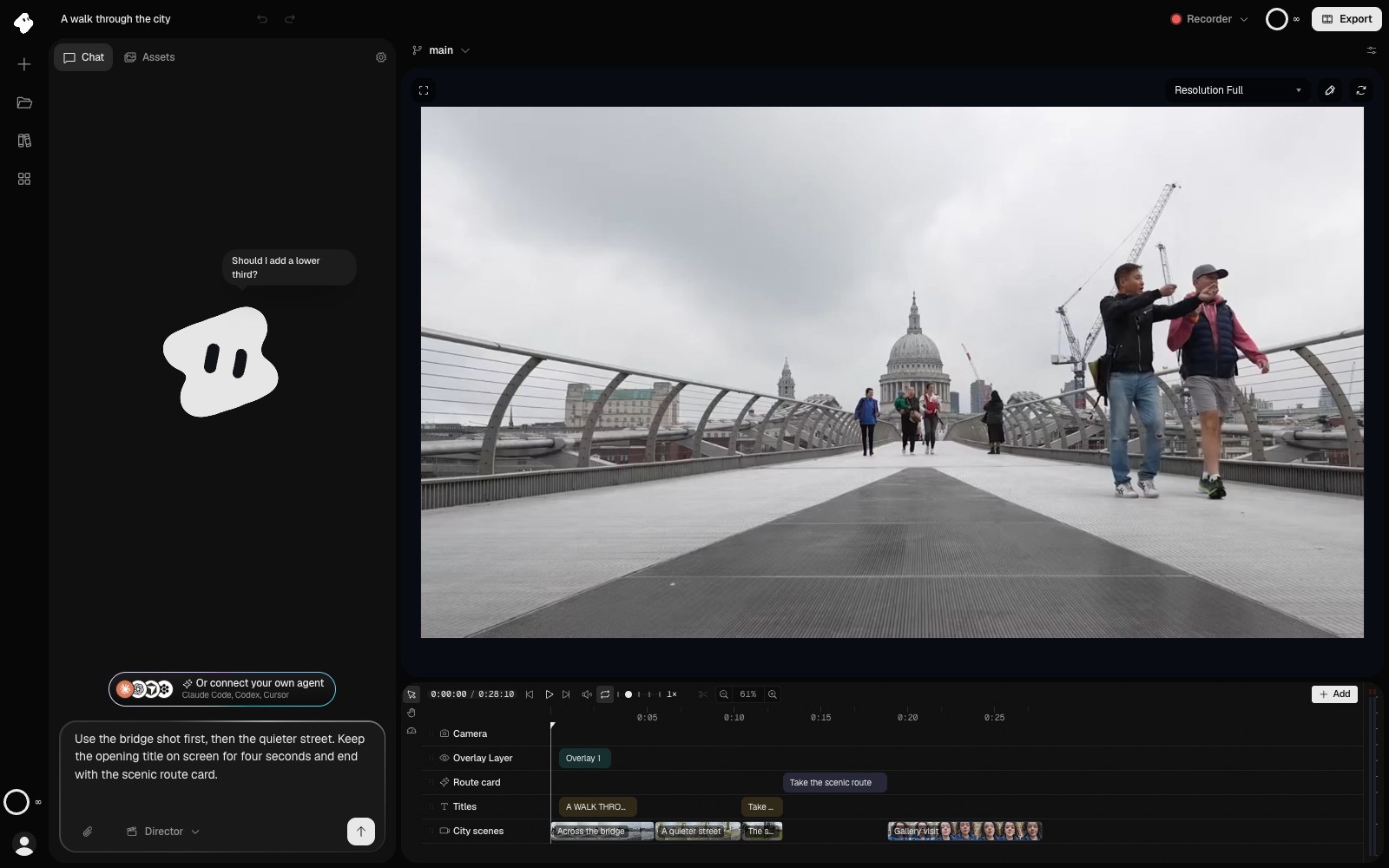
Agentic AI video editor
Tell an agent the edit. It cuts it on a real timeline.
Describe the video you want in one sentence. The Vidova agent cuts, captions, animates and previews it, and every edit stays on a timeline you can change or undo.
- Cuts, titles and transitions from one prompt
- Captions, music and sound effects added for you
- Works from Claude, Cursor and Codex over MCP
Vidova Recorder
Record your screen. The zooms and captions are done.
The free desktop app records your screen, camera and mic, then zooms in on clicks, cuts the pauses and writes captions.
- Automatic zoom and a cursor-following camera
- Silences and filler words cut from the transcript
- Free for Mac, Windows and Linux
@vidovabot
Make your next video in Telegram.
Open the bot, connect your account and send your first clips.