 Vidova
How to
How to make clothing and jewelry reels that sell
Clothing and jewelry reel ideas that sell: the piece moving in the first second, outfit changes hidden on the beat, a close-up of every piece and the price on screen.
Updated
Examples
The short answer
A clothing or jewelry reel sells when the piece moves in the first second and the viewer sees its detail, its true colour and its price. Hide each outfit change in a spin or a snap on the beat, give every piece a close-up, and film jewelry in one soft light so the stones catch it. End on your shop name and how to buy.
Step by step
Open on the piece in motion
The first second shows a spin, a walk toward the camera, a hand that lifts a shirt from the rail or a ring that turns in the light. A folded shirt or a ring on a flat table gives the viewer nothing to watch.
Hide every outfit change on the beat
End each look on a move: a snap, the back of a spin, the landing of a jump. Start the next look on the same move, from the same spot and with the same framing, and cut on the beat. The change looks instant.
Give every piece a close-up
After each full look, show its detail for half a second or more: the weave, the stitching, a button, a clasp, a stone. Buyers zoom in on product photos. The close-up does it for them.
Keep the colours true
Film by a window in daylight, or under one white light. Do not add a warm filter. The shade on screen should match the piece the buyer gets.
Name each piece and its price
When a look lands, put the piece's name and price on screen as one short caption, in the same place every time. Keep the text off the garment and off the face.
End on the shop and how to buy
Close on your shop name over a last look that still moves, with one action: shop the link in bio, visit the store or send a message to order.
What makes a clothing or jewelry reel sell
People buy clothes and jewelry they can picture on themselves. A reel that sells shows how the piece moves, how it fits and how it looks up close. It also answers the price question before anyone asks it in the comments.
- The piece moving in the first second.
- Hard cuts on the beat between looks, with the framing matched.
- A close-up of every piece.
- Real colours, with no filter that changes a shade.
- Names and prices on screen, in the same place every time.
- One idea people remember, such as one walk that keeps playing while the street behind it changes on every beat.
Clothing and jewelry reel ideas
- New arrivals: three to five pieces, each with its name and price, cut on the beat.
- Outfit transition: the same move at the end of every look, so each change hides in the cut.
- Fit check: each look scored out of 10, the pieces tagged with their prices, and a final grid of all the looks.
- One piece, three ways: the same jacket or necklace styled for work, a weekend and a night out.
- Lookbook: slow full-length shots, one look per bar of music, with a name for each look.
- The walk through changed worlds: one walk or spin keeps playing while the place behind the person changes on every beat.
- Ring on the hand: the ring slipped on by a window, then the hand turning slowly in the light.
- Under the loupe: a magnified view that follows the stone, the way a jeweler checks it.
- Behind the rail or the bench: a piece steamed, packed or made by hand, ending on the finished piece.
How to film jewelry so it sparkles
- Clean the piece and wipe off fingerprints before you film.
- Use one soft light from the side and a dark, plain surface. Metal and stones catch the light against the dark.
- Move slowly. Turn the piece, or move the phone slowly past it. The sparkle comes from movement.
- Use your phone's 2x lens or macro mode, and lock the focus on the stone.
- Show a hand or an ear for scale, so buyers see the real size.
- Film the box opening and the piece going on. Those moments feel like a gift.
How Vidova makes one
Send your AI video team your clips and photos with each piece's name and price. It plans the reel, cuts the looks on the beat of its music, hides the outfit changes in the moves and adds a close-up after each look. It puts the names and prices in word-by-word captions, in the same place every time and inside the area that TikTok and Reels buttons do not cover. Check your own posts with the free safe zone checker. It previews frames and checks the cut before it hands it to you.
For the one idea people remember, it can put four looks in a grid that spins on the same beat, play one walk through changed places with AI video editing, or slow a twirl to about a quarter of its speed with AI slow motion. It changes the world around the piece and never the piece: the fabric, the shade and the stone stay as you filmed them. Templates for a lookbook, a fit check and a jeweler's loupe give it a starting point.
Ask for changes in plain words: another order, a new price, a slower end. Get a 9:16 reel and a 4:5 feed post from the same project.
Vidova AI video editor
Want the whole video edited?
Describe it and Vidova does it. It opens in a new project in the editor, where you add your video.
Frequently asked questions
How long should a clothing or jewelry reel be?
About 15 to 25 seconds for three to five pieces. Give each full look 1.5 to 2.5 seconds and each close-up half a second or more. A single ring or one outfit transition can be shorter.
How do I film an outfit transition?
Put the phone on a stand and do not move it. Film each look in the same spot and end it on the same move, such as a snap, a spin or a jump. Start the next look on that move. The cut on the beat hides the change.
Should I show prices in my reels?
Yes, when you have them. A price on screen answers the first question buyers ask in the comments. Show it once per piece, as short text next to the name.
Do I need a model for clothing reels?
No. A hand that lifts a piece from the rail, the owner trying it on at a mirror, or a flat lay that a hand styles all work. A person moving in the clothes shows the fit best, so use one when you can.
How do I make jewelry look good on camera?
Clean it, put it on a dark plain surface, use one soft light from the side and move slowly. Use the 2x lens or macro mode, and show a hand for scale.
Can AI change the background without changing my clothes?
Yes. Vidova's AI video editing changes the place around the piece and keeps the motion. Your AI video team compares frames before and after the change, so the fabric, the colour and the stone look as you filmed them.
More guides
All guides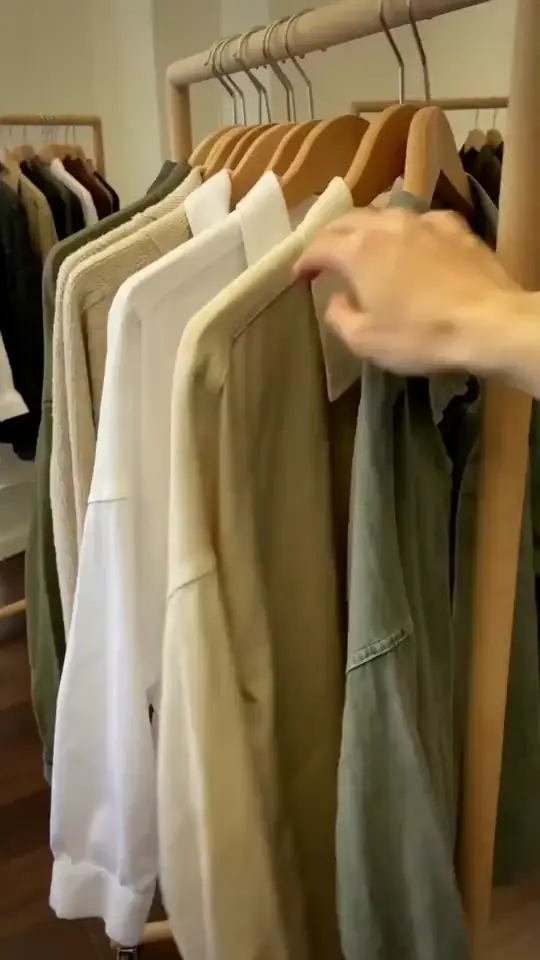
How to make product videos for an online store
Online stores, ecommerce brands, makers and resellers
Read the guide
How to make spa, salon and beauty reels that bring in bookings
Spas, hair and nail salons, barbers, lash and brow studios
Read the guide
How to write video hooks that stop the scroll
Local businesses, creators, coaches and marketers
Read the guide