 Vidova
How long should a TikTok ad be? Length limits and video specs (2026)
TikTok recommends 21 to 34 seconds for most ads and 9 to 15 for TopView. In-feed ads run up to 10 minutes, TopView 60 seconds, Spark Ads any length.
 Vidova team
Last updated
The short answer
Make most TikTok ads 21 to 34 seconds long: TikTok's video advertising guide recommends that range. The limits depend on the format. Auction In-Feed ads run up to 10 minutes, TopView and Reservation In-Feed ads run 5 to 60 seconds with 9 to 15 seconds recommended, and Spark Ads that pull an organic post have no length limit. Every format takes 9:16 video of at least 540 × 960 pixels, up to 500 MB.
Key takeaways
- Recommended: 21 to 34 seconds for most ads, from TikTok's video advertising guide. The TopView and Reservation In-Feed specs recommend 9 to 15 seconds.
- Maximum: 10 minutes for Auction In-Feed ads, 60 seconds for TopView and Reservation In-Feed, and no limit for Spark Ads that pull an organic post.
- TikTok's ad format policy says 5 to 60 seconds, so an ad in that range fits every TikTok page.
- Specs: 9:16 vertical, at least 540 × 960, exported at 1080 × 1920 or higher, 500 MB or less. TopView needs 2,500 kbps or more and sound.
How long should a TikTok ad be?
Make most TikTok ads 21 to 34 seconds long. TikTok's video advertising guide says in-feed ads can run up to 60 seconds, though 21 to 34 seconds performs best, and it recommends 21 to 34 seconds for most ads. Where that number comes from is in how long a video ad should be.
The Ads Help Center pages for TikTok's reserved formats give a shorter target. The TopView and Reservation In-Feed specs both recommend 9 to 15 seconds.
| Format | Shortest | Longest | TikTok's recommendation |
|---|---|---|---|
| Auction In-Feed, non-Spark | Not stated | 10 minutes | 21 to 34 seconds |
| Auction In-Feed, Spark Ads | No restriction | No restriction | 21 to 34 seconds |
| TopView, non-Spark and Spark Ads Push | 5 seconds | 60 seconds | 9 to 15 seconds |
| TopView, Spark Ads Pull | No restriction | No restriction | Not stated |
| Reservation In-Feed and Reach & Frequency, non-Spark and Spark Ads Push | 5 seconds | 60 seconds | 9 to 15 seconds |
| Reservation In-Feed, Spark Ads Pull | No restriction | No restriction | Not stated |
How long can a TikTok ad be?
The longest ad depends on the format and on where the video comes from. An Auction In-Feed ad that you upload to Ads Manager can be up to 10 minutes long (TikTok Auction In-Feed Ads, updated June 2026). TopView and Reservation In-Feed ads run 5 to 60 seconds. A Spark Ad that pulls an organic post has no length restriction. The TopView page says Spark Ads Pull supports any length of organic video that users can publish.
TikTok's own pages do not agree on the 10 minutes. TikTok's ad format and functionality policy, updated April 2026, says an ad must be a minimum of 5 seconds and a maximum of 60 seconds, and the video advertising guide also says in-feed ads run up to 60 seconds. Only the Auction In-Feed specs page lists 10 minutes. An ad between 5 and 60 seconds fits every page.
The same policy says the ad must contain audio that is not unclear or muffled, the content must be dynamic, and static images should not take up more than 50% of the video.
TikTok video ad specs by format
| Spec | Auction In-Feed, non-Spark | TopView, non-Spark and Spark Ads Push | Reservation In-Feed, non-Spark and Spark Ads Push | Spark Ads Pull |
|---|---|---|---|---|
| Aspect ratio | 9:16 (recommended), 16:9 or 1:1 | 9:16 only | 9:16 (recommended), 16:9 or 1:1 | The organic post as it is |
| Smallest frame | 540 × 960, 960 × 540 or 640 × 640 | 540 × 960 | 540 × 960, 960 × 540 or 640 × 640 | Not stated |
| File types | .mp4, .mov, .mpeg, .3gp, .avi | .mp4, .mov, .mpeg, .3gp | .mp4, .mov, .mpeg, .3gp | .mp4 or .mov |
| File size | 500 MB or less | 500 MB or less | 500 MB or less | Not stated |
| Bitrate | 516 kbps or more | 2,500 kbps or more | 2,500 kbps or more | Not stated |
| Length | Up to 10 minutes | 5 to 60 seconds | 5 to 60 seconds | No restriction |
| Caption | Fixed white font, no links, @ mentions or hashtags | Fixed white font, up to 100 characters, no links | Fixed white font, under 100 characters advised, no links | Taken from the organic post |
TikTok lists file types, not codecs. Its video advertising guide recommends 9:16 video exported at 1080 × 1920 or higher. An H.264 MP4 at 1080 × 1920 meets every column above. At 8 Mbps, a 30-second ad is about 30 MB, far under 500 MB and well above the 2,500 kbps that TopView asks for.
Profile photo and display name rules for in-feed ads are in Meta and TikTok video ad specs. The frame rate choice is in 30fps vs 60fps for Reels and TikTok. To bring a large export under 500 MB, use the free video compressor.
TopView: the rules for the first 3 seconds
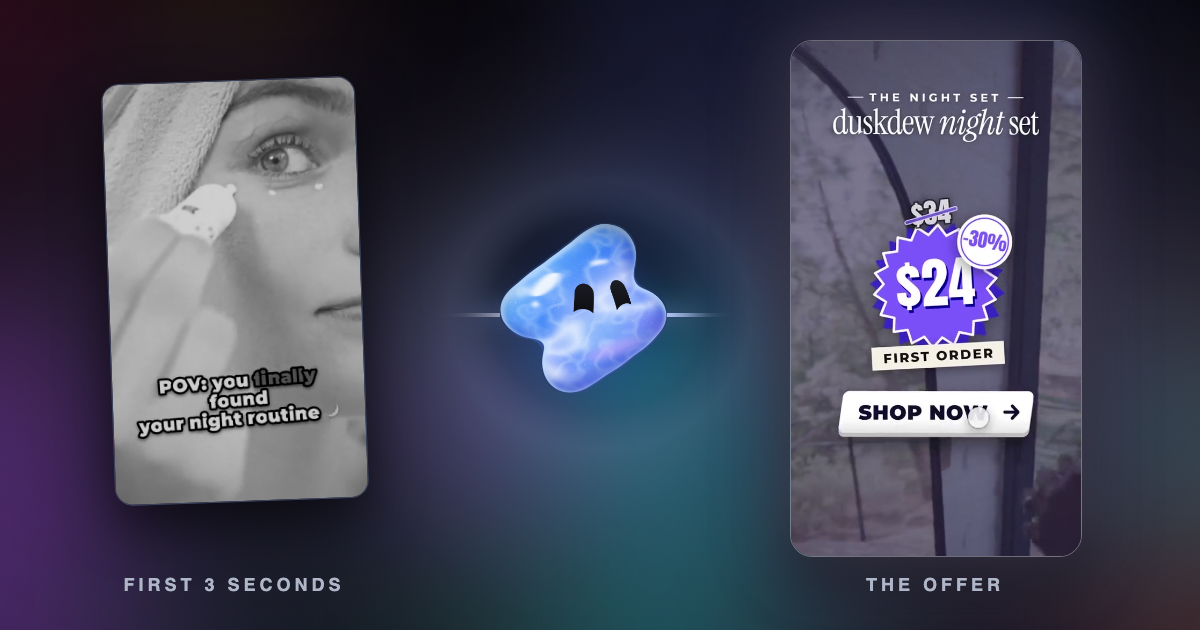
A TopView ad starts as a full-screen open-screen takeover for its first 3 seconds, then plays on as an in-feed post. The TopView specs, updated October 2026, add rules that other formats do not have:
- No plain white in the first 3 seconds. The TikTok logo shows over that part, and on white it is hard to see.
- Nothing under the TikTok logo, the skip button or the swipe-up link. Keep logos, key messages and text out of those areas.
- Sound is required. The video cannot be completely silent. Avoid harsh or jarring sounds, especially in the first 3 seconds, and do not repeat a promotional sentence more than twice in a row.
- Vertical first. A horizontal trailer is allowed only when its first 3 seconds are vertical.
- Two safe zones. One covers the open-screen part in the first 3 seconds, and a stricter one covers the in-feed part. TikTok gives both as a zip file on the specs page.
- Locked once it runs. Creatives need approval first, review can take up to 2 days, and you cannot change the assets once preloading starts or the campaign is live.
Spark Ads: push, pull and length
Spark Ads run organic TikTok posts as ads (how to create Spark Ads, updated June 2026). There are two ways to make one:
- Pull: you bring an existing post into Ads Manager from a linked business account, an authorized TikTok account or a video code. You can authorize up to 20 video codes at a time. A pulled post keeps its own length, file and caption.
- Push: you send a video from your Ads Manager library to a TikTok account authorized through Business Center. On TopView and Reservation In-Feed, a pushed video follows the same specs as a non-Spark ad: 5 to 60 seconds, 2,500 kbps or more and 500 MB or less.
A creator makes a video code in the TikTok app: open the video, tap the three dots, open Ad settings and tap Generate. You cannot edit a post's caption after it is authorized as an ad, so finish the caption before you make the Spark Ad.
A pulled post has no length limit, but the 21 to 34 second recommendation still applies to what people see. Pick or cut organic posts with that length in mind before you promote them.
TikTok ad safe zone
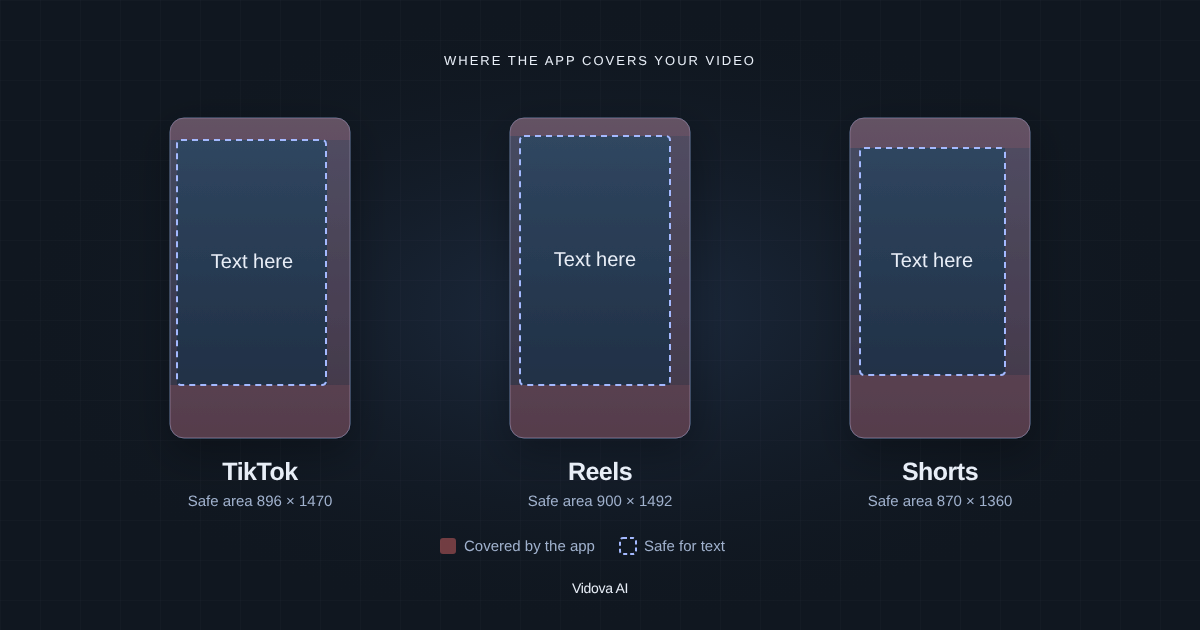
TikTok does not publish its ad safe zone in pixels. Its specs pages say the safe zone depends on the aspect ratio, the length of the caption and extras such as anchors or Interactive Add-ons. A longer caption makes the safe zone smaller. TikTok gives templates to download: a standard one, one for Arabic right-to-left layouts, and versions for ads with anchors.
Lay the template over your video before you upload, or drop a frame into the free safe zone checker. Margins for normal posts are in safe zones for Reels, TikTok and Shorts.
Cut one shoot into both lengths
The formats ask for different lengths, so plan two cuts from the same footage:
- 9 to 15 seconds for TopView and Reservation In-Feed: the problem, the product and the offer.
- 21 to 34 seconds for Auction In-Feed and Spark Ads: a short demo or a customer story, with the offer at the end.
In both, TikTok's guide says to hook viewers in the first three seconds and to skip long intros or logo animations. It also says to refresh creatives every 2 to 4 weeks, or sooner if results drop. Lengths for organic posts are in how long a TikTok or YouTube Short should be.
Make both cuts in Vidova
Vidova's AI agent edits your own footage on a timeline. Attach your clips and describe each cut. Vidova keeps versions of a project, so each length stays as its own cut that you can export and test.
From these clips, make two vertical TikTok ads at 1080 × 1920. First a 12-second cut for TopView: no plain white frames, and no text over the TikTok logo, the skip button or the swipe-up link in the first 3 seconds. Then a 28-second cut for in-feed that shows the product in the first 3 seconds and ends on the offer. Keep the real sound in both, and keep all text clear of the caption and the buttons.
You can start free. Paid plans start at $19 a month, remove the watermark and export up to 4K at 60 fps.
Related guides
Sources
All pages checked on 7 November 2026.
- TikTok Ads Help Center: TopView ad specifications
- TikTok Ads Help Center: TikTok Auction In-Feed Ads
- TikTok Ads Help Center: Reservation In-Feed ad specifications, including Reach & Frequency
- TikTok Ads Help Center: ad format and functionality policy
- TikTok Ads Help Center: how to create Spark Ads
- TikTok for Business: video advertising guide