Vidova
How to make a Black Friday or holiday sale video ad with AI
Turn your own product or shop clips into a sale ad for Black Friday, Small Business Saturday, Boxing Day or White Friday: what to film, what to write and the steps in Vidova.
 Vidova team
Last updated
The short answer
A sale ad needs three things in its first seconds: the product or the shop, the offer, and the end date. Film short clips of your best sellers, write the offer in a few words, and make a 9:16 version for Reels, Stories and TikTok and a 4:5 version for the feed. In Vidova you upload the clips, give the offer and the deadline, and the AI agent cuts the ad with the offer on screen, music and your shop name, on a timeline you can change.
Key takeaways
- Show the product in the first second and the offer on screen by the second second.
- Give the real end date. A countdown only works when the deadline is true.
- Price claims must be true. In the US, a former price must be a real one, and in the EU a price cut must refer to the lowest price of the last 30 days.
Sale dates by country
Plan the ad around the days your customers shop. Post a teaser a week before, the ad on the first day, and a last-day reminder.
| Where | Sale days | Note |
|---|---|---|
| United States | Black Friday on November 27, Small Business Saturday on November 28, Cyber Monday on November 30 | Small Business Saturday suits local shops and services |
| United Kingdom and Australia | Black Friday on November 27, Boxing Day on December 26 | Boxing Day sales often run for several days |
| Germany, Austria and Switzerland | Black Friday on November 27 | Many shops run a whole Black Week |
| UAE and Saudi Arabia | White Friday, the name some Gulf retailers use for Black Friday | Write the prices in AED or SAR |
| Netherlands and the Nordics | Black Friday and Black Week | In the Netherlands, Sinterklaas on December 5 is a gift date too |
What to film for a sale ad
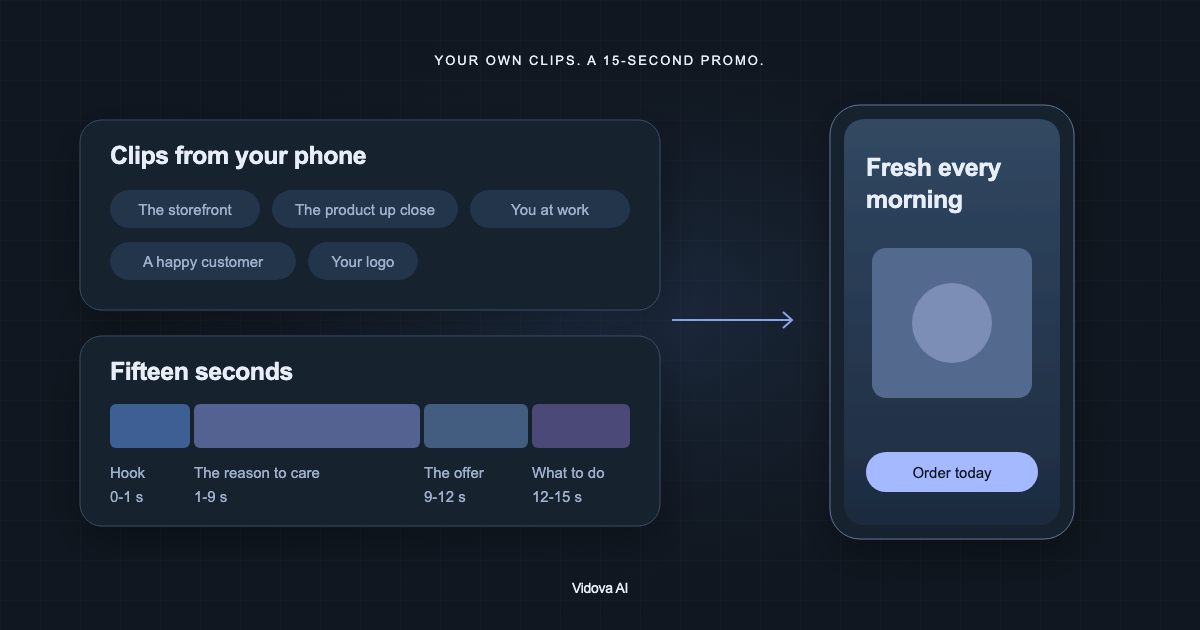
You do not need a studio. Short, steady phone clips of the real product work. Film 6 to 10 clips of 3 to 8 seconds each.
- The product coming alive: a lid opens, a candle is lit, a jacket is put on, a coffee is poured. The offer lands on this moment.
- The product in use, in your customer's hands or on a person.
- Packing an order or wrapping a gift. It shows the shop is real and busy.
- The shop: the door, the sign, the counter, you behind it.
- Room above the product. Leave the top third of the frame clear, so the offer text does not cover it.
For a service, such as a salon, a gym or a cleaner, film the work and the result. Our before and after guide shows how.
What to write on screen
- The offer in six words or fewer: "30% off everything", "Buy one, get one free", "Free gift wrap this week".
- The end date: "Ends Monday" or "Until December 1".
- One action: "Shop at the link in bio", "In store until Sunday", "Book now".
- Your shop name on the last shot.
Keep price claims true. In the US, the FTC's Guides Against Deceptive Pricing say a former price in an ad must be a real price, not a made-up one. In the EU, a shop that announces a price cut on goods must also give the lowest price it charged in the 30 days before the cut. In Germany this rule is § 11 of the price indication regulation (PAngV).
Shapes and lengths for each placement
| Placement | Shape | Length |
|---|---|---|
| Instagram and Facebook Stories | 9:16, 1080 × 1920 | 6 to 15 seconds |
| Instagram Reels, TikTok and YouTube Shorts | 9:16, 1080 × 1920 | 10 to 30 seconds |
| Instagram and Facebook feed | 4:5, 1080 × 1350 | 6 to 20 seconds |
For the details, see Meta and TikTok ad specs and how long a video ad should be. Keep text out of the areas the app's buttons cover: our safe zone checker shows them.
Make the sale ad in Vidova
- Open Vidova in your browser and upload your clips. You can also send them to the Vidova bot in Telegram from your phone.
- Write the offer, the end date, the shop name and the action, and say which shapes you need.
- The agent reads each clip, finds the moment the product comes alive, and builds the ad on a real timeline with the offer, music and your name.
- It previews frames of its own cut and runs a quality check before it reports back.
- Ask for changes in plain words: a bigger offer, a different first clip, a calmer song. Ask for three hooks to test against each other.
- Export the MP4 files and post them, or upload them to Meta Ads Manager or TikTok Ads Manager.
Two of Vidova's templates are made for sales. Offer countdown story is a 9:16 story where the offer slams onto a band at the top and turns into a live clock that counts down to your deadline. Multi-product sale grid is a 4:5 feed ad where a grid of your products builds on the beat and one product fills the frame with the sale line. For a shop without one hero product, Local business promo cuts your phone clips into a promo with your name, place and one action.
Make a 15-second 9:16 Black Friday ad for my candle shop, Ember and Oak, from these clips. Open on the wick catching, with "30% off all candles" on a band at the top. Then the candles on the shelf, me wrapping an order, and the shop door. End on "Ember and Oak · Ends Monday · Link in bio". Use the real sound of the match and soft music. Then make a 4:5 version for the feed.
This brief is an example. Use your real offer and dates.
If you have no clips yet
Vidova can generate shots from a description, such as warm close shots of a candle being lit. Generated shots use credits, and they show an invented product, not yours. For a product you sell, film the real thing, even with a phone. Customers buy what they see.
Questions about holiday sale ads
How long should a Black Friday video ad be? 6 to 15 seconds for a Story and 10 to 30 seconds for a Reel or TikTok. Put the offer on screen in the first two seconds.
When should I post a Black Friday ad? Post a teaser about a week before, the ad on the first sale day, and a reminder on the last day.
Can I make the ad without showing my face? Yes. Product clips, packing shots and on-screen text carry a sale ad. You can add a voiceover from your own recording or a generated voice from your script.
Can I use a Christmas song? Only if you have the rights to it. Popular recordings belong to their owners. Ask Vidova for an original track made for the ad.
What does Vidova cost? Every plan starts with a 7-day free trial with no watermark. Paid plans start at $29 a month, and the pricing page shows your local currency.