 Vidova
ChatCut alternatives: AI video editors you direct from chat (2026)
ChatCut alternatives compared: Vidova, Descript, VEED and Riverside, on chat agents, MCP access from Claude and ChatGPT, team editing and US prices (November 2026).
 Vidova team
Last updated
The short answer
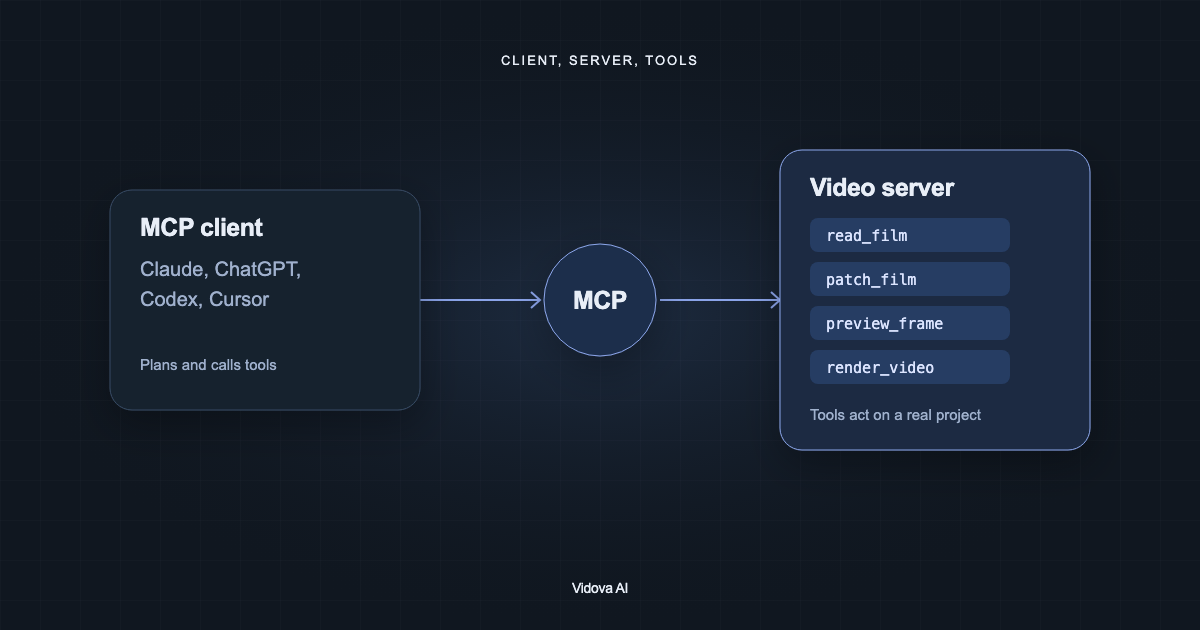
The closest ChatCut alternative is Vidova: in both, an AI agent edits a real multitrack timeline from chat, and Vidova's hosted MCP server also works as a connector in Claude and ChatGPT. Descript fits talking videos edited by transcript, with its Underlord co-editor. VEED has an in-editor AI Agent and OpenEdit, a free open-source pipeline that coding agents drive. Riverside suits podcasts, with an editing agent and an MCP server on Grow. ChatCut stays the better pick for free real-time co-editing.
Key takeaways
- ChatCut's paid plan starts at $25 a month for 100 credits, or $21 a month billed yearly. Its free plan has 60 minutes of cloud export in total (checked 7 November 2026).
- ChatCut's docs say its agent plugin runs in the Claude Code, Codex and WorkBuddy desktop apps and does not install into Claude's or ChatGPT's websites. Vidova's server adds as a connector in both.
- Collaboration on ChatCut is free for owners and editors. Vidova has no shared editing seats, so a team that edits one project at once is better served by ChatCut or Descript Business.
What ChatCut does and what it costs
ChatCut is an AI video editor with a chat agent and a multitrack timeline you can also edit by hand. It runs on the web and as desktop apps for macOS and Windows, generates video, images, music and voices with outside models, and exports XML for DaVinci Resolve, Premiere Pro, Final Cut Pro and CapCut. Its home page says you can start in agent apps such as ChatGPT, Claude and Codex and then refine in the ChatCut editor.
- Free: $0 with a starter allowance of credits, AI captions and music, and a cumulative 60-minute allowance of cloud export for the account.
- 100 credits a month: $25 a month, or $21 a month billed yearly ($252 a year).
- 200 credits a month: $48 a month, or $38 a month billed yearly ($456 a year).
- Larger budgets: 400, 800, 1,200 and 2,000 credits a month, up to $450 a month.
Every paid size includes all agent editing features, no export limit and transparent motion graphics export. Cloud video exports go up to 1080p. ChatCut's docs say 4K needs a compatible browser or a local export from ChatCut Desktop.
About the address api.chatcut.io/api/external-mcp/mcp
Some people search for this address to connect ChatCut to their own agent. ChatCut's docs do not list it. They connect agents in two ways: the Agent Plugin, a hosted connection for the Claude Code, Codex and WorkBuddy desktop apps, and ChatCut Desktop, which registers a local MCP server named chatcut_desktop with agent apps on the same computer. When we called the address on 7 November 2026 without signing in, it answered with a request to sign in to a ChatCut account.
If you want a video editor in the Claude or ChatGPT apps on the web, add Vidova's server, https://mcp.vidova.ai/mcp, as a connector and sign in once. The MCP server docs list the steps for Claude, ChatGPT, Claude Code, Codex, Cursor, Windsurf and Gemini CLI. For the background, see what a video editing MCP server is.
Why people look for a ChatCut alternative
- A lower monthly price for a light editing load.
- An agent in the Claude or ChatGPT apps on the web, not only in desktop coding apps.
- Editing by transcript for talking videos and podcasts.
- A recording studio for remote interviews, with clips made from the same recording.
ChatCut alternatives compared
| Tool | Chat agent in the editor | Use from your own agent app | Editing together | Free use | Paid from |
|---|---|---|---|---|---|
| ChatCut | Yes, it edits the multitrack timeline | Agent Plugin for Claude Code, Codex and WorkBuddy desktop apps, and a local MCP server in ChatCut Desktop | Free for everyone, with owner and editor roles | Starter credits, 60 minutes of cloud export in total | $25 a month, or $21 billed yearly |
| Vidova | Yes, it edits the multitrack timeline and previews its own frames | Hosted MCP server for Claude, ChatGPT, Claude Code, Codex, Cursor and other MCP clients | No shared editing. Share links and editable project files | You can start free. Free-plan exports carry a watermark | $19 a month, or $190 a year |
| Descript | Underlord, an AI co-editor | Not stated | Commenting and live collaboration on Business, up to 5 seats | 1 media hour a month, 720p, limited Underlord | $24 a month, or $16 billed yearly |
| VEED | AI Agent takes typed requests | OpenEdit, a free open-source pipeline driven by Claude Code, Codex or Gemini, in beta | Workspaces billed per editor seat | 720p, watermark, 50 AI credits a month | $25 a month, or $12.25 billed yearly |
| Riverside | An AI editing and repurposing agent on Pro | Riverside MCP on Grow, for Claude, ChatGPT and Cursor | Collaborative editing on Business | 720p, watermark, 2 hours of multi-track recording once | $29 a month, or $24 billed yearly |
Prices are the first paid plan for one person, billed monthly unless the cell says yearly. Each row links to its source at the end of this guide.
Vidova: the closest ChatCut alternative
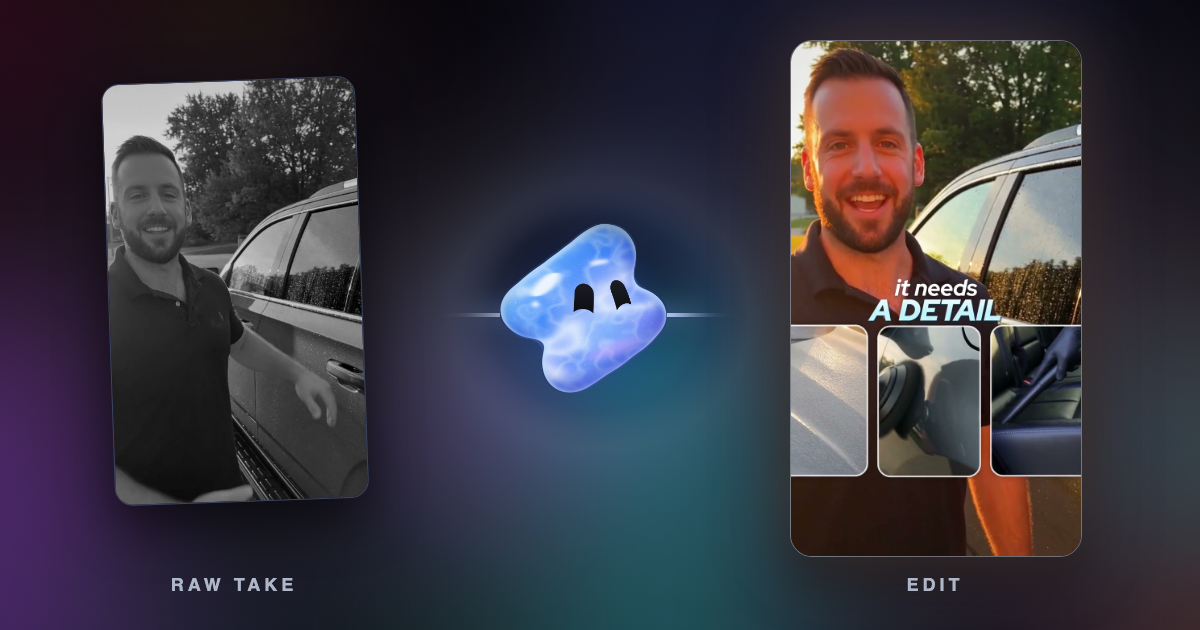
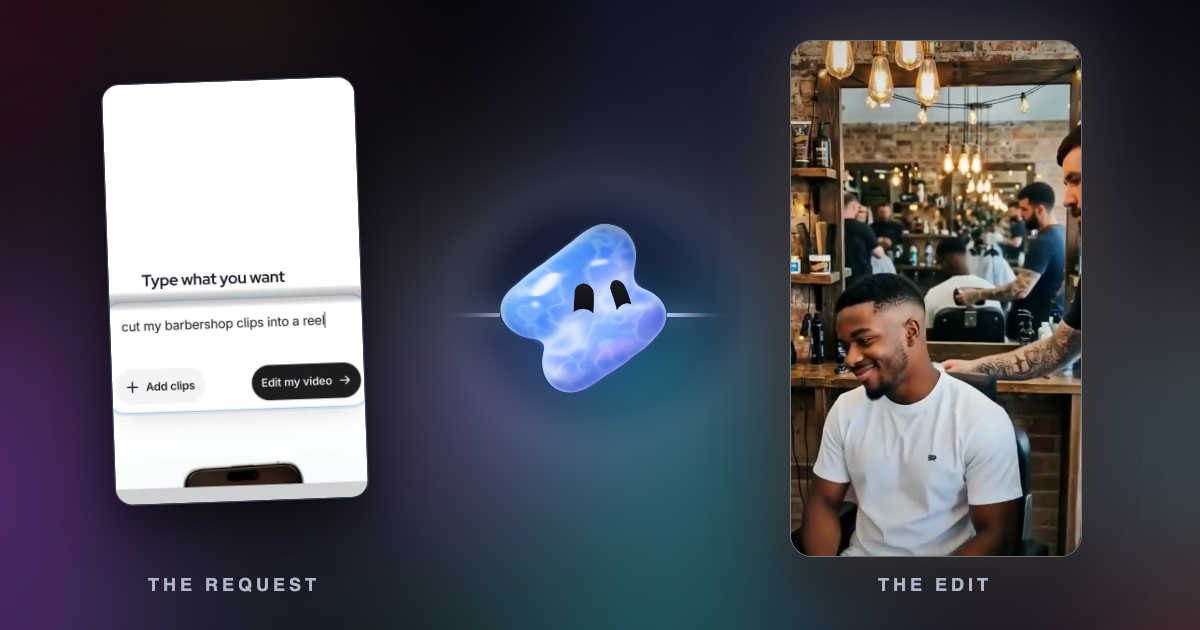
Vidova works the same way as ChatCut. You attach your footage and describe the edit, an AI agent edits a multitrack timeline, and you can change any edit by hand or by asking. Before it hands the cut over, the agent previews frames of its own work and runs a quality check. It also generates images, video clips, voiceover, music and sound effects in the same project.
Cut my barbershop clips into a 20-second vertical reel. Open on the clippers, cut on the beat of upbeat music, add the shop name as a big title over the last shot and keep the room sound under the music.
- Your own agent: add https://mcp.vidova.ai/mcp in Claude, ChatGPT, Claude Code, Codex, Cursor or another MCP client and sign in once. The agent can open your projects, edit the timeline, generate media and preview frames.
- Handoff: export FCPXML for Premiere Pro or OTIO for DaVinci Resolve, both packaged with the source media, with an option to include captions.
- Versions: save a version, try an edit on a branch, compare branches and merge them.
- Screen demos: Vidova Recorder, a free download for macOS, Windows and Linux, zooms in on bursts of clicks.
Downsides: Vidova has no shared editing seats and no real-time co-editing, and it does not export CapCut drafts or transparent ProRes. You can start free, and free-plan exports carry a watermark. Paid plans start with Creator at $19 a month, or $190 a year, then Pro from $39 and Studio from $88. They remove the watermark and export up to 4K at 60 fps. Editing on the timeline yourself and exports on your own device use no credits. See Vidova vs ChatCut for the side-by-side.
Descript: best for talking videos edited by transcript
Descript turns speech into a transcript, and you cut the video by editing the text. Underlord, its AI co-editor, makes edits from a request, and every paid plan adds AI tools such as Studio Sound and filler word removal. Hobbyist costs $24 a month, or $16 billed yearly, with 10 media hours and 1080p. Creator costs $35, or $24 billed yearly, with 4K and full Underlord access. Business costs $65 a month per person, or $50 billed yearly, with commenting and live collaboration for up to 5 seats.
Downside: the free plan has 1 media hour a month, exports at 720p and gives limited Underlord access. Descript's pricing page does not describe a way to drive it from your own agent app. See Descript alternatives.
VEED: an in-editor agent, plus OpenEdit for coding agents
VEED's AI Agent sits in the top right of its browser editor. You type a request such as adding subtitles, resizing for TikTok, adding music or removing dead air, and it makes that edit. Each example on VEED's page is one task, so a long edit takes several requests.
OpenEdit is a separate, free tool for people who use coding agents. VEED says it runs on your own machine, is open source under Apache-2.0, and has been tested with Claude Code, Codex and Gemini. The agent writes the edit in HTML and CSS, and VEED's engine renders an MP4. There is no timeline, and VEED calls it a beta in which captions are the most polished part.
VEED Creator costs $25 a month per seat, or $12.25 billed yearly, and exports 1080p. Downside: the free plan exports 720p with a watermark. See Vidova vs VEED.
Riverside: best for podcasts and interviews
Riverside records remote guests on separate tracks in up to 4K, edits by transcript and makes short clips with Magic Clips. Pro, at $29 a month or $24 billed yearly, includes an AI editing and repurposing agent. Grow, at $39 a month or $34 billed yearly, adds the Riverside MCP, which Riverside says lets Claude, ChatGPT and Cursor search your transcripts, make edits, cut clips and publish to social media.
Downside: Riverside is built around recording, not around a general timeline edit. The free plan records up to 720p with a watermark. See Riverside vs OpusClip.
When ChatCut is still the better pick
- Your team edits the same project together. ChatCut's collaboration is free, with owner and editor roles.
- You want local 4K exports from a desktop app, or transparent ProRes 4444 motion graphics.
- You finish edits in CapCut or Final Cut Pro and want ChatCut's XML handoff there.
- You work in the WorkBuddy or Hermes Agent apps, which ChatCut connects to.
How to choose
- If you want the closest match to ChatCut at a lower monthly price, or an agent in the Claude and ChatGPT apps, use Vidova.
- If your videos are mostly people talking and you like to edit text, use Descript.
- If your team already edits in VEED, try its AI Agent, and try OpenEdit if you work in a coding agent.
- If you record podcasts or interviews, use Riverside.
- If several people edit one project at the same time, stay with ChatCut or use Descript Business.
Related guides
Sources
All sources checked 7 November 2026.
- ChatCut home page
- ChatCut pricing
- ChatCut docs: Free and Pro
- ChatCut docs: web export limits
- ChatCut docs: collaboration and sharing
- ChatCut docs: agent plugin
- ChatCut docs: external agents and MCP
- Descript pricing
- VEED plans and prices
- VEED: introducing AI Agent
- VEED Help: how to use OpenEdit
- Riverside pricing and FAQ
- Riverside Magic Clips
- Vidova: plans and credits
- Vidova: MCP server
- Vidova: exporting and sharing