What is a video editing MCP server?
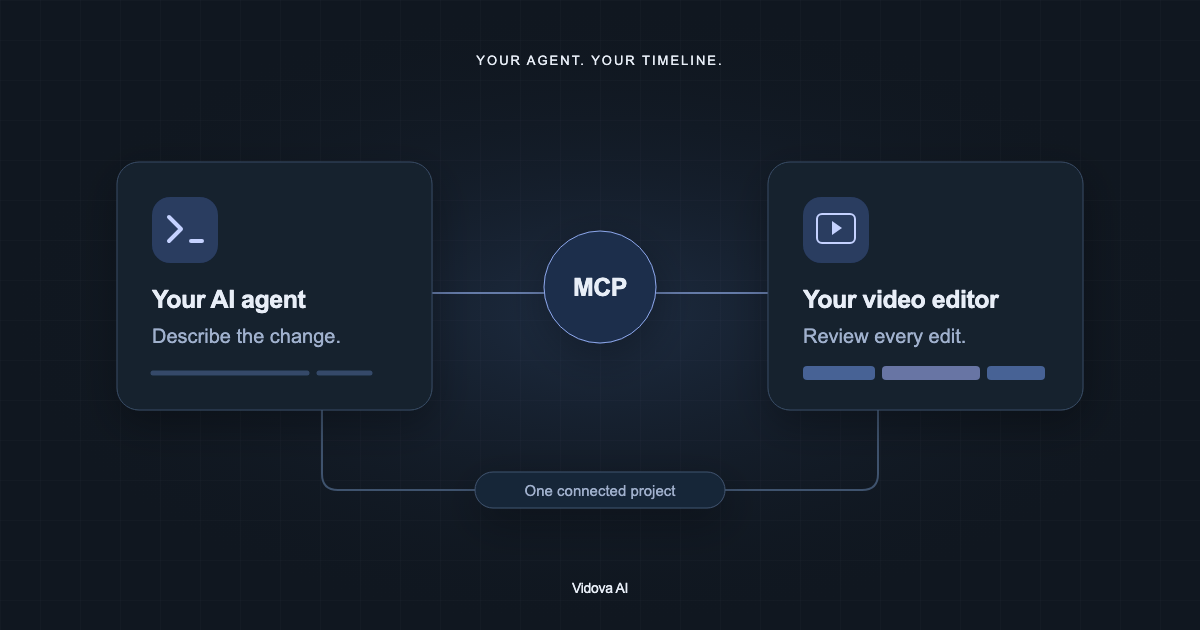
A video editing MCP server gives an AI assistant tools to change a real video project. Learn how it works, the four kinds, and what to check before you connect one.
Last updated
The short answer
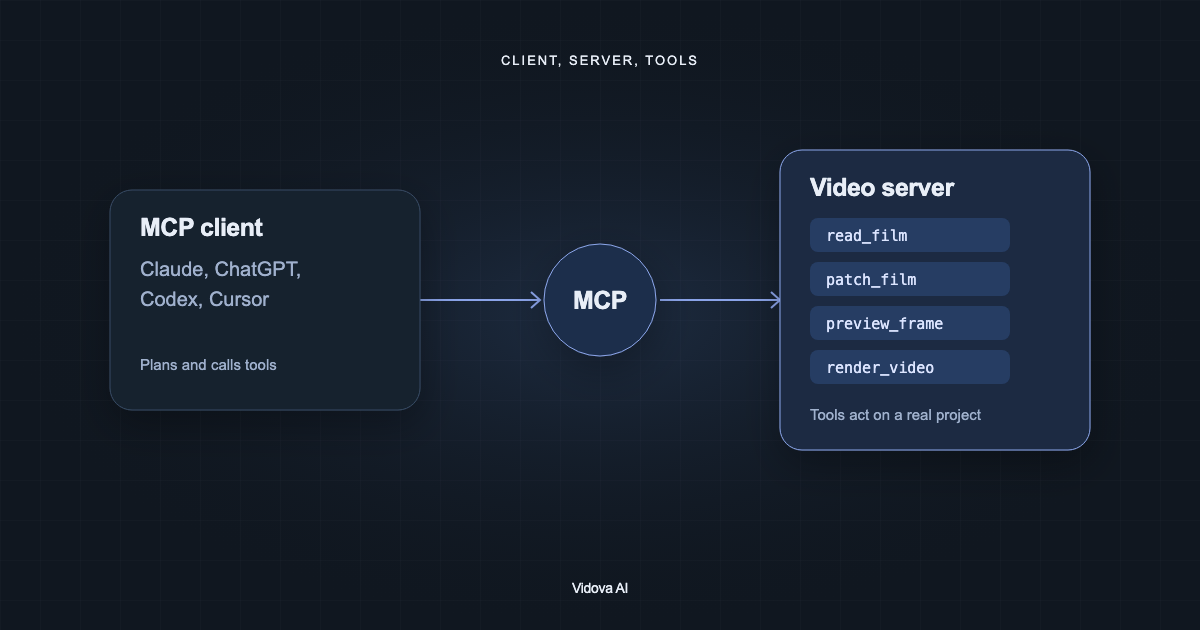
A video editing MCP server is a service that gives an AI assistant tools to work on video through the Model Context Protocol. The assistant, such as Claude or ChatGPT, plans the edit and calls the tools. The server opens the project, changes clips and text, renders previews, and exports. Vidova's hosted server is at https://mcp.vidova.ai/mcp.
Key takeaways
- The client plans. The server acts on a real project.
- Hosted servers need a URL and a sign-in. Local servers run on your computer.
- Check that the server can read the project, show frames, and handle long jobs.
The short definition
Model Context Protocol (MCP) is an open standard for connecting AI applications to tools and data. A client, such as Claude, ChatGPT, Codex or Cursor, hosts the model. A server exposes tools. A video editing MCP server exposes tools that change video: open a project, cut a clip, add a title, render a frame, export a file.
Anthropic introduced MCP on November 25, 2024. In December 2025 Anthropic donated it to the Agentic AI Foundation, a fund under the Linux Foundation co-founded by Anthropic, Block and OpenAI. The current protocol version is 2026-07-28.
What happens during one edit
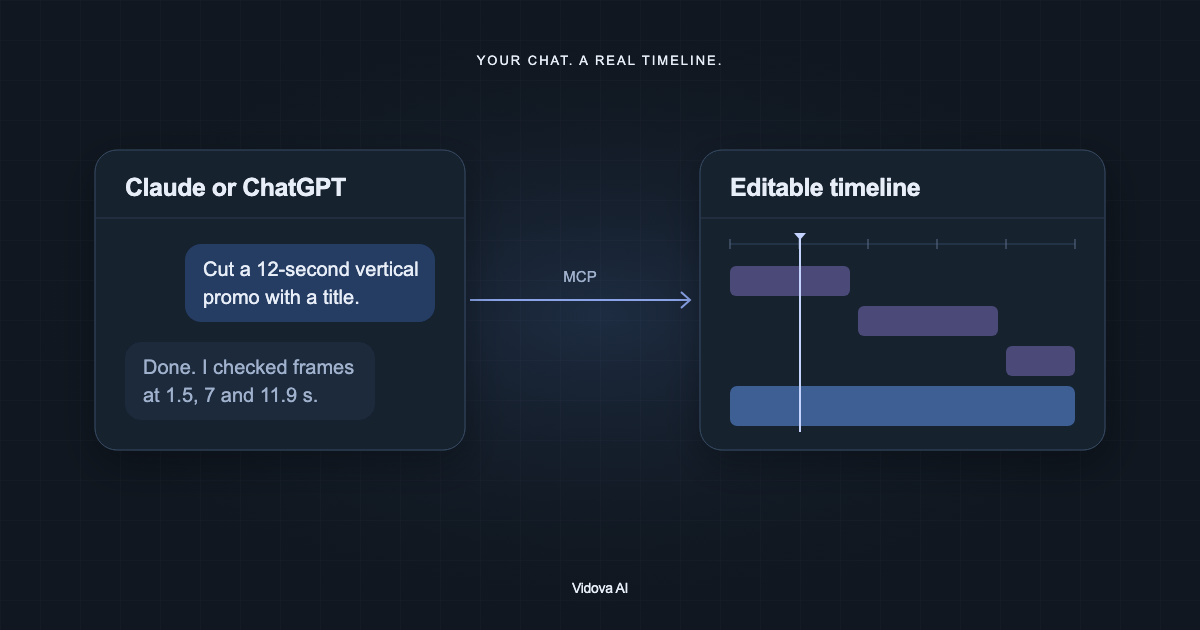
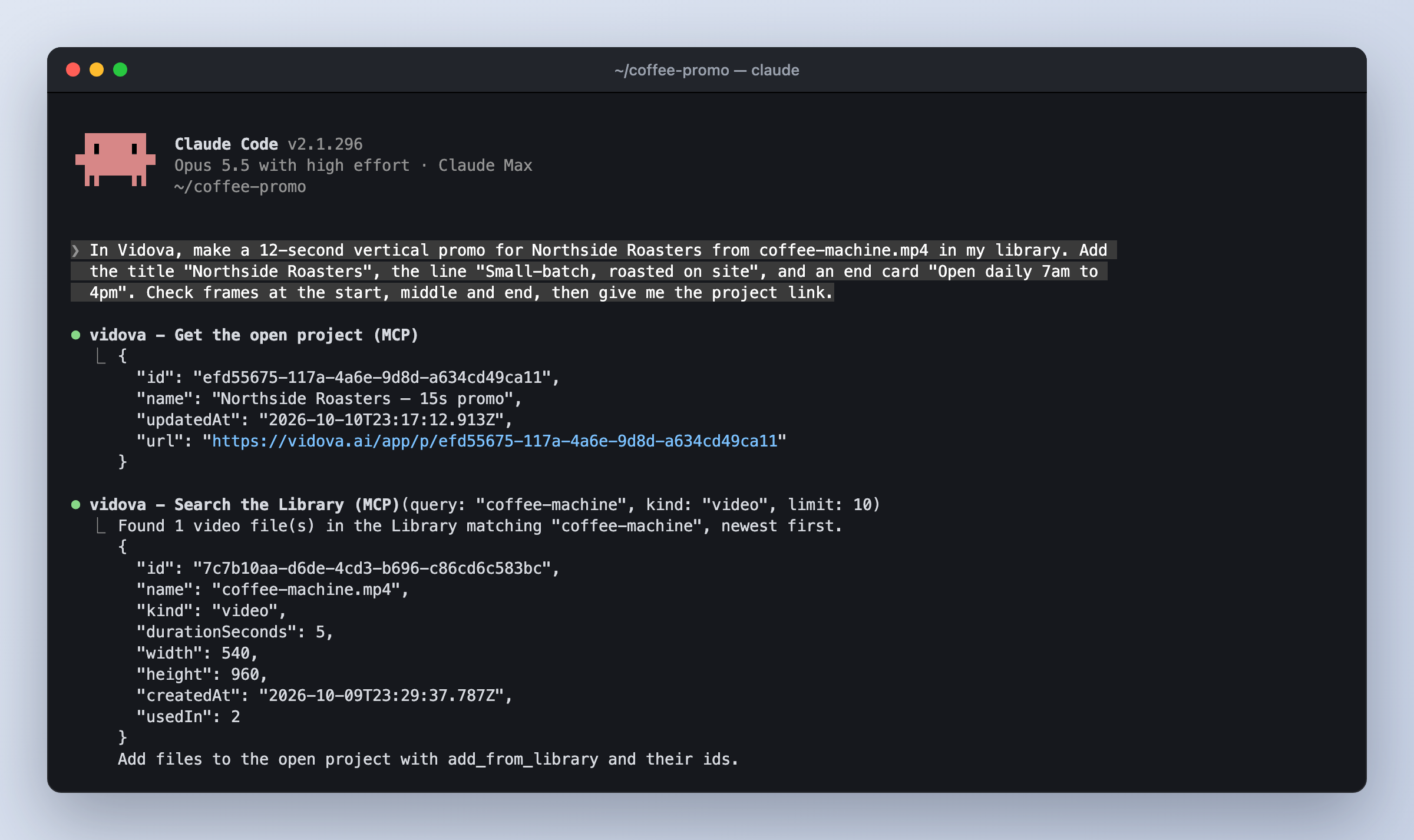
- You describe the edit in the client.
- The model reads the list of tools the server offers and their descriptions.
- It calls read tools first, for example to read the project's timeline.
- It calls an edit tool with exact arguments, for example to change a title's size.
- The server changes the project and returns the result.
- The model calls a preview tool and looks at the frame to check the change.
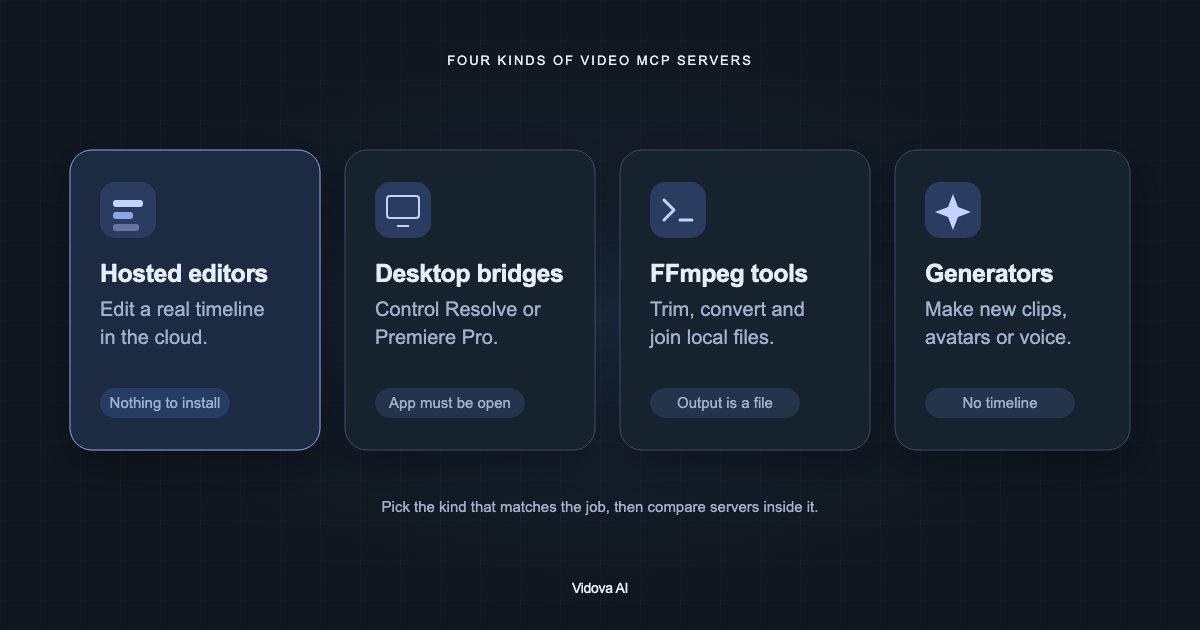
The four kinds of video MCP servers
| Kind | What changes | Examples |
|---|---|---|
| Hosted editor | A cloud project with a timeline | Vidova, invideo, Descript, Kapwing |
| Desktop bridge | A project in a desktop editor | DaVinci Resolve and Premiere Pro bridges |
| FFmpeg server | Local files | kinocut, ffmpeg-mcp |
| Generation server | New media | Runway, HeyGen, Synthesia |
What to check before you connect one
- Sign-in: hosted servers use OAuth in the browser. Local servers may need an API key in a config file.
- Read tools: the agent should read the project before it changes it.
- Frames: the agent should be able to render a frame and look at it.
- Long jobs: renders and tracking can outlast one call. Vidova answers with a job ID that check_job resolves.
- Undo: look for versions or branches, so a bad edit is easy to reverse.
- Cost: find out which tools use credits and what the plan allows.
- Access: you should be able to see and revoke connected clients. In Vidova, use Settings, then MCP.
MCP Apps: interfaces inside the chat
MCP Apps became the first official MCP extension on January 26, 2026. A server can return a small interface that the client shows in the conversation. Vidova uses this for uploads and previews in clients that support it, such as Claude and ChatGPT.