Can Claude and ChatGPT edit videos?
Claude and ChatGPT cannot edit video on their own, but with an MCP connector they can cut, caption and check a real timeline. Here is how it works and how to set it up.
Last updated
The short answer
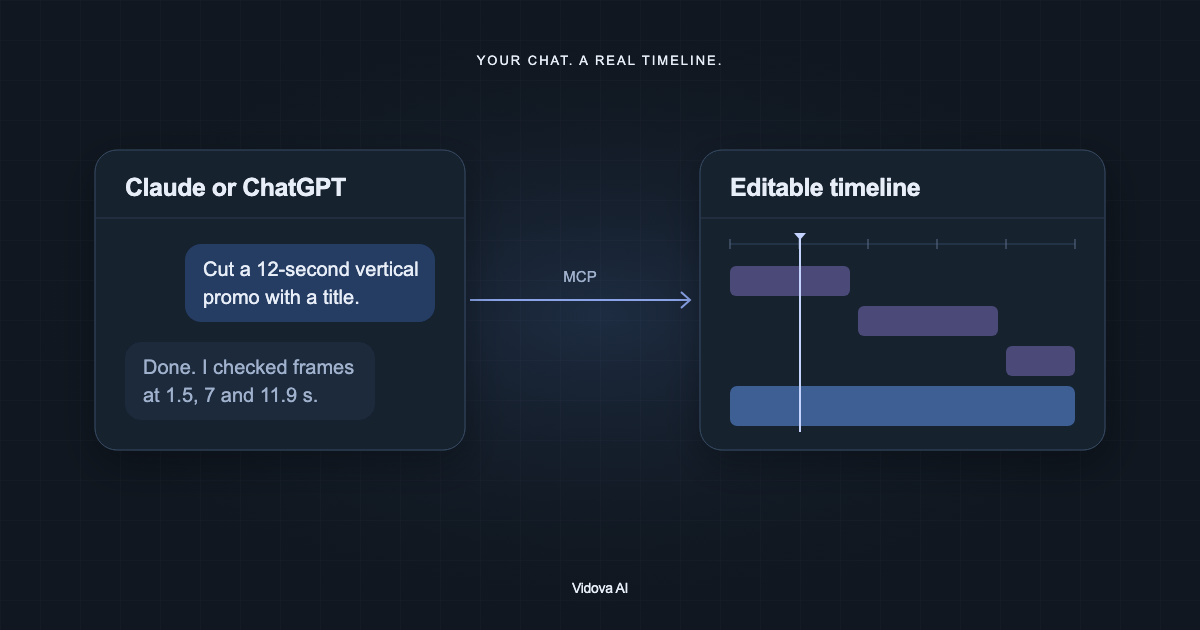
Claude and ChatGPT cannot edit a video file by themselves. With an MCP connector to a video editor, they can. Connect a server such as Vidova (https://mcp.vidova.ai/mcp) and the assistant can open a project, cut clips, add text and captions, check rendered frames, and export. You review the result on a normal timeline.
Key takeaways
- On their own, chat assistants can describe an edit but cannot change a video.
- An MCP connector gives the assistant tools that change a real project.
- Pick a connector that lets the assistant see frames, so it can check its own work.
What can a chat assistant do with video on its own?
Without tools, Claude and ChatGPT can read a transcript, suggest cuts, and write a script or a shot list. They cannot change the frames of a video file. Uploading a video to a chat does not give the model an editor.
Model Context Protocol (MCP) changes this. MCP is an open standard for connecting AI applications to external tools. Anthropic introduced it in November 2024. In December 2025 Anthropic donated it to the Agentic AI Foundation under the Linux Foundation. Claude, ChatGPT, Cursor, VS Code and many other clients support it.
How an assistant edits video through MCP
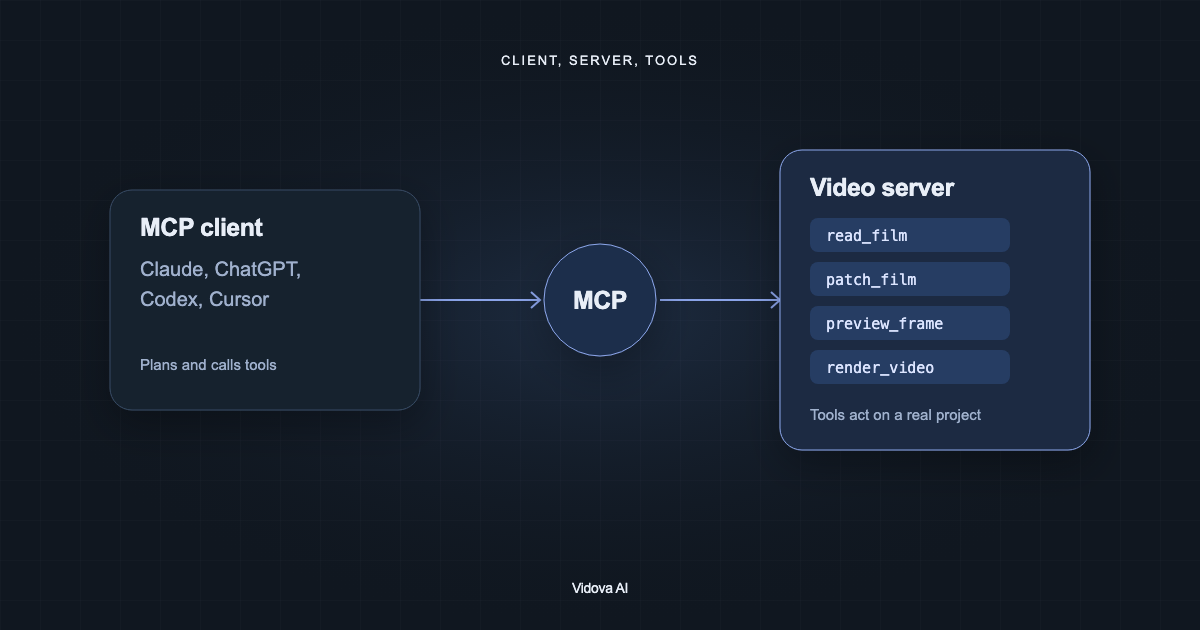
A video editing MCP server exposes tools such as open project, read the timeline, patch the timeline, preview a frame and render. The assistant plans the edit and calls the tools. The server makes the change in a real project. You open the same project in the editor to review it.
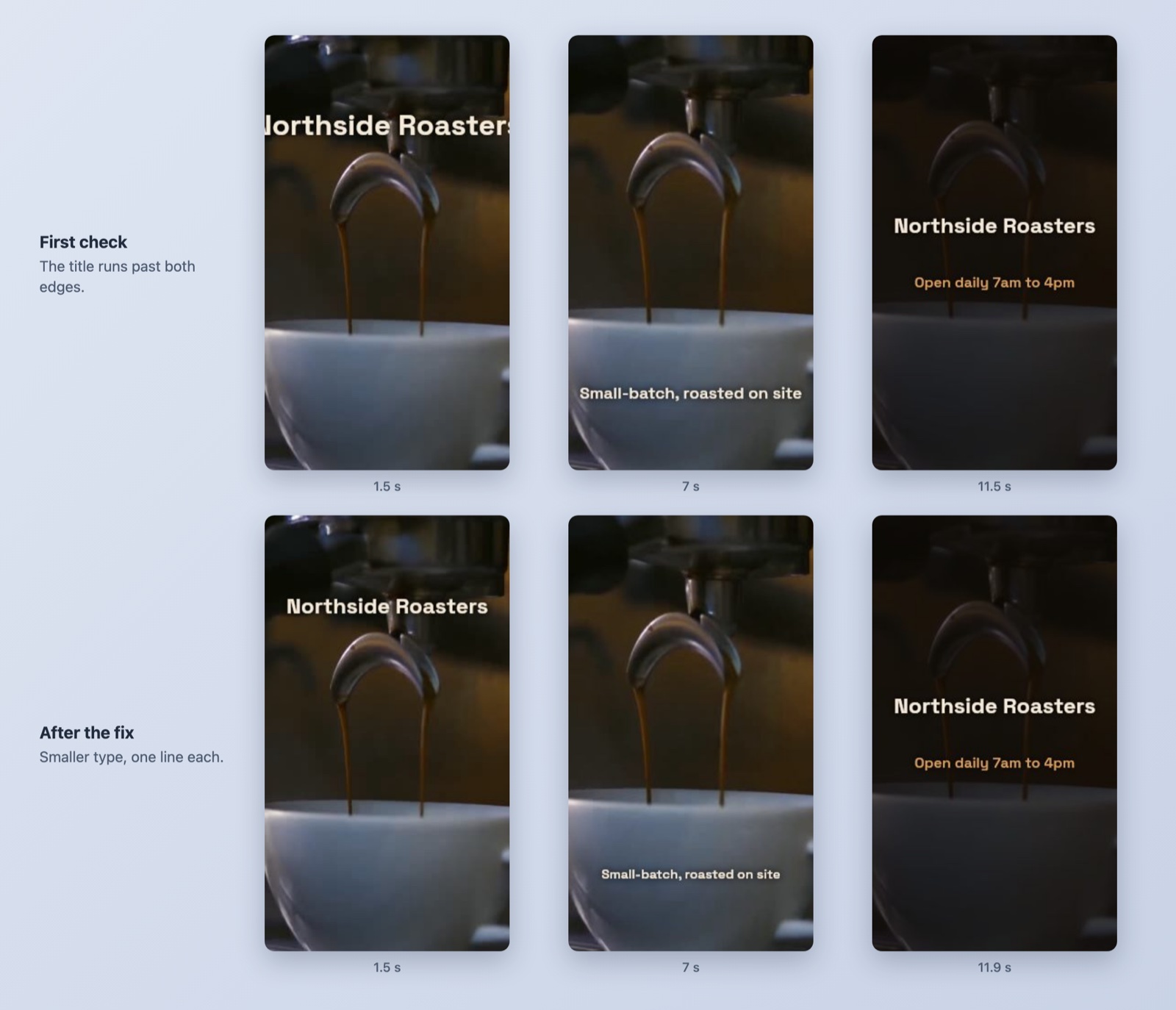
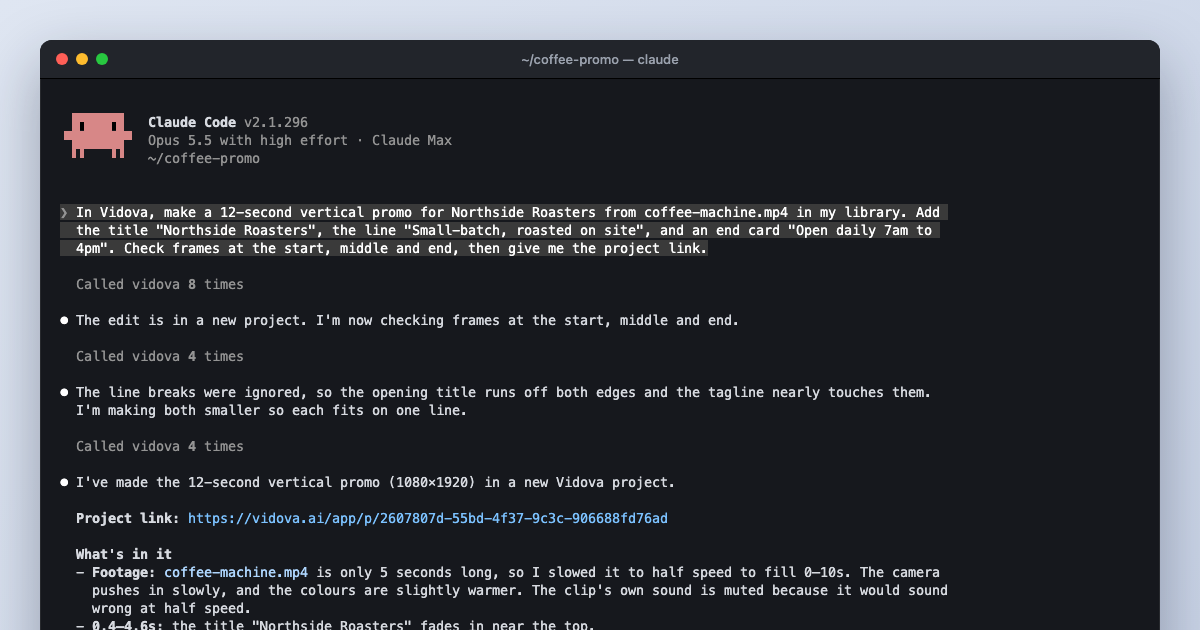
Seeing frames matters. In our Claude Code test, the first frame check showed a title that ran past both edges of a vertical frame. The assistant made the type smaller and checked again. Without a preview tool, that mistake reaches you instead.
How to edit video with Claude
- In Claude on the web or desktop, open Settings, then Connectors, and add a custom connector.
- Enter https://mcp.vidova.ai/mcp as the URL and complete the browser sign-in.
- Start a chat and ask Claude to list your Vidova projects, then describe the edit.
Anthropic says custom connectors are available on Free, Pro, Max, Team and Enterprise plans, and Free is limited to one custom connector. In Claude Code, one command adds the server:
claude mcp add --transport http --scope user vidova https://mcp.vidova.ai/mcpHow to edit video with ChatGPT
ChatGPT connects to remote MCP servers as apps. Full read and write MCP tools are available in developer mode, and OpenAI's help page lists which plans support it. Add https://mcp.vidova.ai/mcp as the server URL and sign in when ChatGPT asks. Codex, OpenAI's coding agent, adds the server with one command:
codex mcp add vidova --url https://mcp.vidova.ai/mcpWhat to ask for
List my Vidova projects and open the interview project. Read the timeline and tell me which clip has the opening answer. Wait for my brief before you change anything.
Cut the opening answer to the full sentence between 00:12 and 00:28. Add the title "The first lesson" above the speaker. Check frames at the start and end, then send me the link.
These are example briefs. Name the source, the format and the exact words. Ask for one reviewable pass, then for narrow corrections.
What still needs you
- Taste. The assistant follows the brief. It does not know your audience unless you say who it is.
- Sound. A still frame does not prove that speech, music and timing work. Play the edit.
- Facts. Check names, numbers and claims in titles and captions.
- Cost. Generation, analysis and cloud renders use credits on most services, including Vidova.