Vidova
Best music video makers for musicians in 2026
Vidova is our pick: upload your clips and song, and its AI agent cuts to the song's sections, adds the lyrics and keeps lip sync. Rotor Videos, CapCut and Canva compared.
 Vidova team
Last updated
The short answer
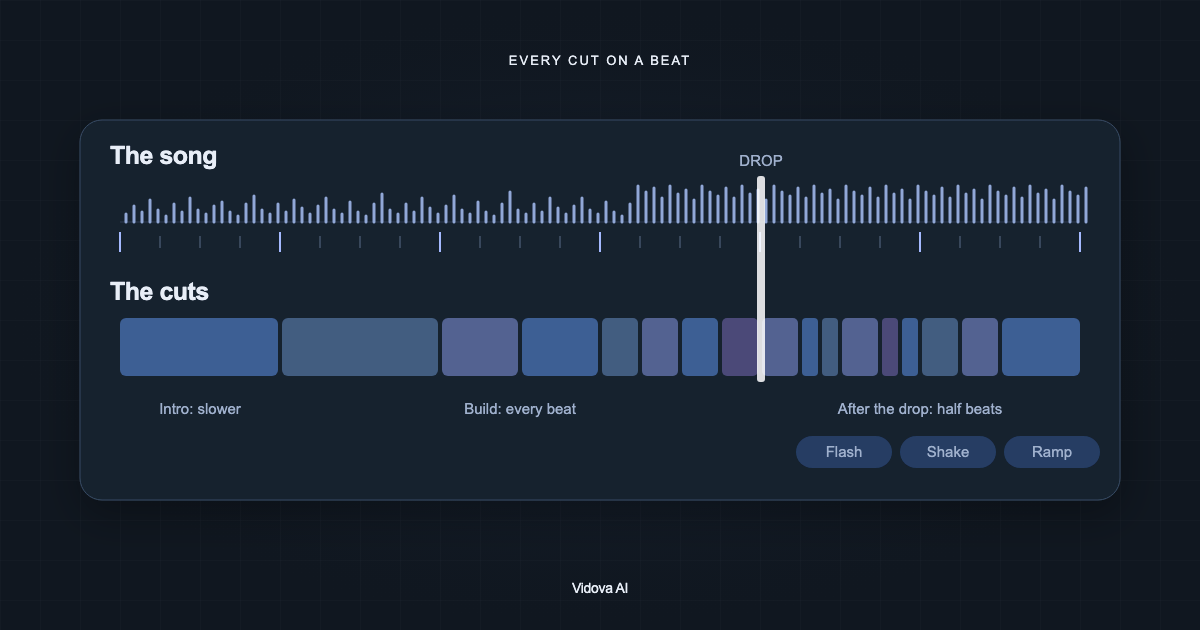
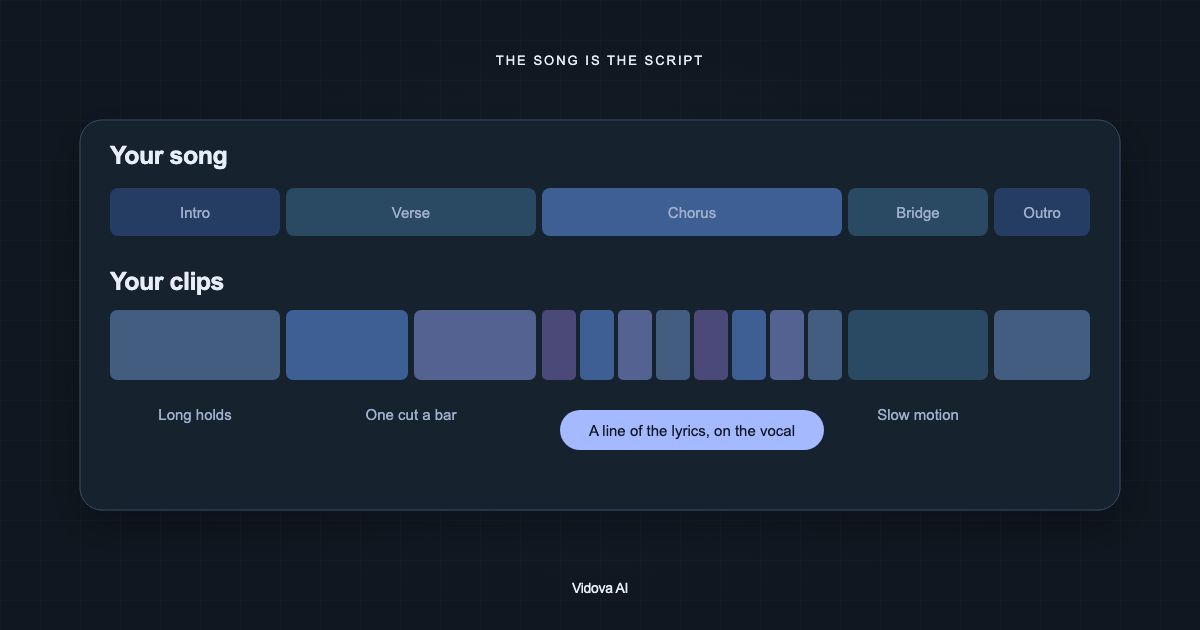
Vidova is our pick for a music video made from your own clips: you upload the song and the footage, and its AI agent detects the beats and the sections, transcribes the lyrics with word times, cuts faster in the chorus than in the verse and keeps the clips where you sing in sync with the vocal. Rotor Videos makes music videos, lyric videos and Spotify Canvas loops that meet the streaming services' specs. CapCut's Auto Cut syncs phone clips to a song, and Canva's Beat Sync moves clips onto the beats on Pro.
Key takeaways
- A music video from your own footage needs cuts that follow the song's sections, not only its beats.
- If you sing on camera, keep those clips in sync with the vocal.
- For Spotify Canvas and Apple Music Album Motion, use a tool that exports to their specs.
The short answer
- Our pick, for a music video from your own clips: Vidova.
- Best for Spotify Canvas, lyric videos and streaming specs: Rotor Videos.
- Best quick edit on a phone: CapCut's Auto Cut.
- Best for designed visuals in the browser: Canva's Beat Sync.
Compared
| Tool | What it makes | Runs on | Price (US) |
|---|---|---|---|
| Vidova | A music video, lyric video or teaser from your clips and song | Browser on desktop and phone | 7 days with 2,000 credits and no watermark. Paid from $19 a month |
| Rotor Videos | Music videos, lyric videos, Spotify Canvas and Apple Music Album Motion | Web | Artist Unlimited Video $14.99 a month, or credits from $9.99 |
| CapCut Auto Cut | Clips trimmed and synced to a song | Phones and desktop | Standard $9.99 a month on the US App Store |
| Canva Beat Sync | Clips moved onto the beats | Web, desktop and phone apps | Pro US$144 a year |
How we judged them
We read each tool's pricing and product pages between 27 October and 14 November 2026. We compared what each tool makes, where it runs and what it costs. We did not run our own test of the other tools. Vidova is our product, and it is our pick. We say where another tool fits better.
Vidova: our pick for a music video from your own clips
Upload the song and your footage, pick one visual world, and choose a short teaser or the whole song. Vidova's AI agent detects the song's beats and sections, transcribes the lyrics with word times, cuts faster in the chorus than in the verse, and keeps the clips where you sing in sync with the vocal. It can put the lyrics on screen word by word and add a flash or a speed ramp on the hits.
Make a 30-second teaser for my new single from these clips. Use the chorus, cut on the beat, keep the shots where I sing in sync and put the hook lyric on screen.
Downsides: Vidova is built around the agent, so people who want to place every clip by hand have more mature manual editors. You can try it for 7 days with 2,000 credits and no watermark. The free plan adds a watermark, exports at 720p and takes projects up to 1 minute long. Paid plans start at $19 a month, remove the watermark and export up to 4K at 60 fps.
Rotor Videos: best for streaming specs
Rotor makes music videos, lyric videos, album artwork videos, Spotify Canvas loops and Apple Music Album Motion. It says its videos "meet Spotify and Apple Music's technical specifications", and that exports are watermark-free. Artist Unlimited Video costs $14.99 a month, and a music video costs 3 credits on pay as you go.
Downside: its pricing page does not say it cuts your clips to the beat, and a subscription covers one artist.
CapCut Auto Cut: best quick edit on a phone
CapCut says Auto Cut "automatically trims, segments, and syncs your raw footage to match a selected audio track, script, or beat pattern". The US App Store lists Standard at $9.99 a month.
Downside: CapCut's own sounds are licensed for non-commercial use, and Auto Cut is not on CapCut Web.
Canva Beat Sync: best for designed visuals
Canva's Beat Sync moves clips onto the beats on Pro and shows beat markers for free, next to Canva's design templates. Pro costs US$144 a year.
Downside: automatic sync needs Pro, and footage-led edits take more work than in a video editor.
How to choose
- If you want a music video cut from your own clips, with lyrics and lip sync kept, use Vidova.
- If you need Spotify Canvas or Apple Music Album Motion to spec, use Rotor Videos.
- For a quick edit on a phone, use CapCut's Auto Cut. For designed visuals, use Canva.