Vidova
Best auto reframe tools to turn 16:9 video into 9:16
Vidova is our pick: its AI agent reframes 16:9 video to 9:16 by tracking a face, then cuts and captions it. CapCut, DaVinci Resolve, OpusClip and Vizard compared.
 Vidova team
Last updated

The short answer
Vidova is our pick for auto reframing: its AI agent reframes 16:9 footage to 9:16 by tracking the speaker's face, then cuts the pauses, adds word-by-word captions and keeps text inside the safe zones of TikTok, Reels and Shorts. CapCut's Auto Reframe repositions the frame for a new shape. DaVinci Resolve Studio has Smart Reframe in its Neural Engine tools. OpusClip and Vizard reframe the clips they cut from a long video.
Key takeaways
- Reframing crops a wide video to a tall one. The tool must keep the subject in the frame as it moves.
- A clip with two people talking needs a reframe that follows the speaker, not only the centre.
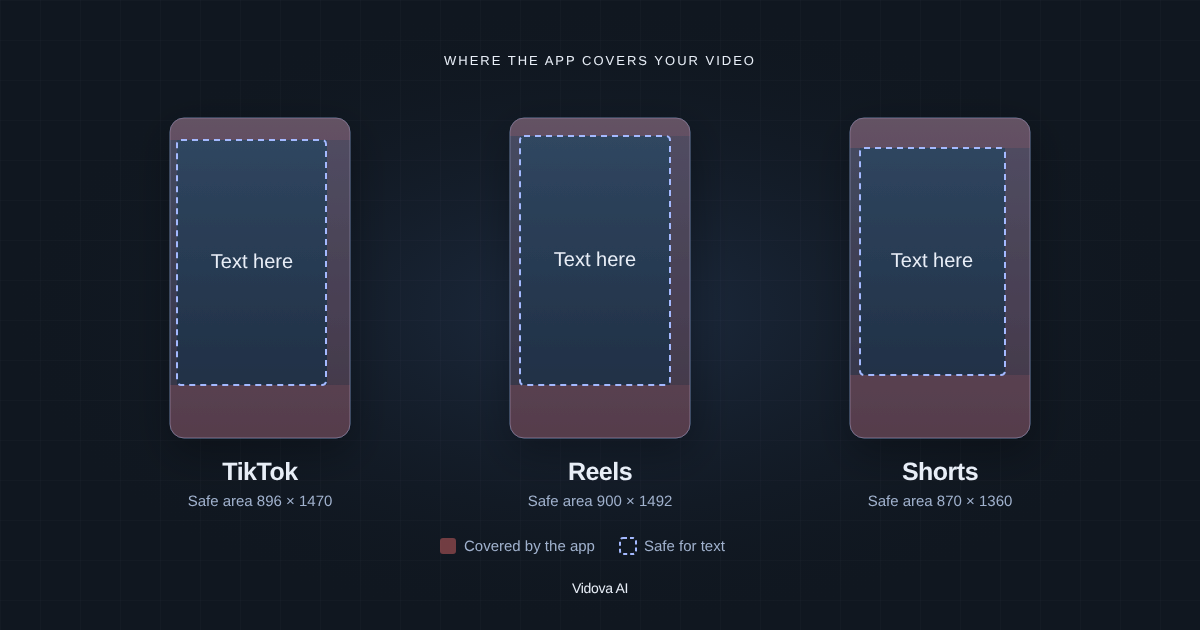
- Check the result on a frame with the app buttons drawn on it: captions under the buttons are lost.
The short answer
- Our pick, for a reframe that follows the speaker, with captions: Vidova.
- Best quick reframe in an editor you edit by hand: CapCut's Auto Reframe.
- Best in a professional desktop editor: DaVinci Resolve Studio's Smart Reframe.
- Best for reframed clips from a long video: OpusClip or Vizard.
Compared
| Tool | How it reframes | Runs on | Price (US) |
|---|---|---|---|
| Vidova | An AI agent tracks a face and reframes 16:9 to 9:16, then edits the clip | Browser on desktop and phone | 7 days with 2,000 credits and no watermark. Paid from $19 a month |
| CapCut Auto Reframe | AI repositions the frame for the shape you choose | CapCut, in some regions | Free to try |
| DaVinci Resolve Studio | Smart Reframe, one of its Neural Engine tools | Mac, Windows and Linux | $236 once |
| OpusClip | Reframes the clips it cuts from a long video to vertical | Web | Starter $15 a month |
| Vizard | Reframes the clips it cuts from a long video | Web | Free plan with 60 credits a month, 720p and a watermark |
How we judged them
We read each tool's product page and pricing page between 27 October and 14 November 2026. We compared how each tool reframes, where it runs and what it costs. We did not run our own test of the other tools. Vidova is our product, and it is our pick. We say where another tool fits better.
Vidova: our pick for a reframe that follows the speaker
In Vidova, you upload the wide video and ask for a vertical cut. The AI agent tracks the speaker's face through the clip and keeps it in the 9:16 frame, so a person who walks or turns stays in the shot. It then cuts the pauses and filler words, adds word-by-word captions and keeps every line of text inside the area that TikTok, Reels and Shorts leave clear.
You can change the framing of any clip on the timeline by hand, or ask the agent to follow another person.
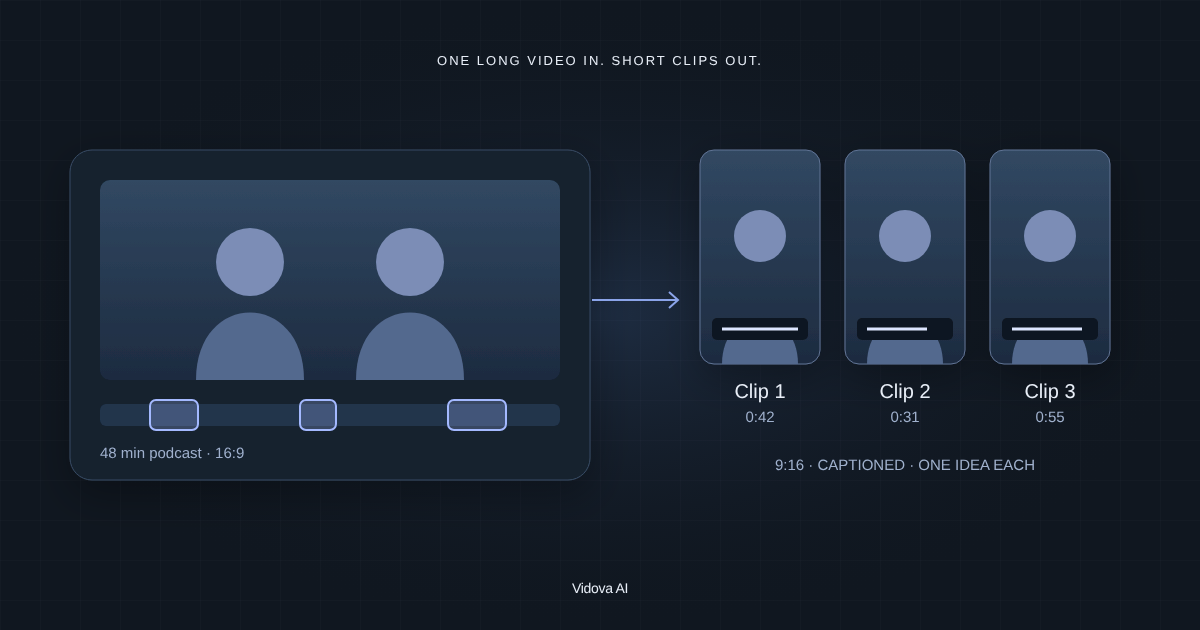
Turn this 16:9 interview into three 9:16 clips of 30 to 45 seconds. Follow whoever is speaking, cut the pauses and add word-by-word captions.
Downsides: Vidova is built around the agent, so people who want to place every clip by hand have more mature manual editors. You can try it for 7 days with 2,000 credits and no watermark. The free plan adds a watermark, exports at 720p and takes projects up to 1 minute long. Paid plans start at $19 a month, remove the watermark and export up to 4K at 60 fps.
CapCut Auto Reframe: best quick reframe in a hand editor
CapCut says its Auto Reframe uses AI "to intelligently reframe your videos across multiple aspect ratios", with the shape picked for your platform. CapCut says you can try it for free.
Downside: CapCut says the feature is available only in specific regions, and you edit the rest by hand.
DaVinci Resolve Studio: best in a professional editor
DaVinci Resolve Studio lists Smart Reframe among the tools of its Neural Engine, with magic mask, object removal and scene cut detection. Studio is listed at $236, down from $295.
Downside: Studio is a paid, one-time purchase, and it takes time to learn.
OpusClip: best for reframed clips from a long video
OpusClip finds the moments in a long video that stand alone, reframes them to vertical and adds captions. Starter costs $15 a month.
Downside: it reframes the clips it picks, and the free plan adds a watermark.
Vizard: reframed clips with scheduling
Vizard cuts long videos into short clips with auto subtitles and reframing, and it can schedule posts. Its free plan gives 60 credits a month.
Downside: the free plan exports at 720p with a watermark and keeps projects for 3 days.
How to choose
- If you want the reframe to follow the speaker and the clip edited, use Vidova.
- If you edit by hand in CapCut, use Auto Reframe there.
- If you grade and finish in DaVinci Resolve, use Studio's Smart Reframe.
- If you cut many clips from long videos, use OpusClip or Vizard.