Vidova
OpusClip alternatives for clipping long videos, free and paid (2026)
OpusClip alternatives that cut long videos into short clips: Vizard, Klap, Riverside Magic Clips and Vidova, plus what Agent Opus is and costs, checked October 2026.
 Vidova team
Last updated
The short answer
The closest OpusClip alternatives are Vizard and Klap, which also cut a long video into short captioned clips, and Riverside's Magic Clips for podcasts recorded in Riverside. Every free tier we checked limits the clips or adds a watermark, so for free clips with no watermark, cut them by hand in Adobe Premiere mobile. OpusClip Pro costs $29 a month, or $14.50 billed yearly. Agent Opus is a separate OpusClip product that generates videos from an idea.
Key takeaways
- OpusClip spends 1 credit for each minute of source video. Free gives 60 credits a month with a watermark, and clips stop being exportable after 3 days.
- Agent Opus makes new videos from ideas, scripts, images or a video link. Pro is $29 a month and Max is $129 a month.
- Vizard's free plan exports 720p with a watermark. Klap gives one free video. Riverside's free plan includes Magic Clips at 720p with a watermark.
- Vidova fits when each clip needs a real edit, such as B-roll, titles or a cut on the beat, and its free plan has a watermark.
What OpusClip does and what it costs
OpusClip turns a long video, uploaded or linked, into short clips with captions, vertical reframing and a virality score, and it can post them to social channels. It spends 1 credit for each minute of the source video you import. These are the plans on its pricing page on 27 October 2026:
- Free: 60 credits a month, clips up to 1080p with a watermark, no editing, and clips stop being exportable after 3 days.
- Starter: $15 a month, billed monthly only, with 150 credits a month and no watermark.
- Pro: $29 a month, or $14.50 a month billed yearly ($174 a year), with 300 credits a month, a team workspace for 2 seats and export to Premiere Pro and DaVinci Resolve.
- Business: custom pricing.
What Agent Opus is and what it costs
Agent Opus is a separate product from the makers of OpusClip. It does not clip a long video. Its help center says it creates videos from ideas, scripts, images and audio or video inputs. A script of up to 1,700 words can become a generated video of up to 10 minutes, and videos are 9:16 by default, with 16:9 and 1:1 as options.
- Free: 60 credits a month, which its pricing page says makes 2 videos of 30 seconds. Free downloads carry an Agent Opus watermark.
- Pro: $29 a month, or $348 billed yearly for 3,600 credits.
- Max: $129 a month, or $1,548 billed yearly for 18,000 credits.
Credits per second depend on the model tier, so a video made with the top models costs more credits than one made with the standard ones. Use Agent Opus when you want a new video from an idea. Use OpusClip or the tools below when you already have a long recording.
Why people look for an OpusClip alternative
- The watermark. Free clips carry an OpusClip logo, and free clips cannot be edited.
- Credits per source minute. A 90-minute podcast spends 90 credits, whatever you keep.
- More control over each clip. Some people want B-roll, titles or a specific moment in every clip instead of the clips an AI picks.
OpusClip alternatives compared
| Tool | Input | Free use | Paid from | Best for |
|---|---|---|---|---|
| OpusClip | A long video or a link | 60 credits a month, watermark, no editing | $15 a month, or Pro at $14.50 billed yearly | Many clips from long videos every week |
| Vizard | A long video | 60 credits a month, 720p, watermark, 3-day storage | Creator plan: no watermark, 4K | Clips with subtitles and post scheduling |
| Klap | A long video or a YouTube link | 1 video | $14 a month billed yearly, 100 clips a month | Quick vertical clips from YouTube videos |
| Riverside Magic Clips | Recordings made in Riverside | Magic Clips at 720p, watermark | $29 a month, or $24 billed yearly | Podcasts and interviews recorded in Riverside |
| Adobe Premiere mobile | Your clips, edited by hand | 4K, no watermark | Free editing | Free clips with no watermark |
| Vidova | Your recording, edited by an AI agent | 720p with a watermark, projects up to 1 minute | From $19 a month | Clips that need a real edit |
Vizard and Klap
Vizard cuts long videos into short clips with auto subtitles and reframing, and it can schedule posts. Its free plan gives 60 credits a month, where 1 credit is 1 minute of video, exports at 720p and keeps projects for 3 days. Vizard's help center says free exports carry a Vizard.ai watermark. The Creator plan removes the watermark and exports 4K. The downside: free projects expire after 3 days.
Klap turns a long video or a YouTube link into vertical clips for TikTok, Reels and Shorts. Basic is $14 a month billed yearly for 100 clips a month, and Pro is $39 a month billed yearly for 300 clips. The downside: free use is one video, so you cannot test it on a whole series before you pay.
Riverside Magic Clips
Riverside is a remote recording studio with a text-based editor. Magic Clips makes short clips from your recording automatically, and it is part of the free plan, with 720p video and a Riverside watermark. Pro is $29 a month, or $24 a month billed yearly ($288 a year), and adds 4K, no watermark and unlimited text-based editing. It runs in the browser, as a Mac app and on iPhone and Android. The downside: the free plan puts a Riverside watermark on everything and caps video at 720p.
Is there a free OpusClip alternative without a watermark?
We found none among the automatic clippers we checked. OpusClip, Vizard and Riverside add a watermark on their free tiers, and Klap gives one free video. For clips that are free and have no watermark, cut them by hand: Adobe Premiere on iPhone, iPad and Android exports 4K with no watermark and has auto captions, and so does Instagram's Edits app. It takes longer, because you find the moments yourself.
Where Vidova fits
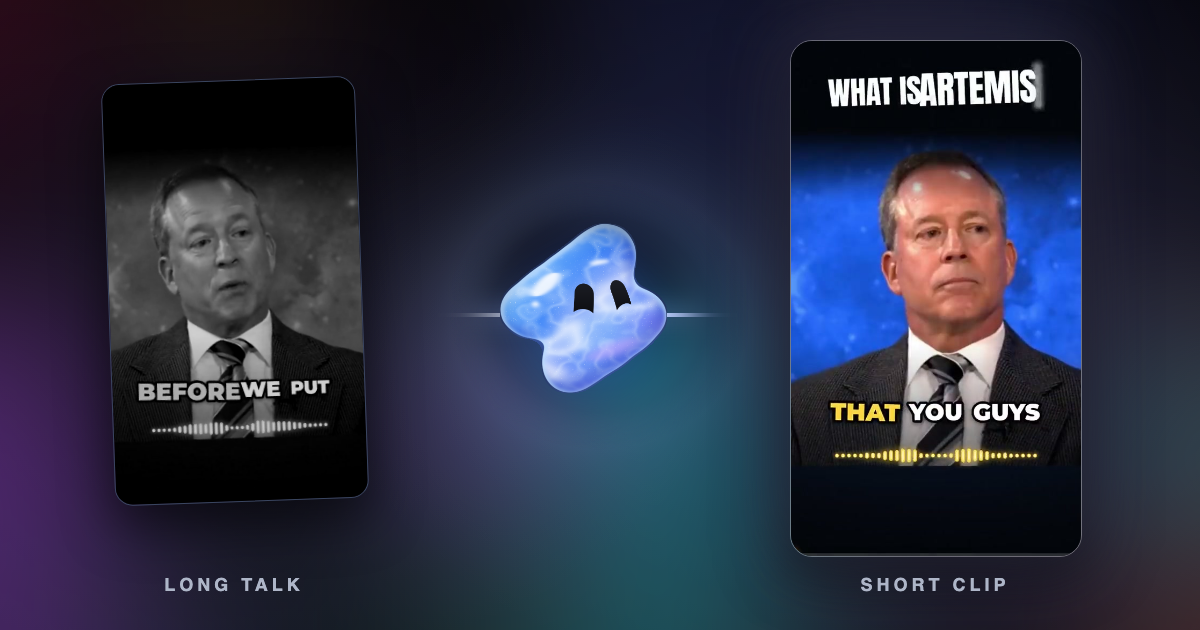
Vidova is an AI video editor that also makes clips. You upload the recording and ask for the clips you want. The agent transcribes the speech, finds the moments, cuts them on a real timeline, reframes 16:9 to 9:16 by tracking the speaker's face, cuts pauses and filler words, and adds word-by-word captions. It can also add B-roll, titles or a logo, and it previews frames of its own work before it hands the clips over.
This is a 40-minute podcast. Find the three best moments for 30 to 60 second vertical clips. Track the speaker's face, cut the pauses and filler words, add word-by-word captions above the area TikTok covers, and open each clip on its strongest line.
The free plan exports at 720p with a Vidova watermark and takes projects up to 1 minute long. You can start free. Paid plans start at $19 a month, remove the watermark and export up to 4K at 60 fps. Vidova runs in the browser on desktop and phone. There is no Android app.
If you turn many long videos into dozens of clips each week and post them as they come out, OpusClip, Vizard and Klap are built for that volume. Vidova fits when each clip needs a real edit. See how to turn a long video into Shorts, Reels and TikToks and Vidova vs OpusClip.