Vidova
Best AI sound effect generators in 2026: length, free use and licences
Six AI sound effect generators compared from their own pages: ElevenLabs, Adobe Firefly, Stable Audio, MyEdit, Meta AudioGen and Vidova. Length, free use, licence, price.
 Vidova team
Last updated
The short answer
To make a sound effect from a text description, use ElevenLabs or Adobe Firefly: both make sounds up to 30 seconds long and allow commercial use, ElevenLabs on paid plans only. Stable Audio makes sounds up to six minutes long, and its free plan lists a commercial licence. Vidova's free sound effect generator makes a sound of up to 10 seconds without an account, and the Vidova editor puts generated sounds on the moment of your video they fit. Meta's AudioGen is free to run yourself, for non-commercial use.
Key takeaways
- ElevenLabs and Adobe Firefly make one sound of up to 30 seconds, and Vidova up to 22. Stable Audio goes up to six minutes.
- Check the licence before a sound goes into an ad. ElevenLabs allows commercial use on paid plans only, and Meta publishes the AudioGen model weights for non-commercial use.
- On a video, the timing matters as much as the sound. Firefly places a sound at the playhead, and the Vidova agent places each sound on the action it fits.
The short answer: the best AI sound effect generator for each job
- Best for one sound from a description, with four takes to pick from: ElevenLabs.
- Best when you want to act the sound out with your voice: Adobe Firefly.
- Best for long sounds and ambiences, with a commercial licence on the free plan: Stable Audio.
- Best simple browser tool with many download formats: MyEdit.
- Best free model to run on your own computer, for non-commercial use: Meta AudioGen.
- Best for putting the sounds on your video: Vidova.
The six generators compared
| Tool | Longest sound | Free use | Commercial use | First paid plan |
|---|---|---|---|---|
| ElevenLabs | 30 seconds | 10,000 credits a month | Paid plans only | Starter, $6 a month |
| Adobe Firefly | 30 seconds, 4 takes each time | Free daily generations with an Adobe account | Royalty-free when you follow Adobe's guidelines | Firefly Standard, $9.99 a month, up to 200 sound effects |
| Stable Audio | 6 minutes | 50 credits a month, about 12 generations | Commercial licence on every plan, the free plan included | Solo, $12 a month |
| MyEdit | Not stated | 3 credits a day | Its page calls the sounds copyright-free | Audio Pro, $5 a month billed yearly |
| Meta AudioGen | Trained on 10-second clips | Free to run on your own GPU | No: the model weights are CC-BY-NC 4.0 | None, it is free |
| Vidova | 22 seconds, 10 without an account | 5 sounds a day without an account | Vidova's terms allow personal and commercial video creation | From $19 a month |
Prices and limits change. Each row links to its source at the end of this guide.
How we judged them
We read each vendor's product page, pricing page, help pages and licence on 1 November 2026. We compared the longest sound one generation makes, what you can do for free, whether you can use a sound in commercial work and the price of the first paid plan. We did not run our own listening test of the other tools. The Vidova numbers are the limits its free tool and its editor apply.
ElevenLabs: best for one sound from a description
ElevenLabs makes a sound effect from a text description and gives you four samples for each prompt, so you can pick the best take. A sound can be up to 30 seconds long, and its API can make a sound that loops. Its pricing FAQ lists sound effects at 200 credits per generation. Its API docs list 40 credits per second when you set the length yourself.
The free plan has 10,000 credits a month and downloads MP3. Paid plans add 48 kHz WAV. Starter costs $6 a month with 30,000 credits, and Creator costs $22 a month with 121,000 credits.
Downside: ElevenLabs says “free users may only use the services for non-commercial purposes.” A sound for an ad, a client video or a monetised channel needs a paid plan.
Adobe Firefly: best when you act the sound out
Firefly's Generate Sound Effects makes a sound from a text prompt of up to 750 characters. You can also record yourself making the sound, and Firefly follows the timing, volume and intensity of your voice. Adobe's help page says each generation makes 4 variations, each up to 30 seconds long. In the Firefly video editor, the sound lands on the timeline at the playhead. Audio downloads as WAV.
A free Adobe account gets free daily generations. Firefly Standard costs $9.99 a month with 2,000 generative credits and up to 200 sound effects. Firefly Pro costs $19.99 a month with 4,000 credits and up to 400 sound effects. Adobe says the sounds are royalty-free for commercial use when you make them with the commercially released version of Firefly and follow its guidelines.
Downside: the help page says the feature takes English prompts only. The product page does not say how many free generations you get each day.
Stable Audio: best for long sounds and ambiences
Stable Audio, from Stability AI, makes music and sound effects in a web app, a plugin for music software and an API. It makes audio from one second to six minutes long, and you can make variations of a sound or replace one part of it without making the whole sound again.
Every plan on its pricing page lists a commercial licence, the free plan included. The free plan has 50 credits a month, which Stable Audio says is about 12 full-mix generations. Solo costs $12 a month with 660 credits, about 165 generations.
Downside: most of its examples are songs, and the plugin runs inside music software. For a 2-second hit, the free plan's 12 generations go quickly.
MyEdit: best simple browser tool
MyEdit, from CyberLink, has a text to sound effect tool in the browser. You type a description of up to 800 characters, choose a duration and get several results. You can download them as MP3, WAV, FLAC or M4A. The page says the sounds are “unique and copyright-free” and can be used “in any project”.
The free plan gives 3 credits a day, and its comparison table marks text to sound effect as limited on the free plan. Audio Pro costs $5 a month billed yearly ($60 a year) with 360 credits a month.
Downside: the page does not state the longest sound you can make or how many credits one sound uses.
Meta AudioGen: best free model to run yourself
AudioGen is Meta's text to sound model in its open AudioCraft library. The released model, audiogen-medium, has 1.5 billion parameters. Its model card says version 2 was trained on 10-second clips, and the example code makes 5 seconds. You run it in Python, and AudioCraft says it needs a GPU with at least 16 GB of memory for the medium models.
Downside: the code is under the MIT licence, but the model weights are under CC-BY-NC 4.0, a non-commercial licence. Meta's model card says the primary use of AudioGen is research. It suits developers and researchers who run their own models.
Vidova: best for putting the sounds on your video
Vidova's free AI sound effect generator makes a sound from a description of up to 1,000 characters. You pick a length of 1, 2, 3, 5, 10, 15 or 22 seconds, then play and download the sound. Without an account, you can make 5 sounds a day, each up to 10 seconds long. With a Vidova account, a sound can be up to 22 seconds long and uses the credits of your plan: a 3-second sound uses 3 credits and a 22-second sound uses 17.
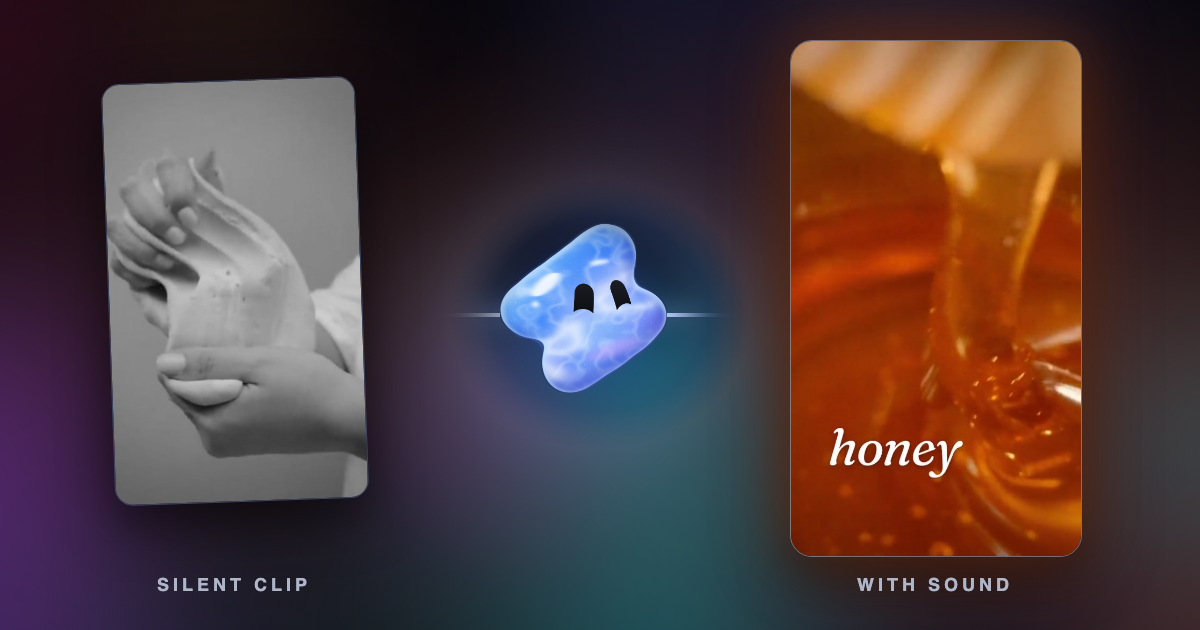
Choose Put it on your video, pick the video, and it opens in the Vidova editor. The agent places the sound on the action it fits. In the editor, you ask for sounds in chat. The agent first looks in Vidova's stock library of thousands of sound effects, which use no credits, and makes a new sound only when no sound there fits. Each sound it makes comes back with its loudest point measured, so the hit lands on the frame of the action and sits at the right level under the music.
Add sound to this 12-second skate clip: a board pop when he jumps, a soft whoosh while he is in the air and a hard wheel slap on the landing. Keep the music under the sounds and the crowd noise from the clip.
Downsides: one sound is at most 22 seconds long, and a longer ambience needs two sounds placed end to end. Vidova does not make several takes of one prompt at once. Ask again for another take. You can start free. Paid plans start at $19 a month, remove the watermark and export up to 4K at 60 fps.
Can AI generate a whole sound-design sequence?
Yes, in two ways. One generation can hold a short sequence when you write the events in order, such as “footsteps on gravel, then a metal door opens”. You set the order in words. You cannot set the second each event plays.
For a sequence that has to match a video, make one sound per moment and put each one on its frame. In Firefly's video editor, you record your own timing with your voice. In Vidova, you describe the whole sequence in one message, and the agent finds or makes each sound and places it on its action:
Design the sound for this 15-second product clip: a soft whoosh as the box slides in, a paper tear when the lid opens, a glass clink when the bottle touches the table and one low hit when the logo lands. Keep the music quiet under them.
How to describe a sound effect
- Name what makes the sound and what it does: “glass shattering on concrete”.
- Add the space and the feel: close up, in a large hall, outdoors, punchy, soft.
- Use sound words where they fit: impact, whoosh, riser, glitch, drone, ambience, one-shot, loop.
- Write a sequence in the order the events happen.
- Pick a length that holds the sound and its tail: a click or a pop 0.5 to 1 second, a whoosh 1 to 2, a hit 2 to 3, a riser as long as the build, an ambience up to the tool's limit.
These rules come from the guidance Vidova gives its own agent. They work the same way in the other tools.
Can I use AI sound effects in commercial videos?
It depends on the tool and the plan, so check before a sound goes into an ad or a client video. On ElevenLabs, only paid plans allow commercial use. Stable Audio lists a commercial licence on every plan. Adobe calls Firefly sound effects royalty-free for commercial use when you follow its guidelines. Meta's AudioGen weights are for non-commercial use only. Vidova's terms allow personal and commercial video creation, subject to the rights in your inputs and the third-party terms the terms name.
Related guides
Sources
All sources checked 1 November 2026.
- ElevenLabs: AI sound effect generator
- ElevenLabs: pricing
- ElevenLabs docs: sound effects
- Adobe Firefly: AI sound effect generator
- Adobe Help: generate sound effects in the Firefly video editor
- Adobe Firefly: plans and pricing
- Stable Audio
- Stable Audio: pricing
- MyEdit: AI sound effect generator
- MyEdit: pricing
- Meta AudioCraft on GitHub
- AudioCraft: AudioGen documentation
- AudioCraft: AudioGen model card
- Vidova terms of service