Vidova
Best slow motion apps for smooth slow-mo in 2026
Six slow motion apps compared on frame interpolation, price and limits: iPhone Slo-mo, CapCut, DaVinci Resolve, Topaz Video, V1 Golf and Vidova. Why slow-mo stutters.
 Vidova team
Last updated
The short answer
The best slow motion app depends on whether you can still film the moment. If you can, use the iPhone Camera's Slo-mo mode: 240 frames a second at 1080p stays smooth at quarter speed. To slow a normal clip, use an app that makes new frames with frame interpolation: CapCut on a phone, Topaz Video or DaVinci Resolve on a computer, or Vidova's free AI slow motion tool in the browser. For golf swings, V1 Golf adds frame-by-frame review.
Key takeaways
- Slowed video stutters because it has too few real frames. A 30 fps clip at quarter speed shows only 7.5 real frames each second.
- Two fixes exist: film more frames (Slo-mo at 120 or 240 fps) or make new ones with frame interpolation.
- Interpolation works best on clear motion. Heavy blur and objects that cross each other can show soft edges in the new frames.
The short answer: the best slow motion app for each job
- Best for filming slow motion: the iPhone Camera's Slo-mo mode.
- Best free phone app for smooth slow-mo of a normal clip: CapCut.
- Best free desktop editor with frame interpolation: DaVinci Resolve.
- Best quality interpolation on a computer: Topaz Video.
- Best for golf swing review: V1 Golf.
- Best for smooth slow motion online, and for slowing one moment inside an edit: Vidova.
Why slowed video stutters
Video is a series of still frames. A phone films 30 frames each second unless you change it, and film and most online video play at 24 to 30 frames a second. When you slow a 30 fps clip to quarter speed, the app has only 7.5 real frames for each second of playback. It shows each frame four times, so the motion jumps. That jump is the stutter.
| Filmed at | Played at | Real frames each second | Result |
|---|---|---|---|
| 30 fps | Half speed | 15 | Visible stutter |
| 30 fps | Quarter speed | 7.5 | Strong stutter |
| 60 fps | Quarter speed | 15 | Visible stutter |
| 120 fps | Quarter speed | 30 | Smooth |
| 240 fps | Quarter speed | 60 | Smooth |
There are two fixes. The first is to film more frames: Slo-mo at 240 fps still has 60 real frames each second at quarter speed. The second is frame interpolation. The app compares two real frames, works out where each part of the picture moves, and draws new frames between them. Optical flow is the classic method. AI models trained on video do the same job and handle larger motion. Read more in what frame interpolation is.
The six apps compared
| App | How it gets smooth slow motion | Runs on | Price |
|---|---|---|---|
| iPhone Camera Slo-mo | Films more frames: 1080p up to 240 fps | iPhone | Built in |
| CapCut | Makes new frames: smooth slow-mo with optical flow | Phones, Windows, Mac, web | Speed tools free, Standard $9.99 a month |
| DaVinci Resolve | Makes new frames: Optical Flow, and Speed Warp in Studio | Mac, Windows, Linux, iPad | Free, Studio $295 |
| Topaz Video | Makes new frames: Apollo, Chronos and Aion models | Mac, Windows | $299 a year or $59 a month |
| V1 Golf | Plays your frames one by one | iPhone, Android | Free, Advanced V1sion $119.99 a year |
| Vidova | Makes new frames: AI frame interpolation | Browser, desktop app | Free tool with a 10-second preview, paid plans from $19 a month |
Prices change. Each row links to its source at the end of this guide.
How we judged them
We read each vendor's site, help pages and App Store listing on 27 October 2026. We compared how each app gets smooth motion (more frames filmed or new frames made), where it runs, what it costs and what the free version limits. We did not run our own image quality test of the other apps.
iPhone Camera Slo-mo: best for filming slow motion
The best slow motion starts in the camera. Apple's specs list Slo-mo at 1080p up to 240 fps on iPhone 16 Pro, 17 Pro and 18 Pro, plus 4K Dolby Vision up to 120 fps. The iPhone 17 films Slo-mo at 1080p at 120 or 240 fps. Apple says Slo-mo "records your video as normal and then plays it back in slow motion".
In Photos, you choose which part plays slowly: tap Edit and drag the black vertical bars under the frame viewer. Downside: the front camera on the Pro models films Slo-mo at 1080p and 120 fps only, and you must choose Slo-mo before the moment happens.
CapCut: best free phone app for smooth slow-mo
CapCut's speed tools include smooth slow-mo, which its site says "uses AI to generate extra frames". Its optical flow page lists output at 30, 50 and 60 fps. CapCut says its core speed tools are free on desktop and mobile, and its slow motion page says you can export without a watermark. It runs on iPhone, Android, Windows, Mac and the web.
Downside: CapCut's pages do not say whether smooth slow-mo needs Standard or Pro, and its prices depend on your region. The US App Store lists Standard at $9.99 a month.
DaVinci Resolve: best free desktop editor with frame interpolation
DaVinci Resolve is a professional editor for Mac, Windows and Linux, with an iPad app. Blackmagic describes Optical Flow as "building new frames so you can slow down and extend the action" without repeating or blending frames. The free version edits and finishes up to Ultra HD at 60 fps.
Downside: Blackmagic lists Speed Warp retiming as a Studio-only feature. DaVinci Resolve Studio costs $295, and Blackmagic's US site showed it at $236 when we checked.
Topaz Video: best quality interpolation on a computer
Topaz Video, formerly Topaz Video AI, is a desktop app for Mac and Windows with AI models for frame interpolation. Its Apollo model "produces smooth slow motion and frame rate conversion", Chronos suits linear motion, and Aion is "built for high-resolution inputs and large motion". It costs $299 a year, $39 a month with a yearly commitment, or $59 month to month.
Downside: it is a subscription with no free plan on its pricing page. The standard plan allows commercial use only for organizations under $1 million in yearly revenue.
V1 Golf: best for golf swing review
For a golf swing, you usually want to study the motion frame by frame as well as slow it. V1 Golf lets you trim, play back, jump to key positions and view a swing frame by frame, compare two swings side by side and draw lines on the frame. The free version has drawing tools and a limited library. Advanced V1sion is $119.99 a year or $14.99 a month.
Downside: V1 Golf does not list frame interpolation, so it shows only the frames you filmed. Film the swing in Slo-mo first.
A setup that works for a swing:
- Put the phone on a tripod at hip height, behind the hands looking at the target (down the line) or facing the player (face on).
- Film in Slo-mo at 240 fps in good light.
- Review it frame by frame in V1 Golf or Photos.
- For a clip to share, slow the swing itself with AI frames and keep the walk-up at normal speed.
Vidova: best for smooth slow motion online, and inside an edit
Vidova's free AI slow motion tool slows a video to half or quarter speed and makes new frames between the real ones with AI, so the slowed video plays at a full frame rate. You download it as an MP4. Without signing in, it slows the first 10 seconds of a video, twice a day, with the Vidova mark. With a Vidova account, a video can be up to 10 minutes long and uses the credits of your plan.
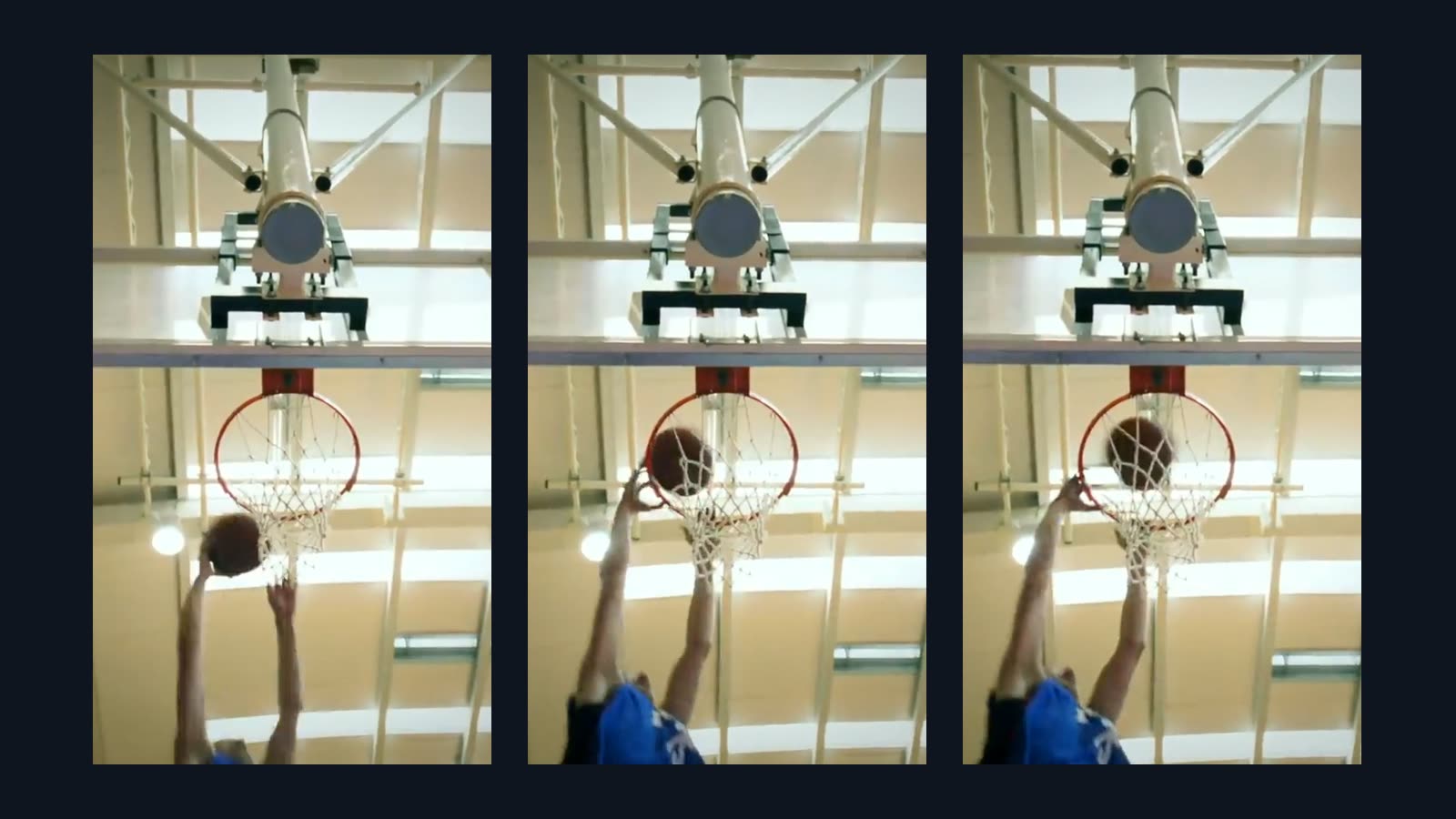
In the Vidova editor, you can slow only one moment. The AI agent ramps the speed down into it and up again after it, with AI-made frames in the slow part:
Keep the walk-up at normal speed. Slow the golf swing to quarter speed with AI frames from the top of the backswing through impact, then ramp back to full speed as the ball flies. Put a club hit sound on the impact.
Downsides: the slowed video from the free tool has no sound, and the free tool and the free plan add the Vidova watermark. Like every interpolation tool, it can show soft edges on fast motion with heavy blur or where objects cross each other. You can start free. Paid plans start at $19 a month, remove the watermark and export up to 4K at 60 fps.
Smooth slow motion online, free and without a watermark?
Few tools offer all three. Of the tools we checked, CapCut is the only one whose slow motion page says you can export without a watermark. Media.io's AI frame interpolation raises the frame rate by 2x or 4x, up to 240 fps, for files within 50 MB and 30 seconds, and its free plan exports with a watermark. Vidova's free tool adds its mark to a 10-second preview.
How to choose
- If the moment has not happened yet, film it in Slo-mo. No app beats real frames.
- If you have a normal clip and only a phone, use CapCut's smooth slow-mo.
- If you edit on a computer and want the cleanest new frames, use Topaz Video or DaVinci Resolve Studio.
- If you coach or study a golf swing, use V1 Golf on Slo-mo footage.
- If you want one moment slowed inside a finished edit, with a speed ramp into it, ask the Vidova agent.