Vidova
What is a speed ramp in video editing? Velocity edits explained
A speed ramp eases a shot from one speed to another. See a real ramp frame by frame, how velocity edits work, and the request that makes one in Vidova.
 Vidova team
Last updated
The short answer
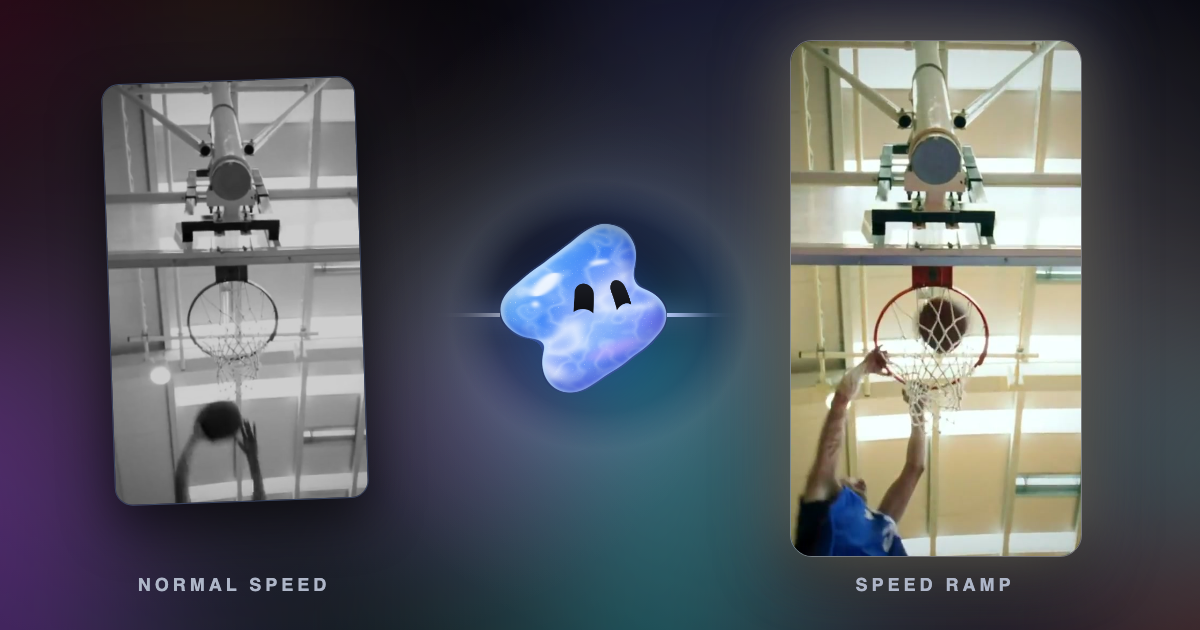
A speed ramp is a change of playback speed inside one shot that eases from one speed to another instead of jumping. A typical ramp plays the build-up at normal or fast speed, slows almost to a stop on the key moment, then speeds out. A velocity edit is a short music edit made of many speed ramps, with each peak on a beat.
Key takeaways
- A speed ramp eases between speeds inside one shot. A velocity edit strings several ramps together on the beat of a song.
- Slowed parts need more frames than the camera recorded, so they need high frame rate footage or frame interpolation to stay smooth.
- Go deep on the peak. About quarter speed reads as slow motion, while 0.5 to 0.7 times often reads as a stutter.
What is a speed ramp in video editing?
A speed ramp is a gradual change of speed within a single clip. The clip does not cut from normal speed to slow motion. It slows down over a few frames, holds, and speeds up again. The viewer feels the moment stretch instead of seeing a jump.
The technique started in the camera. The Wikipedia article on slow motion describes speed ramping as a process in which the capture frame rate of the camera changes over time during the shot. Today most ramps are made in the edit. Final Cut Pro has a Speed Ramp command in its Retime menu that splits a selection into four segments with different speeds, according to Apple's user guide. Premiere Pro calls the feature time remapping. DaVinci Resolve Studio lists “speed warp retiming” among its AI tools.
A ramp has three parts: the speed going in, the speed at the peak and the speed going out. The curve between them decides how the ramp feels. A smooth curve has no sudden change in speed at any point.
What is a velocity edit?
A velocity edit is the name people use on TikTok and Instagram for a short edit cut to a song in which each clip rushes in, slows almost to a stop on a hit, then rushes out again. It is a series of speed ramps with every peak placed on a beat. Flashes, shakes and whip pans often mark the cuts.
Vidova's extreme speed ramp template is a velocity edit. It runs about 18 seconds on a rock track at about 117 BPM. Four action shots get six beats each, with a whip pan into each one. Each shot rushes in at about twice speed, slows to a near stop exactly on a beat at the peak of the trick, then whooshes back to speed. A shake and an impact hit each landing, the music dips under each peak, and the edit ends on a freeze frame of the biggest moment.
A speed ramp, frame by frame
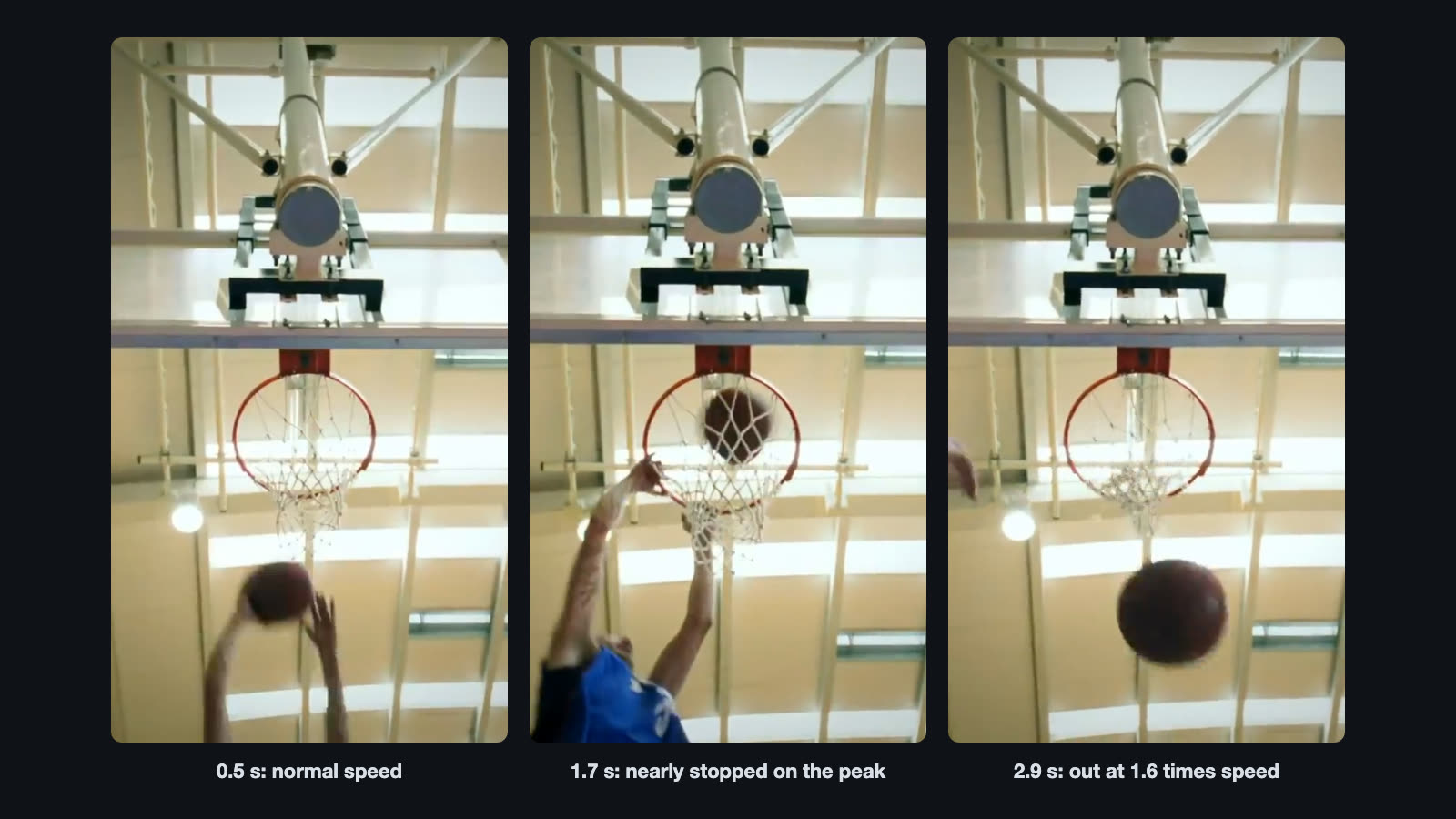
These numbers come from the template's recipe. The finished clip is about 3.3 seconds long. The first half second plays at normal speed. The speed then eases down over the 0.4 seconds of footage before the peak, and those 0.4 seconds last 1.2 seconds on screen. The clip nearly stops at 1.7 seconds, with the hand on the rim. It then eases up over the 0.5 seconds of footage after the peak, which take about 0.94 seconds, and leaves at 1.6 times speed.
The slow-down is an ease-out curve on the clip's time keys and the speed-up is an ease-in curve. An ease-out cubic curve starts at three times its average speed. So a slow-down that covers 0.4 seconds of footage and starts at normal speed must last 3 × 0.4 = 1.2 seconds. With that length, the speed is the same on both sides of the point where the curves meet, and the ramp never jumps.
The frame also pushes in from 1.02 to 1.14 times its size by the peak, a sub hit lands on the peak, and a whoosh peaks on the way out. The footage itself is muted, because a ramp warps the sound of the clip.
Why the slow part needs frame interpolation
A video plays a fixed number of frames per second. When you slow a clip down, each second on screen holds fewer real frames than it needs. The editor must repeat frames or make new ones. Repeated frames look like a stutter. New frames made between the real ones look smooth. That process is frame interpolation.
| Footage frame rate | Speed | Real frames per second on screen | Frames to make per second |
|---|---|---|---|
| 30 fps | 0.5 times | 15 | 15 |
| 30 fps | 0.25 times | 7.5 | 22.5 |
| 60 fps | 0.25 times | 15 | 15 |
| 120 fps | 0.25 times | 30 | 0 |
Vidova fills slowed parts by default with new frames made by optical flow, and adds motion blur where a clip plays fast. You can ask for AI smoothing, which makes the new frames with an AI model and is cleaner around moving edges and limbs. The AI slow motion tool does the same for a single clip. Film at 60 fps or more when you plan a ramp. The speed ramp template asks for that too.
How to make a speed ramp or velocity edit in Vidova
You describe the ramp in plain words. Vidova's agent searches its template library for a whole new edit, finds the speed ramp templates and fills them with your clips. It sets the speed curve, the push-in and the sounds, then previews frames of the result before it hands it over.
- Upload one action clip with a clear peak, or several clips and a song for a velocity edit.
- Tell the agent where the peak is if you know it, for example “the hand on the rim at 1.0 seconds”.
- Ask for the ramp. The requests below are the ones behind Vidova's two speed ramp templates.
- Watch the result and ask for changes in plain words, such as a deeper slow-down or a later peak.
Speed ramp this dunk. Let it glide into slow motion that almost stops when the hand is on the rim, then speed out faster than it went in, with a deep hit on the peak.
Speed ramp my action clips. Fast in, almost stop at the peak of each trick on the beat, then fast out, with speed lines, a shake on each landing and a freeze frame at the end. The video is 9:16 and about 18 seconds long.
For a smoother slow part, add “use AI smoothing on the slowed part” to the request. To find the tempo of your song first, use the free BPM detector.
When to use a speed ramp and when not
| Use a ramp for | Avoid a ramp for |
|---|---|
| One clear peak: a dunk, a jump, a trick, a car passing, a product reveal | Shots with no peak, such as a slow pan of a room |
| Music edits where the peak can land on a beat | Speech, because the ramp warps the voice |
| Sports, cars, fitness and action edits | Long clips, where a ramp loses its punch |
| Footage shot at 60 fps or more | Dark, shaky 24 or 30 fps footage slowed far down |
Common speed ramp mistakes
- A jump instead of a ramp. Two speeds with no curve between them read as a glitch. Ease the speed down and up.
- A timid slow-down. In Vidova's house rules, the build-up rushes at about 1.5 to 2 times and the peak plays at about quarter speed. A slow-down of 0.5 to 0.7 times often reads as a stutter.
- A peak off the beat. In a music edit, the slowest frame should land on a beat or a hit in the song.
- Slow motion with no new frames. Repeated frames stutter. Use frame interpolation or footage with a high frame rate.
- Too many ramps. When every clip ramps the same way, none of them stands out. Save the deepest ramp for the biggest moment.
Sources
- Create variable speed effects in Final Cut Pro for Mac, Apple, the Speed Ramp command (checked October 2026)
- DaVinci Resolve Studio, Blackmagic Design, speed warp retiming (checked October 2026)
- Slow motion, Wikipedia, speed ramping in the camera