Vidova
What is kinetic typography? Kinetic text animation explained
Kinetic typography is text that moves to carry meaning, from Saul Bass's film titles to word-by-word captions. Real frames, history and the request to make it.
 Vidova team
Last updated
The short answer
A kinetic typography video is a video in which text moves to carry meaning: words appear, scale, slide or change shape in time with a voice or music. Kinetic text animation ranges from film title sequences, such as Saul Bass's titles for North by Northwest (1959), to word-by-word captions on Reels and TikTok. Each word arrives on its spoken moment.
Key takeaways
- Kinetic type is designed phrase by phrase. Captions transcribe every word. Word-by-word captions sit in between.
- Time each word to the voice. A word that arrives late reads as a mistake.
- One look, one idea per phrase. A different preset on every word reads as noise.
What is kinetic typography?
Wikipedia describes kinetic typography as an animation technique that mixes motion and text to express ideas (Wikipedia). It follows Barbara Brownie's model of two main types. In motion typography the text moves, as a dynamic layout or as scrolling text such as the Star Wars opening crawl. In fluid typography the letterforms change and evolve without necessarily changing location.
Kinetic type is older than computers. Wikipedia credits Alfred Hitchcock's North by Northwest (1959) as the first feature film to use it extensively, in opening titles by Saul Bass where the credits fly in from off screen. Bass used a similar technique in Psycho (1960). In 1995, Kyle Cooper's title sequence for Se7en started a new wave of title design. The New York Times called it “one of the most important design innovations of the 1990s”, as quoted by Art of the Title.
Today the same craft shows up in lyric videos, speech edits, ads, explainers and the word-by-word captions on short videos. Adobe's After Effects page describes the tools: text animators that move, fade or recolour each letter, a graph editor for timing, 3D text and text on a path (Adobe).
Kinetic typography vs animated captions
| Aspect | Kinetic typography | Word-by-word captions | Subtitles |
|---|---|---|---|
| Which words | Chosen phrases | Every spoken word | Every spoken word |
| Layout | New for each phrase, part of the picture | One place, usually on the chest or lower third | One place at the bottom |
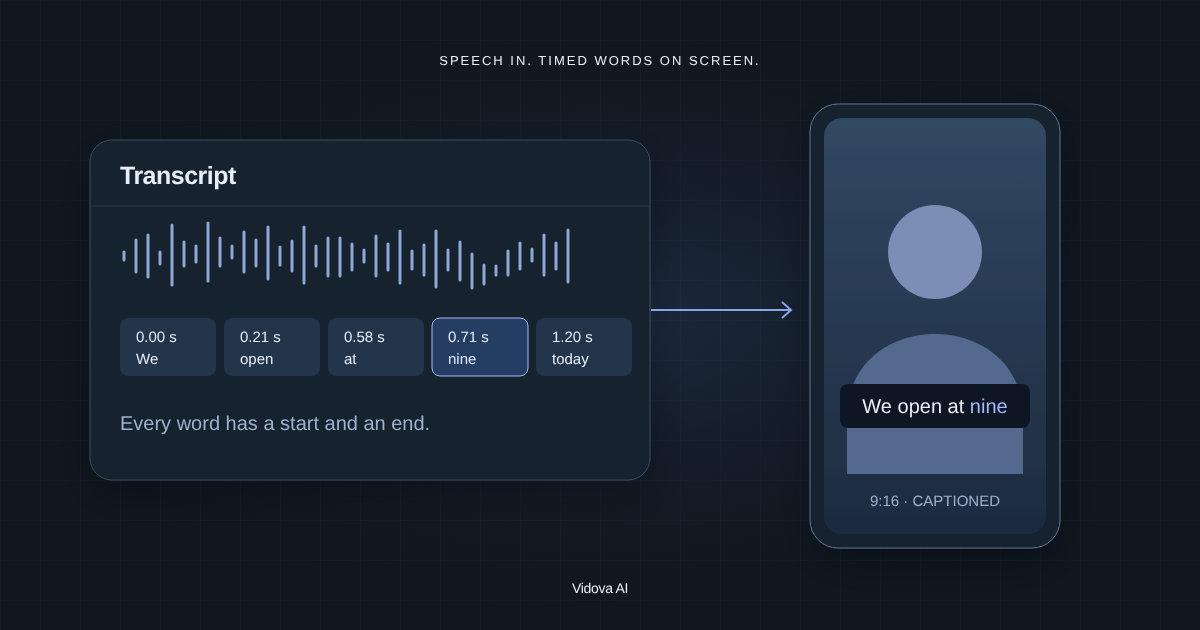
| Timing | Each word on its spoken moment | Each word lights on its spoken moment | One line at a time |
| Main job | Meaning and emotion | Attention and access with the sound off | Access and translation |
A kinetic typography edit, frame by frame
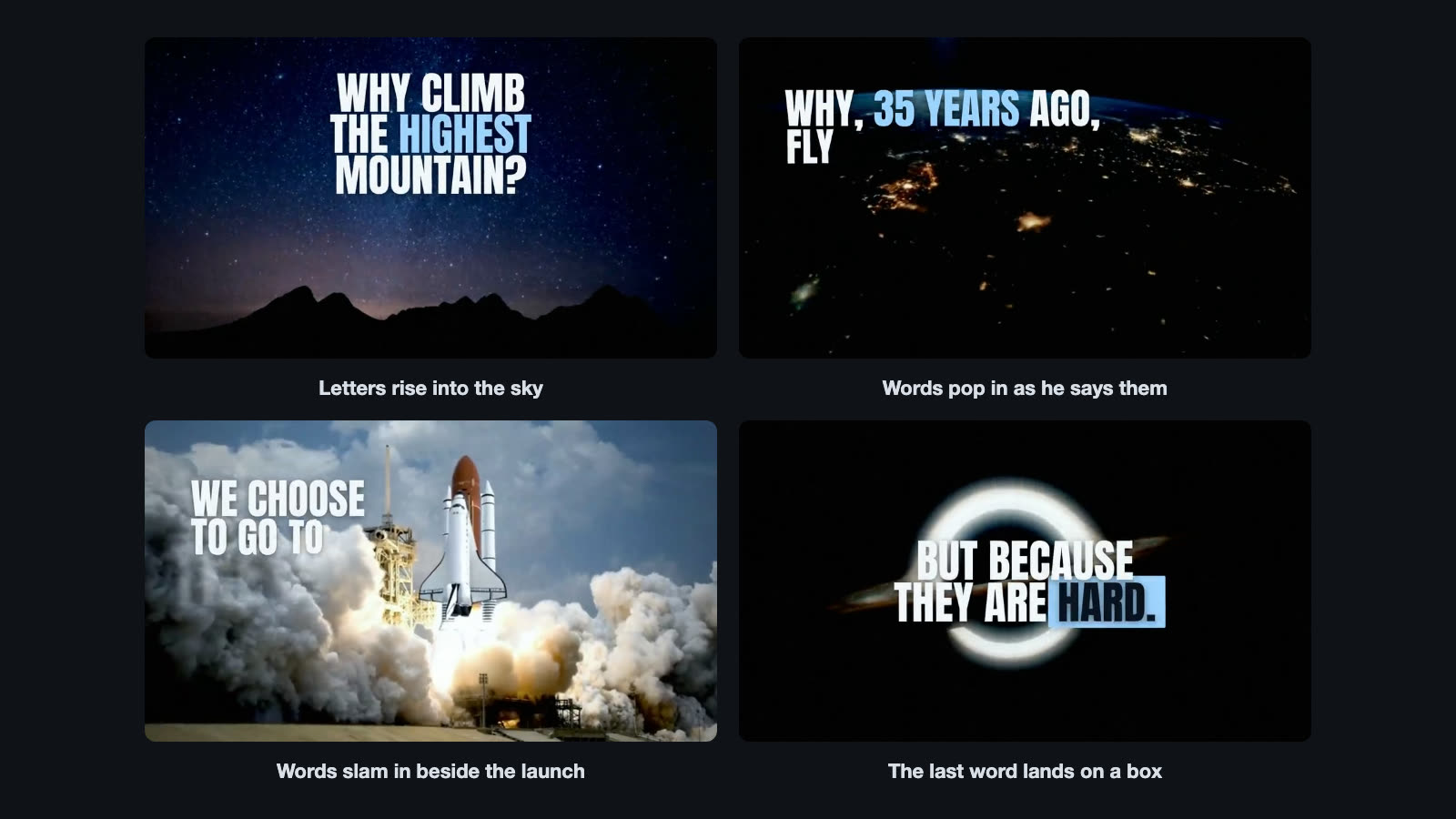
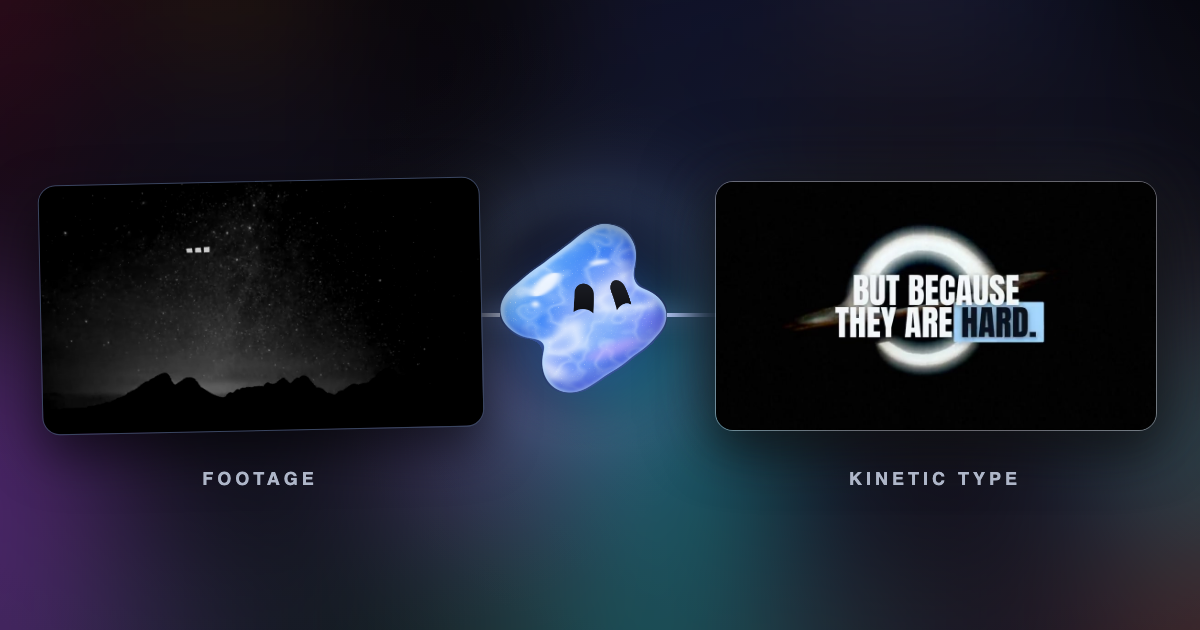
The template sets the speech over space footage in a 34-second 16:9 film. Every phrase is in Anton capitals, cold white (#f2f6fb), with one word in ice blue (#9fd3ff). Each word appears 0.06 seconds before it is spoken, and only one phrase is on screen at a time. The type sits on the empty side of each shot.
Each phrase gets its own move. Letters rise in on one line, lines step down a diagonal on the next, words pop, words slam. On “MOON” the type punches, the frame punches in and a deep impact hits. The last line slams in with “HARD” on an ice blue box. Changing the move with the meaning is what makes it kinetic typography instead of a subtitle track.
Word-by-word captions are kinetic type too
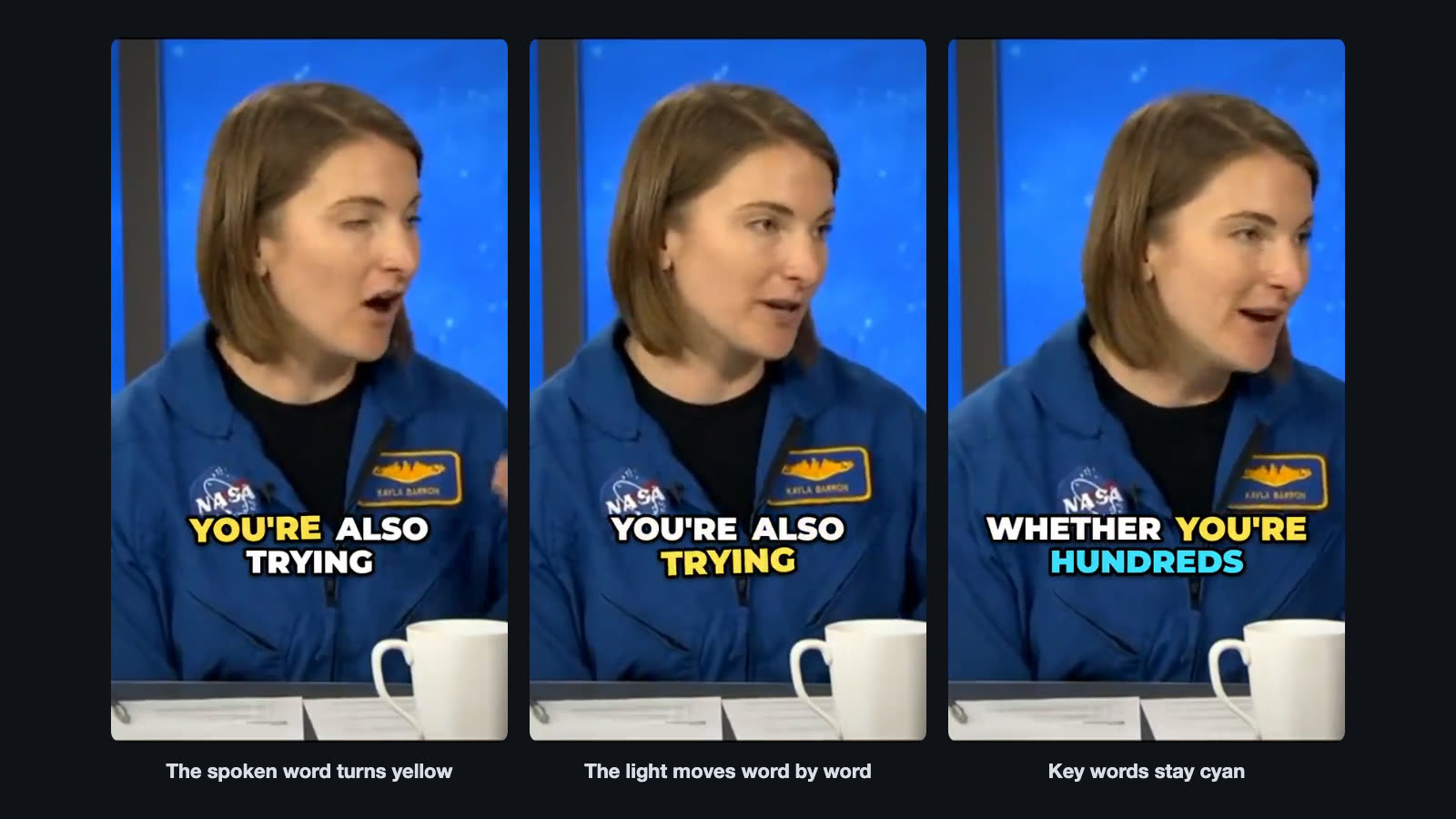
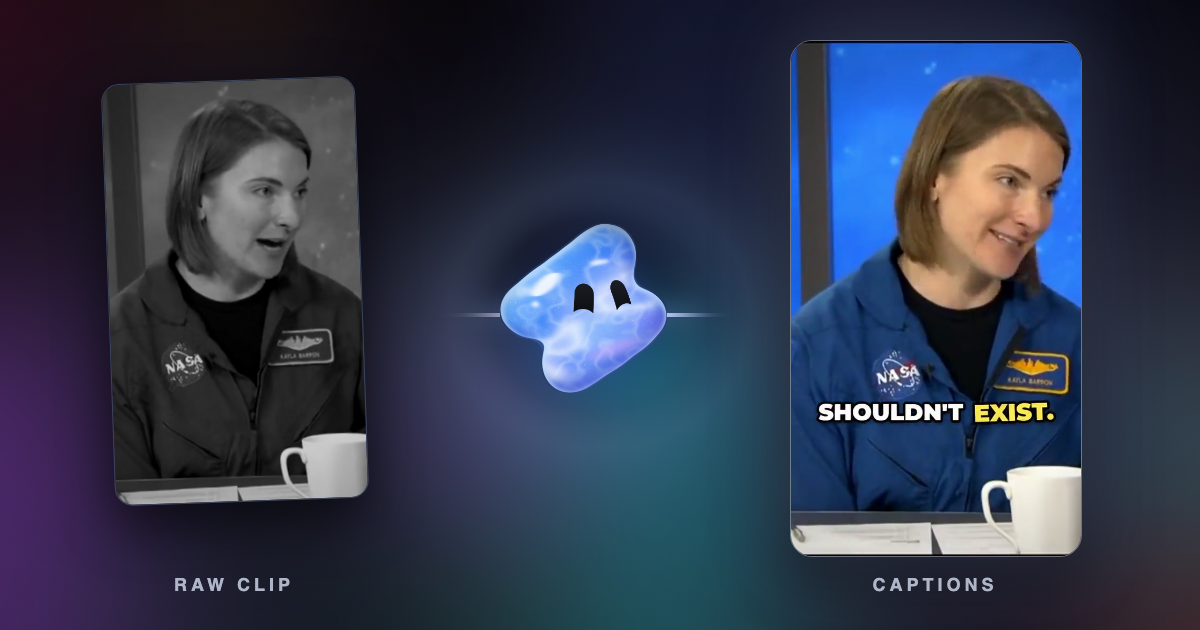
The karaoke captions template shows three words at a time in Montserrat black capitals at 86 px, white with a thick black outline. The word being spoken turns yellow (#ffe14d), and key words stay cyan (#3ee0ff). Each group pops in on its first word and holds 0.3 seconds after its last word, centred at 72 percent of the frame height.
Vidova's own caption look goes one step further. Each caption has two lines: the spoken words in lowercase, and the one or two words that matter in large capitals under them. Each word blurs in on its own spoken moment, in 0.12 seconds.
How to make kinetic typography in Vidova
Vidova transcribes the speech to get the time of every word, then places and animates the text to those times. You describe the look. These are the requests behind the two templates above.
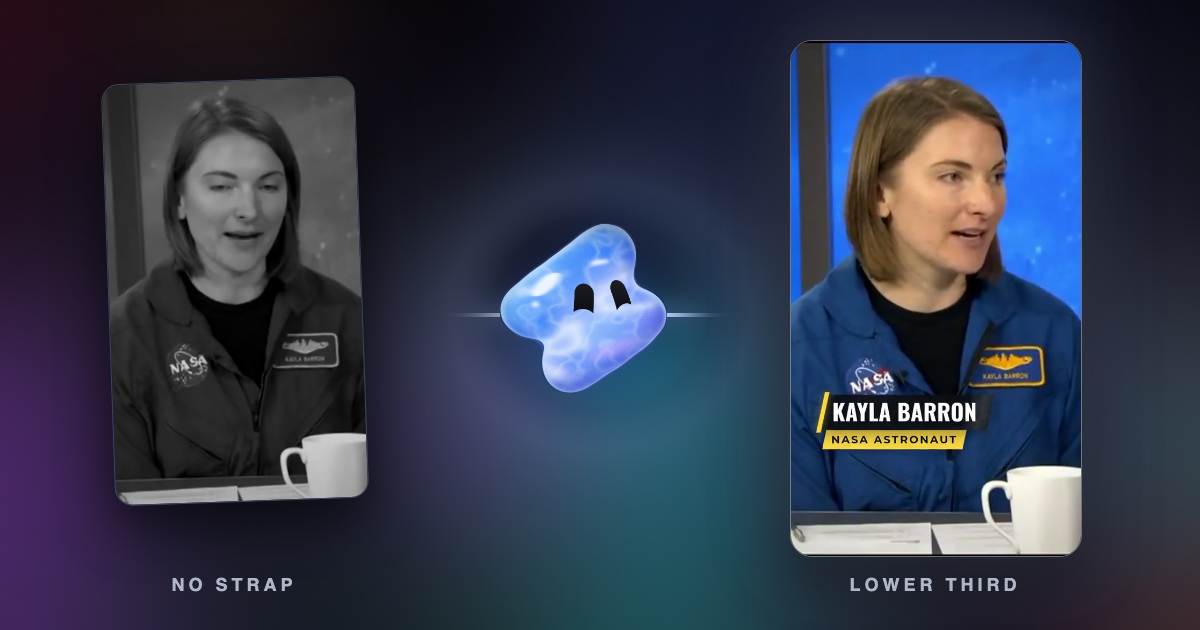
Make kinetic typography for this speech. Every phrase appears word by word as he says it, in a new layout each time, over space footage, with his name and a closing title.
Add word-by-word captions to this talking head clip, three words at a time, with the spoken word lit yellow and the key words in cyan.
For plain subtitles or caption files, the free auto subtitle generator and TikTok captions tool are quicker.
When to use kinetic typography and when not
- Use it for speeches, quotes, lyric videos, hooks, faceless explainers and short ads where the words are the idea.
- Use word-by-word captions on talking-head videos, because many people watch with the sound off.
- Skip it when the viewer needs to watch a face, a product or a demo. Moving text pulls the eye away.
- Skip it for long paragraphs. Kinetic type works on short phrases.
Common kinetic typography mistakes
- Words that arrive late. Time each word to the voice, or a few hundredths of a second before it.
- The same preset on every word. A rise or a typewriter effect on everything looks like a template. Let the move follow the meaning.
- Text over the subject. Put the type in empty space, never across a face.
- Too fast to read. Leave each phrase on screen until it can be read at a normal pace.
- Outside the safe zone. On vertical video, keep text away from the app's caption and buttons.
Sources
- Kinetic typography, Wikipedia, history and Barbara Brownie's types
- Se7en (1995), Art of the Title, Kyle Cooper's title sequence
- Text animations and kinetic typography with After Effects, Adobe (checked October 2026)