Vidova
What is a lower third in video editing?
A lower third is the name and title graphic low in the frame. What goes in one, where to place it on vertical video, real frames and the request for Vidova.
 Vidova team
Last updated
The short answer
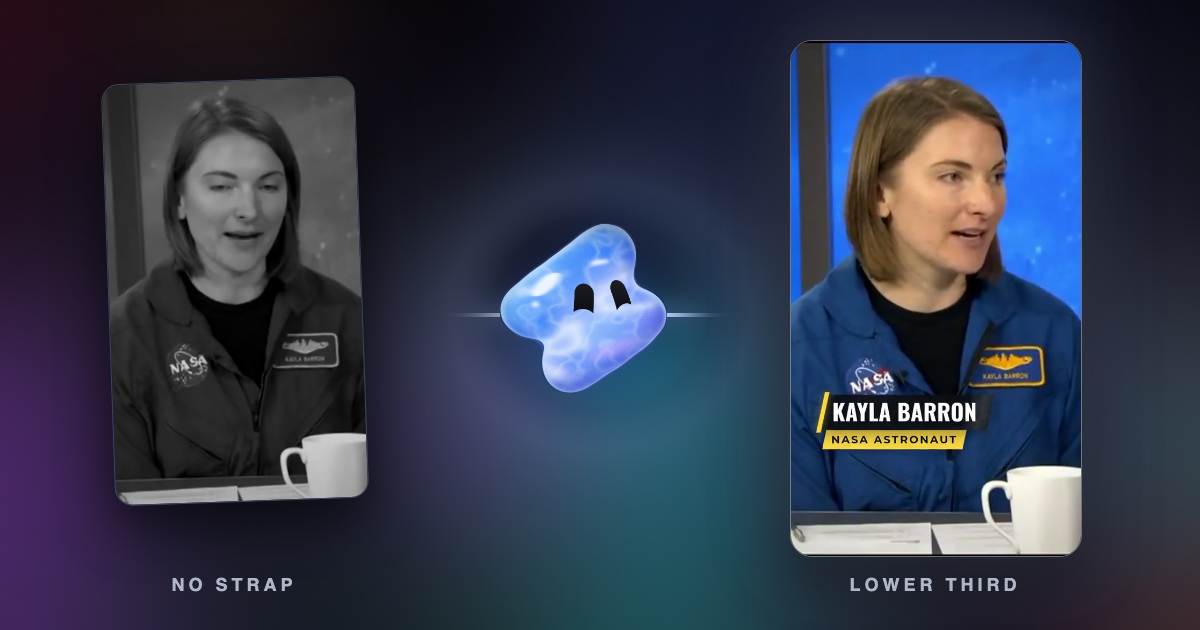
A lower third is a text graphic in the lower part of the frame that tells viewers who or what is on screen, most often a person's name and role in an interview. Broadcasters also call it a name strap, a super or a chyron. A good lower third arrives just after the person starts speaking, stays about four seconds and sits inside the safe area.
Key takeaways
- A lower third names a person, a place or a source. Keep it to a name and one short line.
- Bring it in just after the person starts talking and hold it long enough to read, about four seconds.
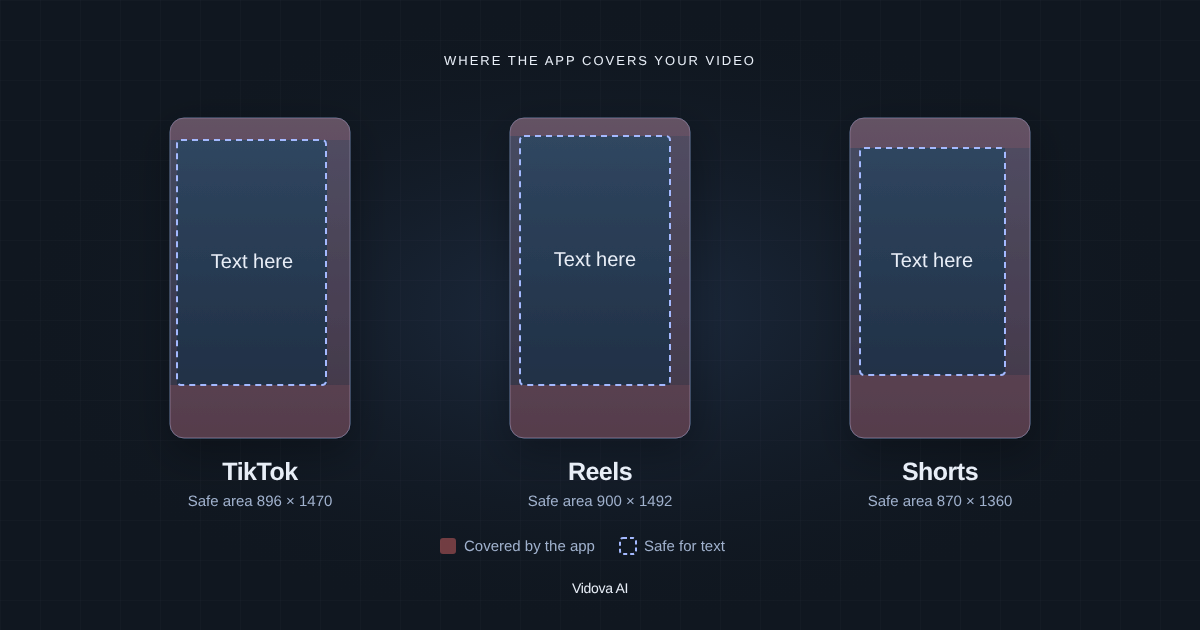
- On vertical video, the app's caption and buttons cover the bottom of the frame. Place the strap higher.
What is a lower third?
Adobe defines a lower third as a text title or graphic overlay placed in the lower region of the screen, such as a person's name and title in a documentary interview or a location (Adobe). Wikipedia describes it as a graphic overlay in the title-safe lower area of the screen, which need not fill the whole lower third (Wikipedia).
The graphic has many names. In North America it is often called a chyron, after the Chyron I character generator from Chyron Corporation, an early digital tool for rendering lower thirds in the 1970s. Other names are CG, super, name strap and, in the UK, aston. A broadcast feed with the graphics on it is a dirty feed, and one without them is a clean feed.
What goes in a lower third
| Video | First line | Second line |
|---|---|---|
| Interview or documentary | Full name | Role or company |
| News or event | Place | Date or event name |
| Podcast clip | Guest name | Show name and episode |
| Real estate tour | Street address | Price or size |
| Creator video | Name | Social handle |
A lower third, frame by frame
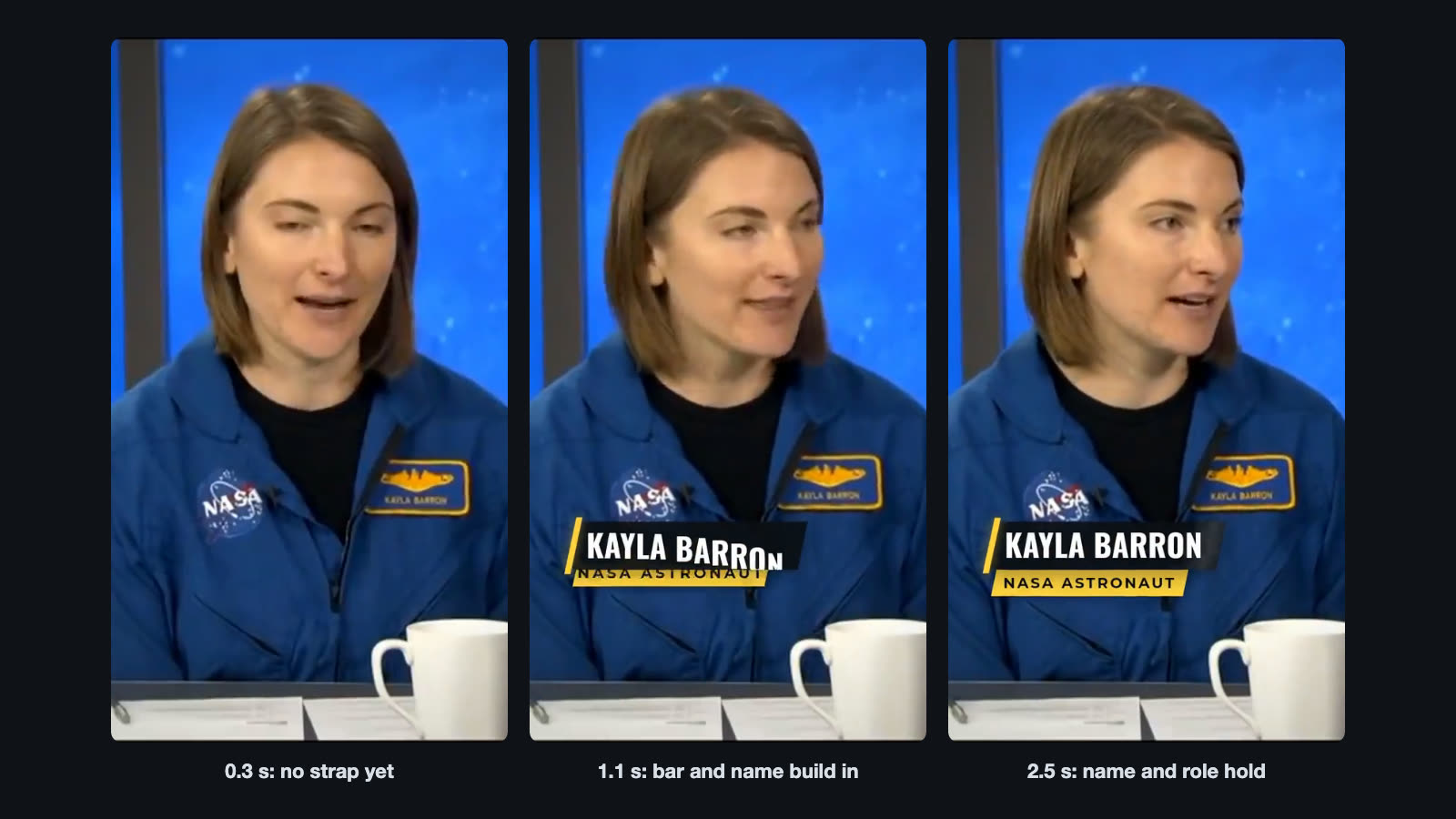
The template's request sets the timing. At 0.6 seconds, just after her first words, a slanted yellow accent bar (#ffd23f) grows on the left side and a dark plate wipes out of it. Her name rises in letter by letter in white Oswald bold capitals. Her role slides down under it on a yellow strip, in small Montserrat bold capitals with wide letter spacing. A light sweep crosses the plate while it holds. At 5.0 seconds it leaves by the same moves in reverse. A soft swoosh at low volume plays as it arrives.
Vidova's interview documentary template uses a quieter style: a thin gold line, the name in Playfair Display and the role in small capitals, on screen for 4.5 seconds. Pick the style that fits the tone of the film.
Where to place a lower third
For 16:9 television, the EBU's recommendation R 95 sets a graphics-safe area 5 percent in from each edge of the picture (EBU). Keep the strap inside it.
Vertical video is different. On Reels, TikTok and Shorts, the app draws its caption, the account name and the buttons over the bottom of the frame. A strap at the very bottom gets covered. Place it higher, on the chest of the speaker, and check it with the free safe zone checker. Our guide to safe zones for Reels, TikTok and Shorts has the exact margins.
How to add a lower third in Vidova
Ask for the strap in plain words and give the exact spelling of the name and the role. The agent can add an animated graphic from Vidova's library and set the name and role as its inputs, or build a custom style when you describe one. The request below is the one behind the lower third template.
Add a name strap to this interview clip. When she starts talking, her name and role slide in low on the frame on a yellow bar, stay about four seconds and slide out.
Add a lower third when I first speak, with my name and role spelled exactly like this: Sam Ortiz, Head chef. White text on a dark plate with a teal bar, inside the TikTok safe zone, for about four seconds.
When to use a lower third and when not
- Use it the first time each person speaks, and again after a long break in a long video.
- Use it to name a place, a product or the source of a clip.
- Skip it when the person says their name on camera with a caption already showing it. One representation of a fact is enough.
- Skip it in the first second of a short video, where it competes with the hook.
Common lower third mistakes
- A misspelled name. Check it with the person before you publish.
- Too much text. A name and one short line. Put the rest in the description.
- Too short or too long. A strap that flashes by cannot be read. One that stays for the whole answer turns into clutter.
- Over the face or the mouth. Keep it below the chin and away from what matters in the shot.
- Too much motion. The strap should arrive, settle and hold still while people read it.
- Arriving before the person speaks. Wait until just after the first words, so the name lands on a face that is talking.
Sources
- How to make a lower third graphic for your video, Adobe (checked October 2026)
- Lower third, Wikipedia, chyron and other names
- EBU R 95: Safe areas for 16:9 television production, European Broadcasting Union