Vidova
What is B-roll? B-roll in UGC and B-roll reels on Instagram
B-roll is the supporting footage cut over or between your main shot. What it means in UGC ads and Instagram B-roll reels, with real frames and requests.
 Vidova team
Last updated
The short answer
A B-roll shot is supporting footage that you cut over or between your main shot. In an interview or a talking-head video, the main footage (the A-roll) is the person speaking, and the B-roll shows what they talk about: the product, the place, hands at work. A B-roll reel on Instagram is a short video made mostly of mood footage with a line of text on top.
Key takeaways
- A-roll carries the story, usually a person speaking. B-roll shows what they talk about while their voice keeps playing.
- In UGC ads, B-roll is the product proof: close-ups, the product in use, the problem and the result.
- A B-roll reel is a short video built from mood footage and a few words of text, often with music.
What is B-roll?
B-roll is footage that supports the main shot. Adobe defines it as all the footage that is not the main action, and calls the main footage A-roll or principal photography (Adobe). Wikipedia describes B-roll as supplemental footage intercut with the main shot, often shown without its own sound while the main audio continues (Wikipedia).
In practice, B-roll covers three jobs. It shows what a speaker describes. It hides cuts in an interview, so the viewer does not see the face jump. It sets a place or a mood before anyone speaks.
Where the name B-roll comes from
The name comes from 16 mm film. Splices showed on narrow 16 mm stock, so editors split the shots across two rolls, with black leader between them. The odd-numbered shots went on the A-roll and the even-numbered shots on the B-roll. The process was also called checkerboard printing. Until the mid-1970s, news crews shot both rolls on 16 mm film and combined the A-roll sound with silent B-roll cutaways. In the 1980s the names moved to tape editing, where the A deck held the main footage and the B deck held the supporting shots (Wikipedia).
B-roll in a Vidova edit
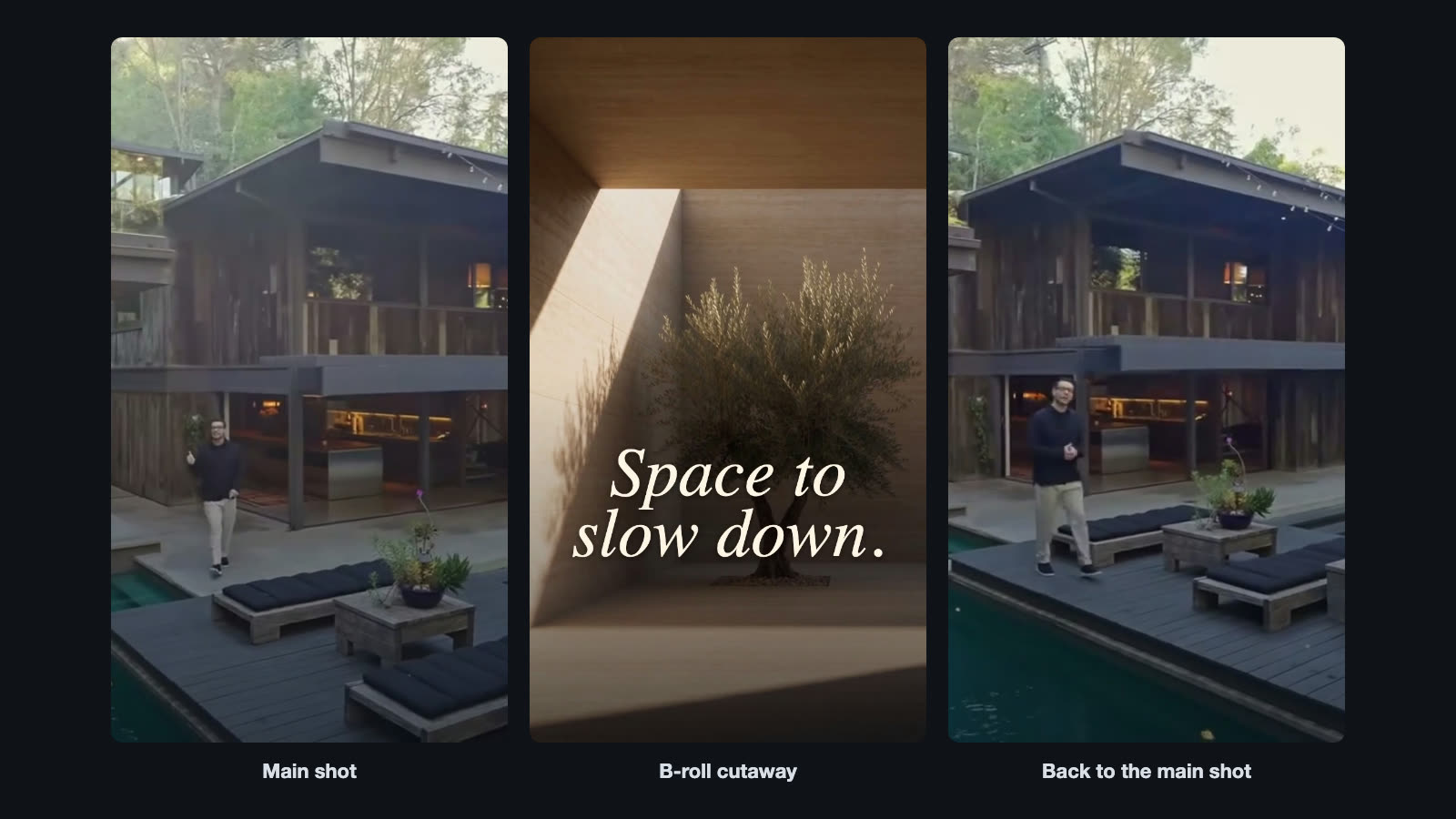
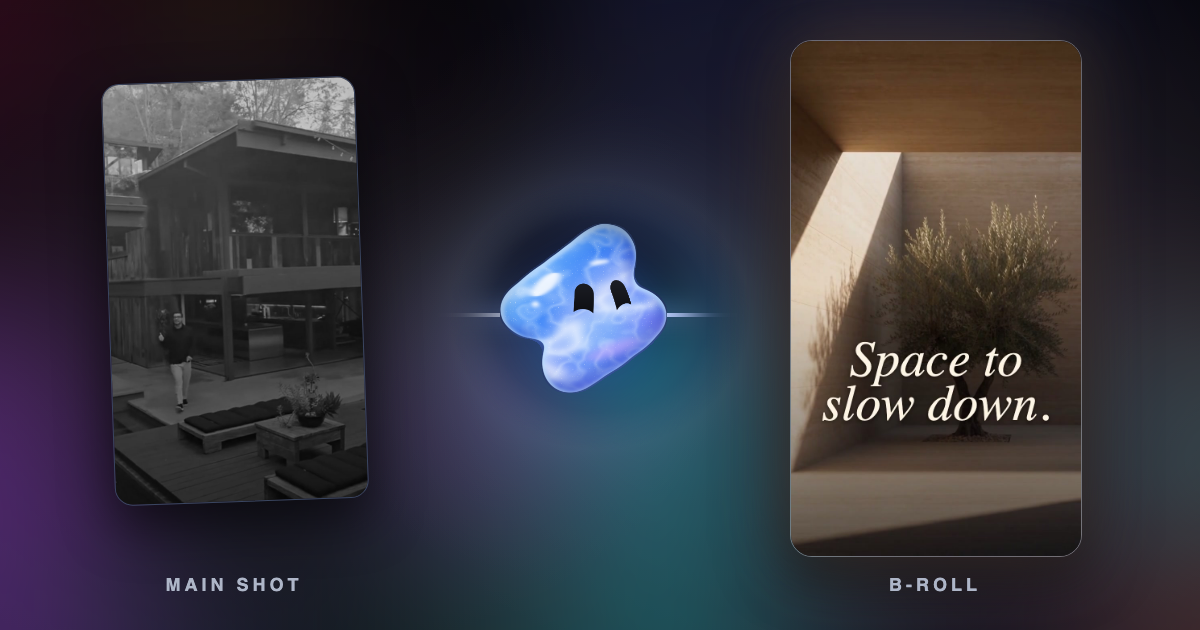
This 5-second edit opens on the main footage, a walk past the house. It cuts to a B-roll shot of light falling into a quiet room, generated in Vidova from a prompt, with the title “Space to slow down.” Then it cuts back to the house. The B-roll carries the mood of the line, and the main footage carries the real place.
What is B-roll in UGC?
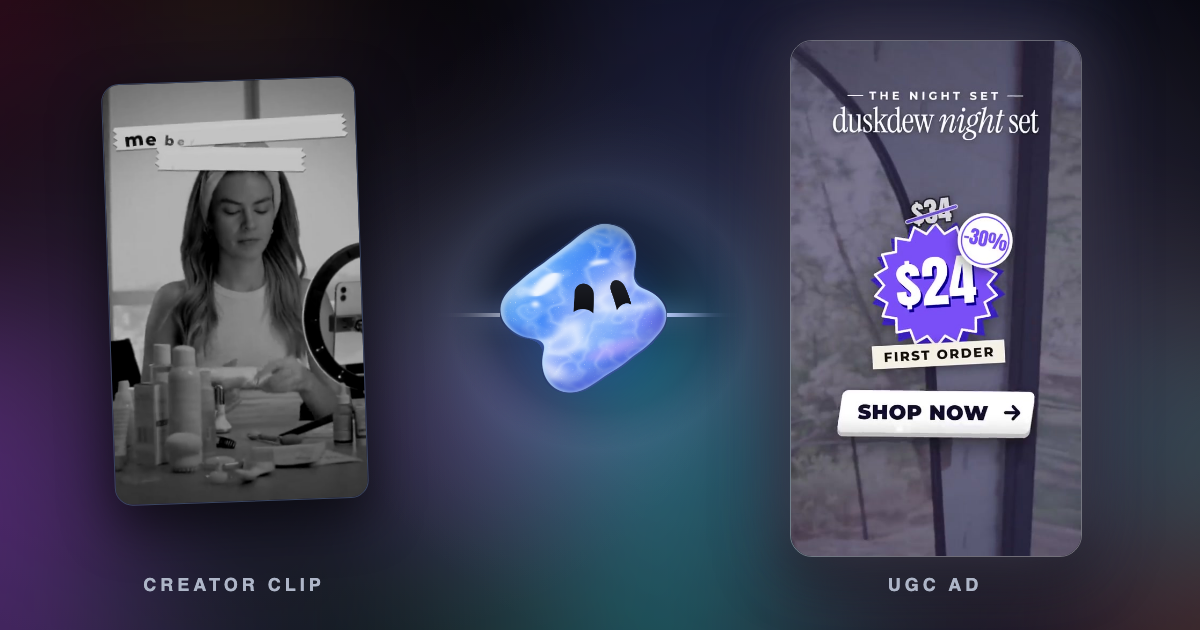
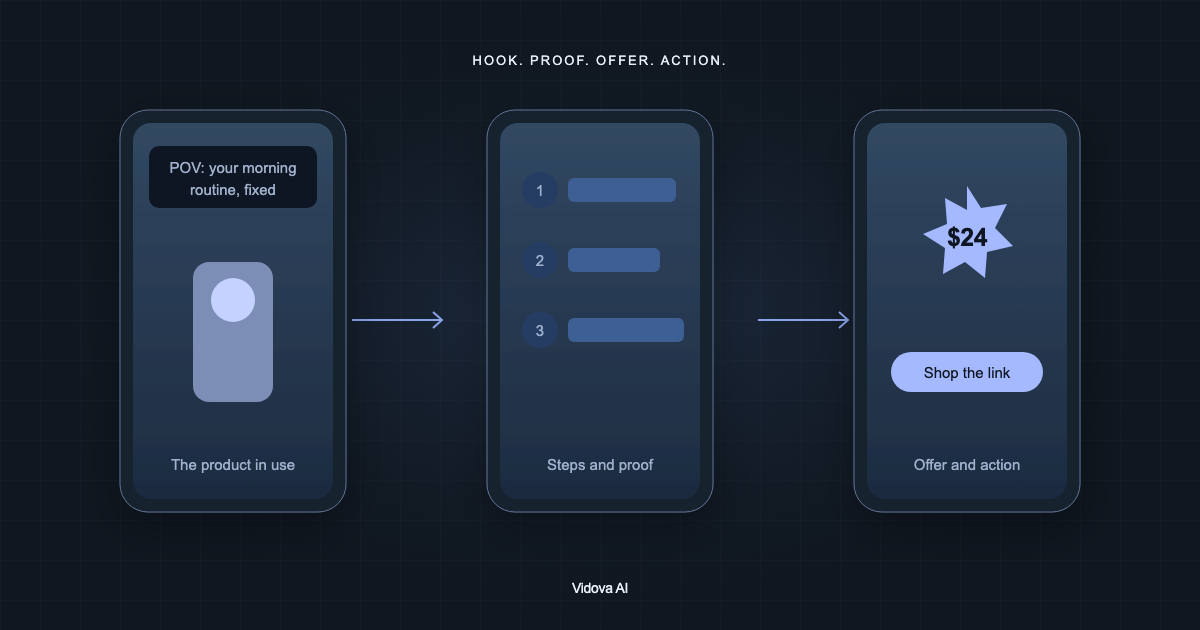
In a UGC (user-generated content) ad, the A-roll is the creator talking to the camera. The B-roll is everything else: close-ups of the product, the product in use, the problem before and the result after. The talking makes the claim, and the B-roll is the proof.
Vidova's UGC product ad template shows what a B-roll shot list looks like. For a night skincare set, it asks for a close-up of the cream being patted under the eye for the hook, a cluttered vanity for the problem, one shot for each of three steps (a cotton pad, a clay mask, a night cream), a smiling shot and a calm shot with space for the offer. Each cut lands on a beat.
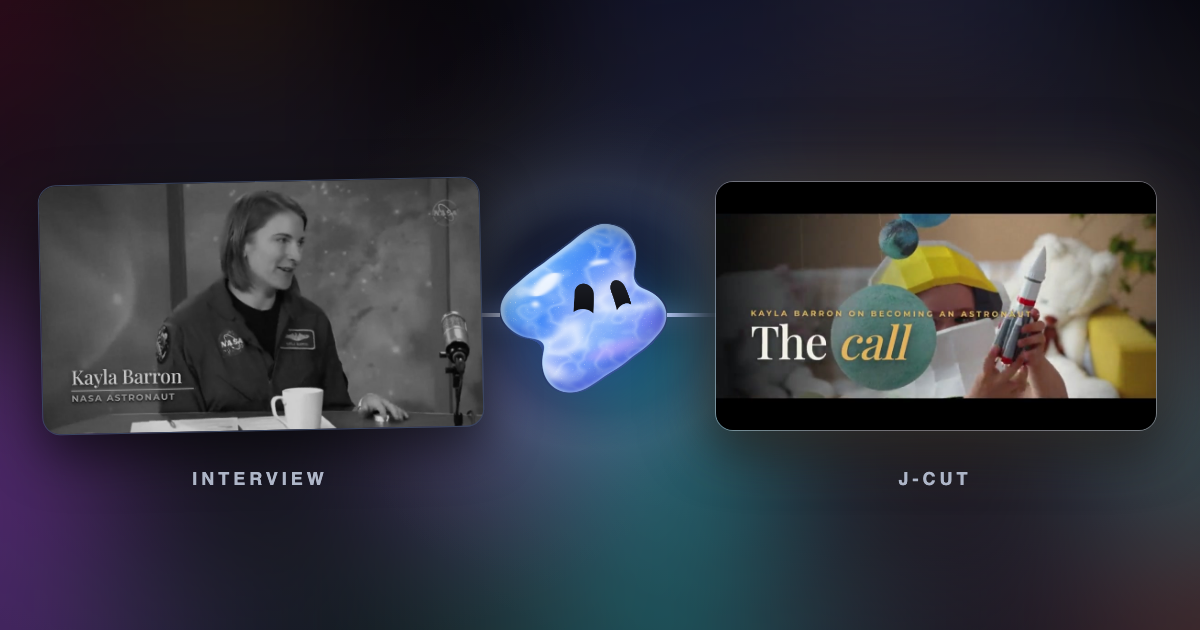
The talking-head captions template does the other common job. When the speaker talks about the ocean and the Earth, B-roll of rain on a lake and the spinning Earth covers her face while her voice keeps going. Each cutaway lands on a zoom punch with a whoosh, and the B-roll itself is silent. There is no B-roll in the first seconds, because her face is the hook.
What is a B-roll reel on Instagram?
A B-roll reel is a short Reel made mostly of B-roll: footage that sets a mood, a line of text on top and usually music. The format suits quotes, short stories and brand moods, where the words carry the idea and the footage carries the feeling.
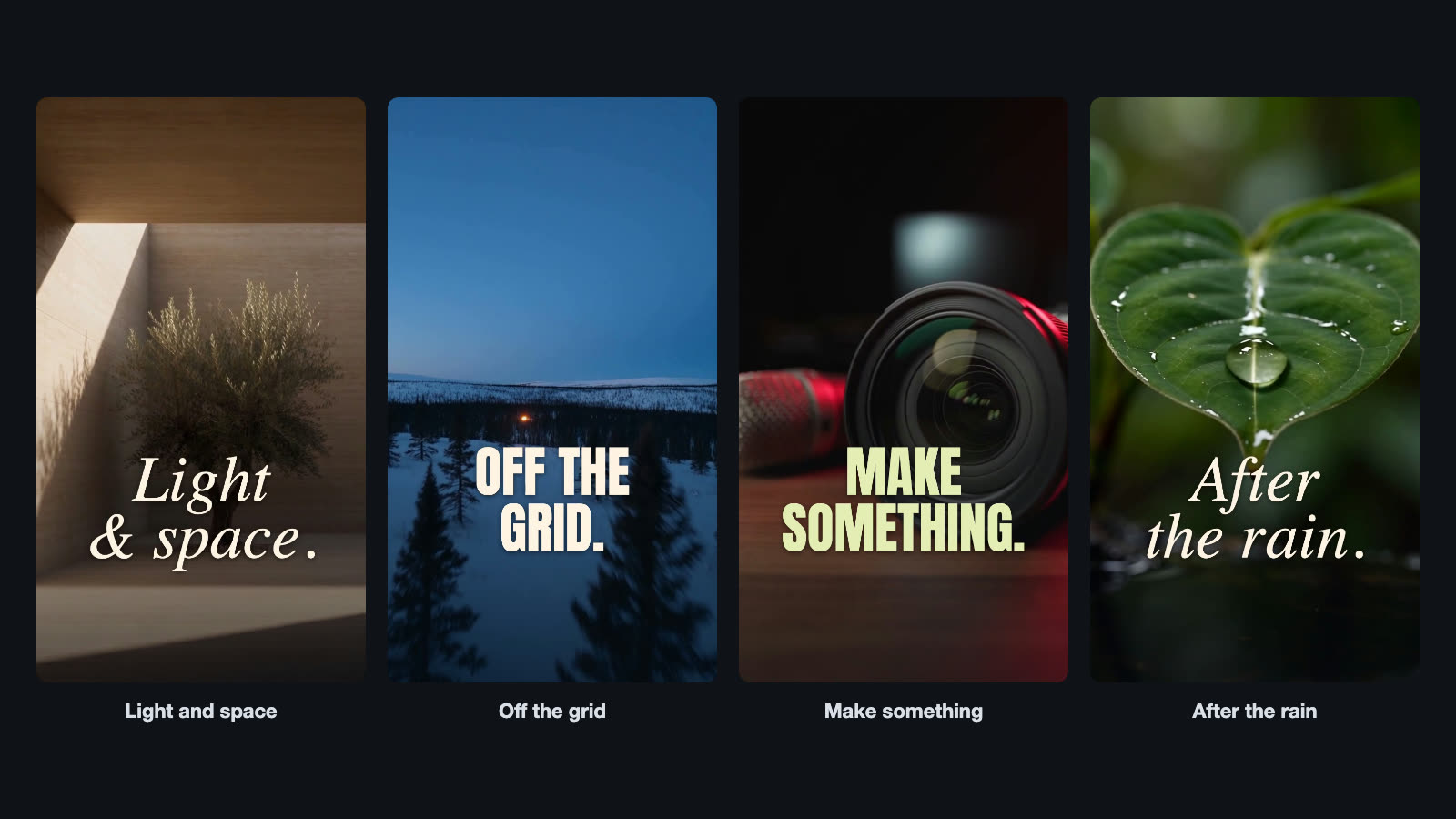
Each of these is one 5-second clip with two or three words. Simple is the point. One strong shot and a few words often read faster on a phone than a busy montage.
How to add B-roll in Vidova
Upload your main footage and your B-roll clips, then say where the B-roll goes. Vidova transcribes speech, so you can point at the words: “when I talk about the price”. If you have no B-roll, Vidova can generate a clip from a prompt. Here are three requests.
Edit this interview into a TikTok. Punch in on every new sentence, add karaoke captions and her name, and cut to space B-roll when she talks about Earth.
Cut to my product close-ups whenever I mention the cream. Keep my voice playing under them, keep the B-roll silent, and stay on my face for the first three seconds.
Generate a 5-second vertical B-roll shot of a snowy forest at dusk with one warm cabin light far away, a slow drone move forward. Add the title Off the grid in bold white capitals, low in the frame.
When to use B-roll and when not
- Use it to show what the speaker describes, to hide jump cuts in an interview, to set a place before the story starts, and to give proof in an ad.
- Use it under a voiceover in faceless videos, where B-roll is the whole picture.
- Skip it in the hook when the face is what stops the scroll, and in emotional moments where the face says more than any cutaway.
- Skip it when the only B-roll you have does not match the words. A random shot pulls attention away from the point.
Common B-roll mistakes
- B-roll that does not match the line. Cut to the shot on the word it shows, not a second later.
- Loud B-roll sound under the voice. Mute the B-roll or keep its sound very low while someone speaks.
- Every cutaway the same length. Let the length follow the sentence. A short word gets a short shot.
- Covering the speaker for too long. Viewers want to come back to the face. Return to the A-roll after the thought ends.
- Footage that freezes. A B-roll clip that runs out and holds its last frame looks broken. Use a longer clip or a shorter slot.
Sources
- What is B-roll footage and why is it important?, Adobe (checked October 2026)
- B-roll, Wikipedia, history of A-roll and B-roll