Vidova
What is a match cut? The transition explained, with examples
A match cut joins two shots that share a shape, a movement or a sound. Famous examples, a real ad cut frame by frame, and how to make one in Vidova.
 Vidova team
Last updated
The short answer
A match cut is a cut between two shots that share a shape, a movement or a sound, so the eye or the ear carries straight across the change. The best-known example is in 2001: A Space Odyssey (1968), where a bone thrown into the air cuts to a spacecraft in orbit. Match cuts link two places, times or ideas in a single beat.
Key takeaways
- A match cut works when something in the frame stays the same while everything else changes.
- There are three kinds: a graphic match, a match on action and a sound match.
- The match comes from the shots, not from an effect. Plan it when you film, or make the second world with AI video editing.
What is a match cut?
Adobe defines a match cut as an editing technique that uses similar visual or audio elements from the previous scene, and lists three types: graphic match cuts, action match cuts and audio match cuts (Adobe). Wikipedia defines it as a cut in which the composition of the two shots is matched by the action or the subject (Wikipedia).
| Kind | What matches | Example |
|---|---|---|
| Graphic match | Shape, colour or composition | 2001: A Space Odyssey (1968): a spinning bone cuts to a craft in orbit. Psycho (1960): the drain of the bathtub becomes the eye of Marion Crane. |
| Match on action | A movement that continues across the cut | Raiders of the Lost Ark (1981): Indy's hat toss during an escape cuts to him catching the hat in his classroom. |
| Sound match | A sound that rhymes with the next one | The Chronicles of Narnia: The Lion, the Witch and the Wardrobe (2005): a sword sliding into its sheath matches a hammer strike in the next scene. |
Adobe also cites Lawrence of Arabia (1962), where a match being blown out cuts to a desert sunrise, matching the colour of the flame and the sun. All the film examples in the table come from the Adobe and Wikipedia pages above.
Is a match cut a transition?
A match cut is a transition in the sense that it moves from one scene to another. It is usually a plain cut, not an effect. In Psycho, the change from the drain to the eye is a dissolve, so a match can also use a dissolve. A whip, a flash or a zoom can sit on top. But if the two frames do not match, no effect turns the cut into a match cut.
Match cuts in a Vidova ad
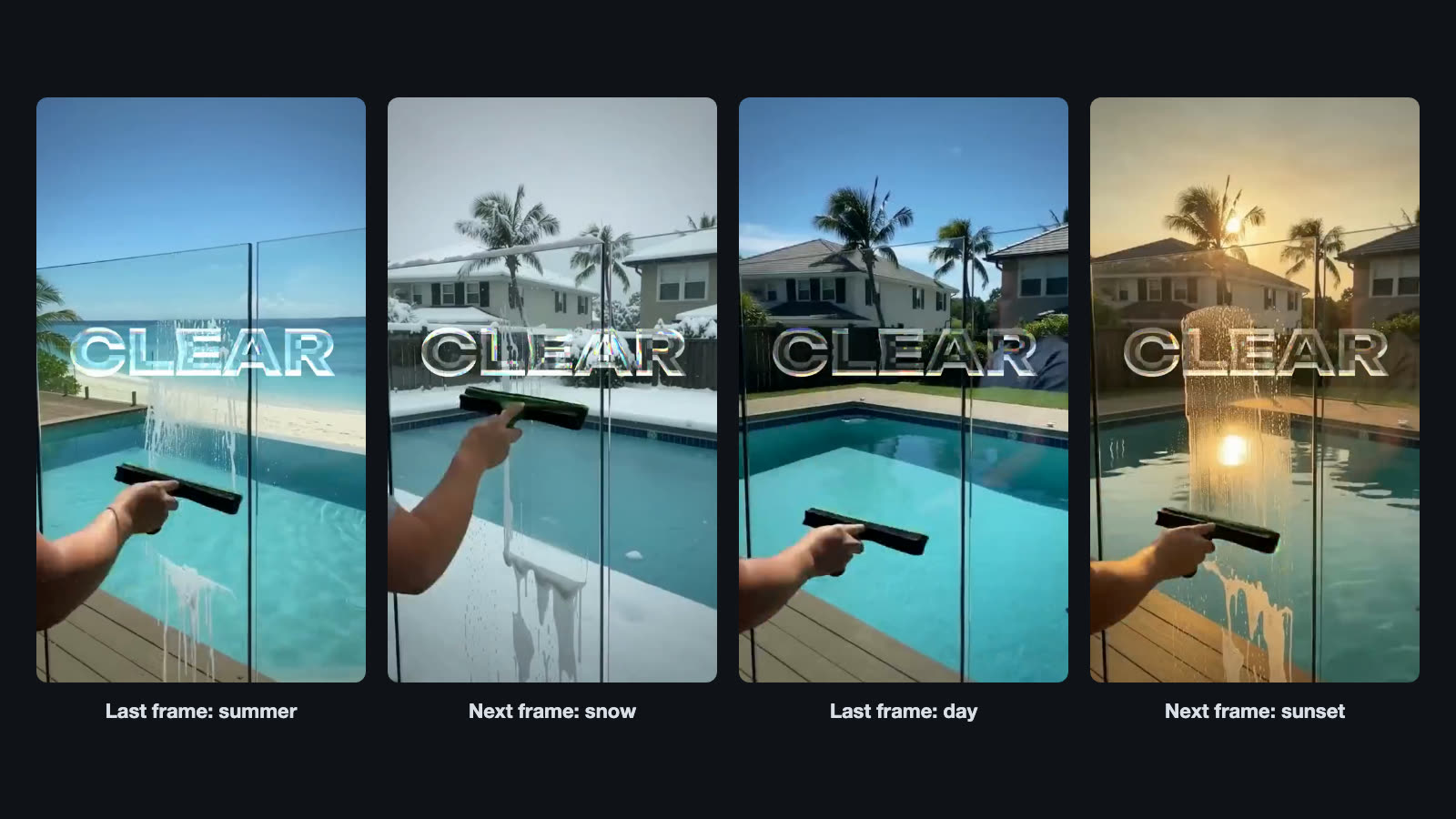
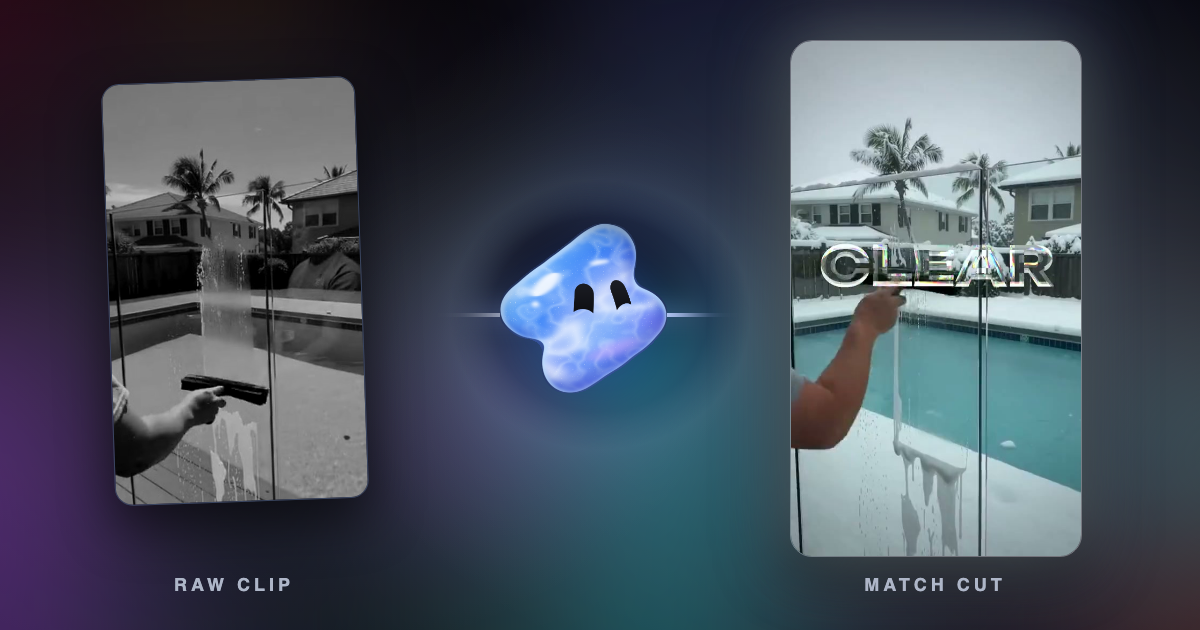
The first part of this 10-second ad for a glass coating service follows one squeegee stroke from one phone clip. The world behind the glass changes on the beat: a summer beach, snow, night, a sunset. Each new world was made with AI video editing on the same seconds of the same clip, which keeps the motion. So on both sides of every cut the squeegee, the arm and the water sit in the same place. That is a match on action and a graphic match at once.
Near the end, the four worlds play side by side in a 2 by 2 grid, and the edit closes on the brand. The request shown with this ad on the Vidova home page is “facebook ad for my glass coating, show the water sliding off”.
How to make a match cut in Vidova
There are two ways. You can find two moments in your own footage that already match, or you can film one action and change the world around it.
- From your own footage. Film the same action in two places, such as a hand opening a door at home and a car door at work, with the subject in the same part of the frame. Then ask the agent to cut on the action at the same point of the movement.
- From one clip. Film one clear action, then ask Vidova to change what the clip shows on the same seconds: the season, the place or the time of day. The motion stays, so every cut matches.
- Put each cut on a beat of the music, and let one sound carry across the cut.
Cut from clip 1 to clip 2 on the hand opening the door, at the same point of the movement, so it looks like one gesture in two places.
Play my squeegee stroke through four worlds. Change what is behind the glass to a summer beach, snow, night and a sunset on the same seconds, and cut between them on the beat so the stroke never breaks.
When to use a match cut and when not
- Use it for a jump in time (then and now, day one and day 100), a change of place, a before and after, or two products that share a shape.
- Use it in ads where one action should feel bigger than one moment. Vidova's anniversary template matches old home movies with clips of today that rhyme with them, and puts the centre of each transition on the subject of the new shot.
- Skip it when the shapes only roughly match. A near miss reads as a mistake.
Common match cut mistakes
- The subject moves in the frame. If the squeegee is on the left in one shot and the centre in the next, the eye jumps. Line them up.
- The motion changes direction or speed. A hand moving down must keep moving down at the same pace after the cut.
- The cut lands at different points of the action. Cut on the same frame of the movement in both clips.
- An effect hides a weak match. If the frames do not match, a dissolve only makes the miss slower.
Sources
- Match cut: What is a match cut in film and how to create one, Adobe (checked October 2026)
- Match cut, Wikipedia