Vidova
Jump cut vs smash cut: what each one is and when to use it
A jump cut skips time inside one shot. A smash cut slams from one scene into a very different one. Definitions, film history and real frames from Vidova edits.
 Vidova team
Last updated
The short answer
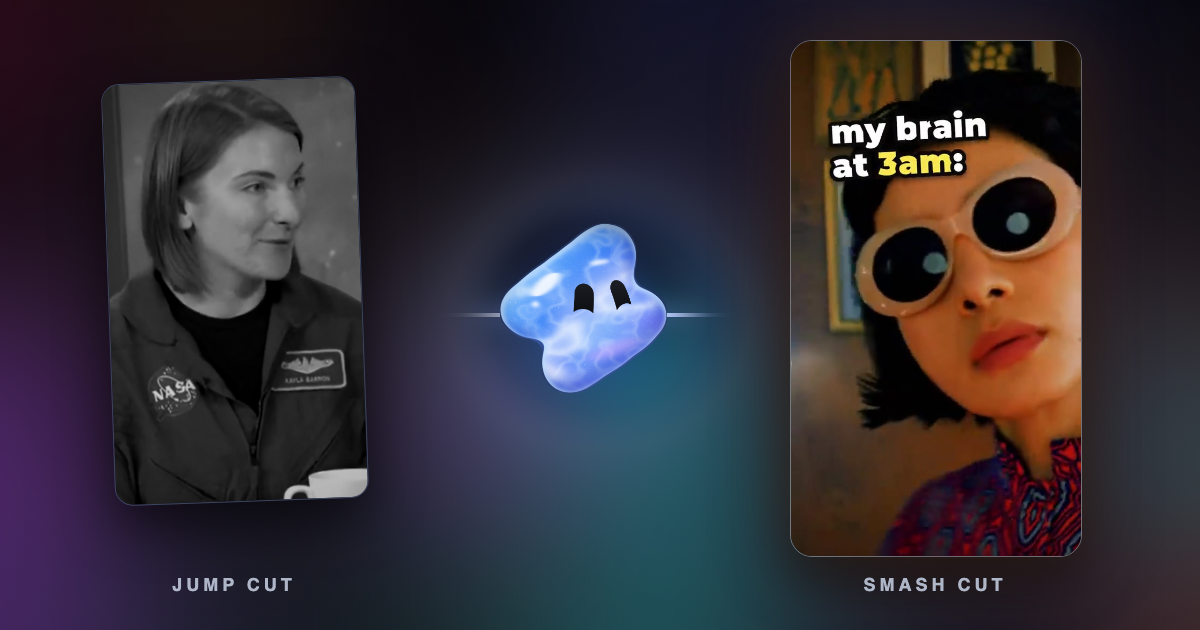
A jump cut is a cut inside one continuous shot that removes a stretch of time, so the subject seems to jump forward. A smash cut is an abrupt cut from one scene to a very different one, often from quiet to loud, for shock or comedy. A jump cut compresses time in one place. A smash cut creates contrast between two places or moods.
Key takeaways
- Jump cut: same shot, same place, time removed. Smash cut: a different scene, a sharp change of mood or sound.
- Talking-head videos use jump cuts to remove pauses. A small punch-in on the cut makes it feel like a second camera.
- A smash cut needs a setup: a quiet moment before the loud one.
What is a jump cut in video editing?
Adobe defines a jump cut as an edit to a single, sequential shot that makes the action appear to leap forward in time (Adobe). The camera stays where it is, a piece of time is removed, and the subject jumps.
Continuity editing normally expects the camera to move at least 30 degrees between two shots of the same subject. Below that, viewers read the change as a jump in the subject's position instead of a new point of view (Wikipedia). A jump cut breaks that rule on purpose.
Adobe traces the jump cut to Georges Méliès, who used it for magic tricks in the early 1900s. Jean-Luc Godard's Breathless (1960) made obvious jump cuts famous in the French New Wave. Today talking-head videos on YouTube and TikTok use them to remove pauses and mistakes. Premiere Pro even has a Morph Cut transition to smooth jump cuts between sound bites.
What is a smash cut transition?
Adobe defines a smash cut as a film editing technique that uses an abrupt transition between scenes to create contrast (Adobe). Wikipedia adds that it usually comes at a key moment where a cut is not expected, and that the two scenes often contrast in pace or mood (Wikipedia).
A classic comedy version is the Gilligan cut: a character firmly says they will never do something, and the next shot shows them doing it. Wikipedia also cites Indiana Jones and the Last Crusade: Jones says no one will find Marcus Brody, and the film cuts to Brody lost in a bazaar, asking if anyone speaks English.
Jump cut vs smash cut
| Aspect | Jump cut | Smash cut |
|---|---|---|
| What changes | Time inside one shot | The scene, the place or the mood |
| Picture | Same subject, same place, same framing or a small punch-in | A very different shot |
| Sound | Usually one continuous voice | A sharp change: music to silence, silence to a hit |
| Main use | Remove pauses, speed up a talk, add energy | Shock, comedy, contrast, a reveal |
| Vidova template | Punch-in zoom | 3am meme, horror teaser |
Jump cuts in a Vidova edit
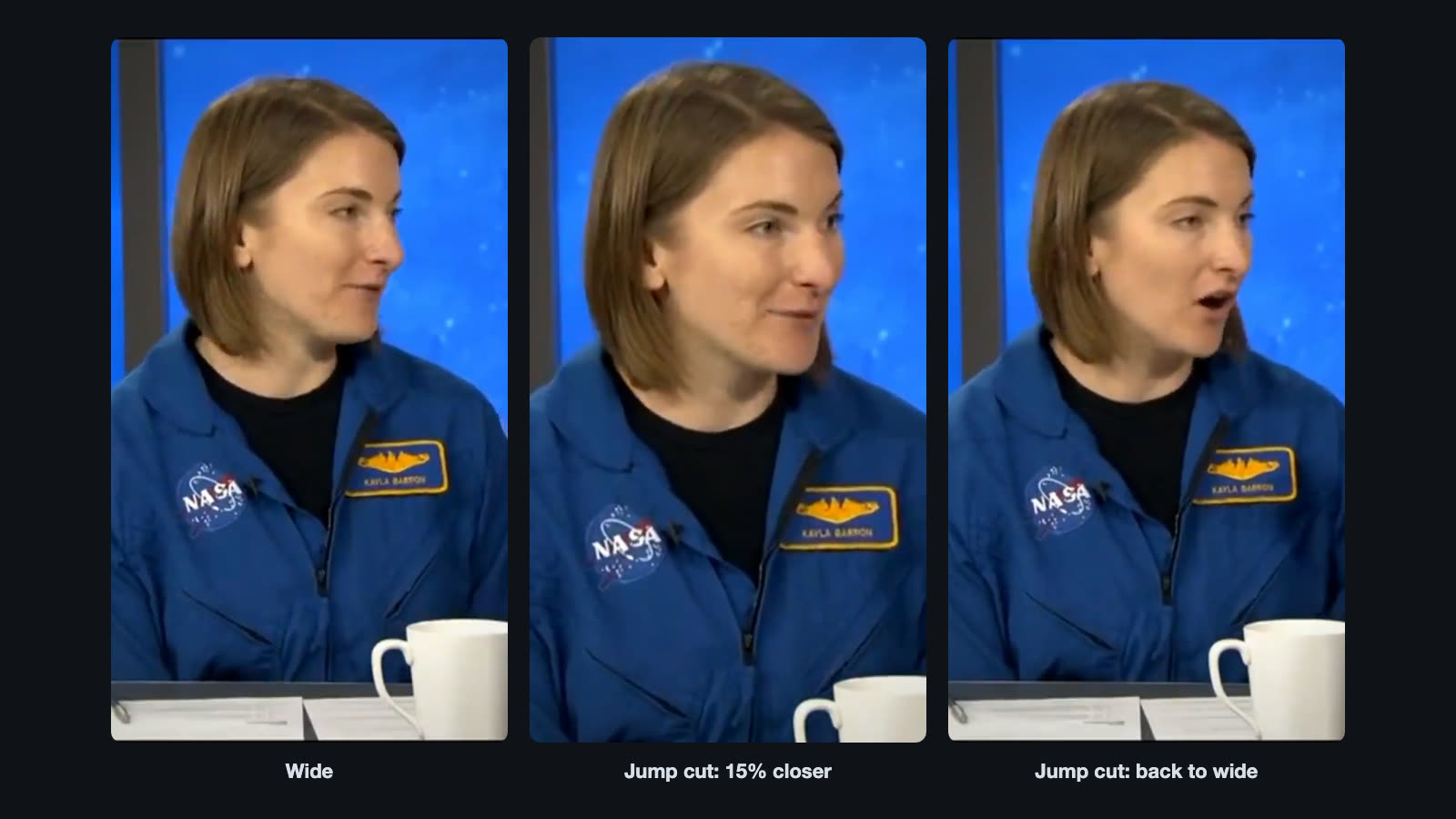
The punch-in zoom template turns a single-camera talking head into something that feels like two cameras. It starts wide. It punches in 15 percent closer on “because” at about 1.1 seconds, goes back wide at about 4.5 seconds and punches in again at about 6.1 seconds. Each change is a hard cut with no animation. The scale centres on her eyes, so the eyes stay in place and only the frame tightens. Every framing holds at least 0.8 seconds, and a low hit lands under each punch.
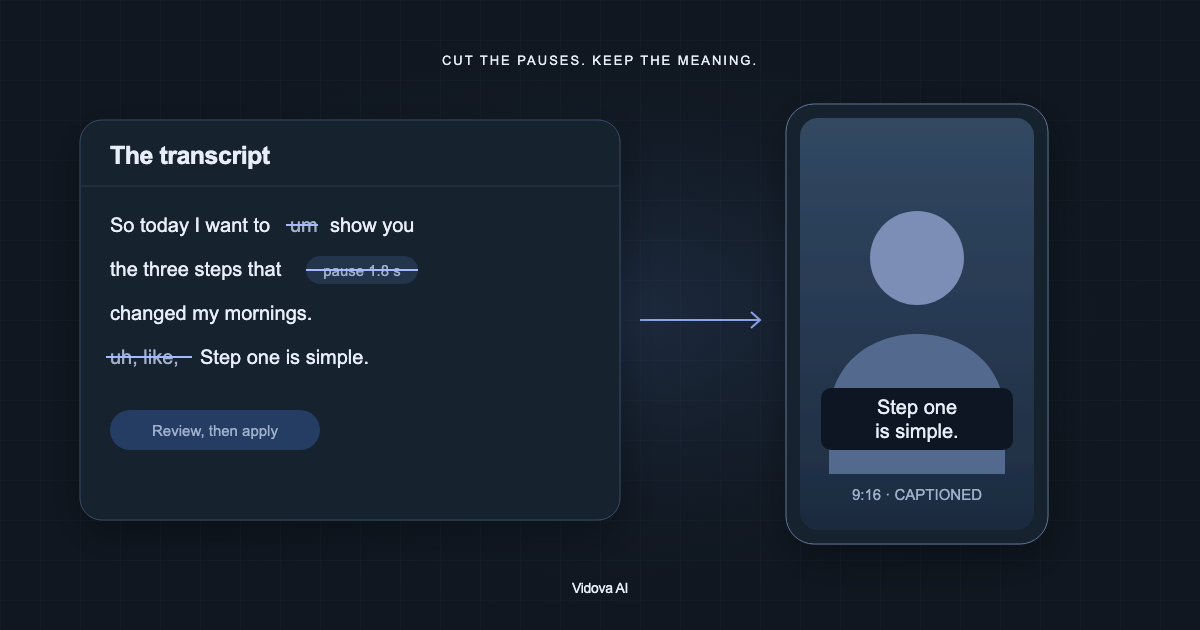
Vidova can also make jump cuts for you when it removes pauses and filler words from a talking-head video. See how to remove silences from a video.
Add punch-in jump cuts to this talking head, so it feels like two cameras. Snap closer on the words that matter and back out on the next sentence.
A smash cut in a Vidova edit
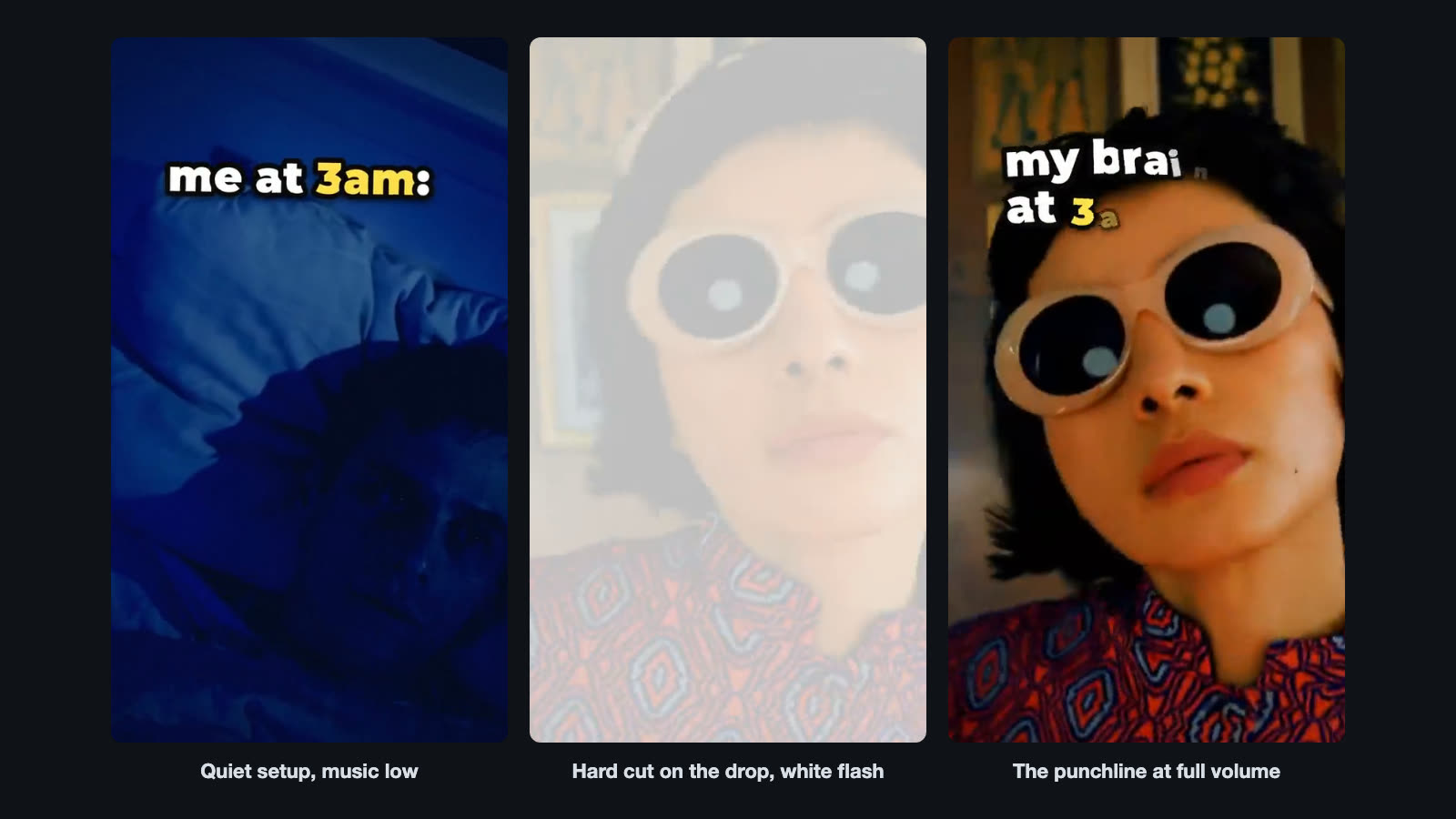
In this 14-second meme, the setups play quietly, with the song's intro at about 30 percent of full level. At 3.6 seconds a hard cut lands exactly on the drop. The frame slams in from 138 to 104 percent in a third of a second, shakes, and a white flash fades out over 0.2 seconds while a bass hit lands. Later, a record scratch kills the music for the last shot, with about three quarters of a second of silence before the final hit.
Vidova's horror teaser template uses the opposite order. At 23.15 seconds the music stops dead and a quiet shot holds for about 1.9 seconds with two heartbeats. At 25 seconds a face cuts in full frame with a white flash and a hard drum hit.
Make a nobody, me at 3am meme from these clips. Captions at the top, quiet setups, and the punchline landing on the drop with a zoom and a shake.
Common mistakes with jump cuts and smash cuts
- A jump cut mid-word. Cut between words or sentences, or the voice clicks and the face twitches.
- A punch-in that is too small. A change of a few percent looks like a glitch. Go about 10 to 15 percent closer, or stay at the same size.
- The eyes move on the punch-in. Scale around the eyes so they stay in the same place.
- A smash cut with no setup. The contrast needs a quiet, slow or calm moment before it.
- A smash cut with the same sound. Change the sound on the cut: drop the music, start it, or land a hit.
- Smash cuts every few seconds. Used too often, nothing is a surprise.
Sources
- What is a jump cut, and how to edit one in Premiere, Adobe (checked October 2026)
- Smash cuts: What is a smash cut used for?, Adobe (checked October 2026)
- Jump cut, Wikipedia, the 30-degree rule and Breathless (1960)
- Smash cut, Wikipedia, the Gilligan cut