Vidova
25 video editing prompts for ChatGPT, Claude and Gemini
Many trending Gemini and ChatGPT prompts edit photos. Here are 25 video editing requests, grouped by job, that Vidova's agent runs in chat or through MCP.
 Vidova team
Last updated
The short answer
Many trending Gemini and ChatGPT prompts are photo edits for image models, such as Google's Nano Banana. They return a new picture, not an edited video. A video editing prompt names the clips, the format, the length and what happens at each moment. Below are 25 requests, grouped by job, that Vidova's agent runs in its own chat or from ChatGPT, Claude or Gemini through MCP.
Key takeaways
- Many trending prompts are for image models. They change one photo and do not edit video.
- A video prompt names the source, the format and length, the key moment, the exact words and the sound.
- Chat assistants edit video only through an editor's tools. Vidova's agent has them in its chat, and ChatGPT, Claude and Gemini reach them through MCP.
- Once the first cut exists, ask for one change at a time and a frame check after each one.
Why trending prompts do not edit video
Many lists of trending Gemini and ChatGPT prompts are photo prompts. They run on image models. In the Gemini app that model is Nano Banana, which Google introduced in August 2025 to edit photos and keep a person's likeness. Google's own examples are a new outfit or hairstyle, two photos blended into one scene, and you in a different place (Google blog). The Gemini app's help page now says image edits use Nano Banana 2 (Gemini help). The result is a new image.
A video edit works on time: which seconds of which clip, in what order, on which beat, with which words and sound. A chat assistant does that only through an editor's tools. In Vidova, the agent has those tools in its chat. ChatGPT, Claude and Gemini reach the same tools through Vidova's MCP server. See Can Claude and ChatGPT edit videos? and Can Gemini edit videos?
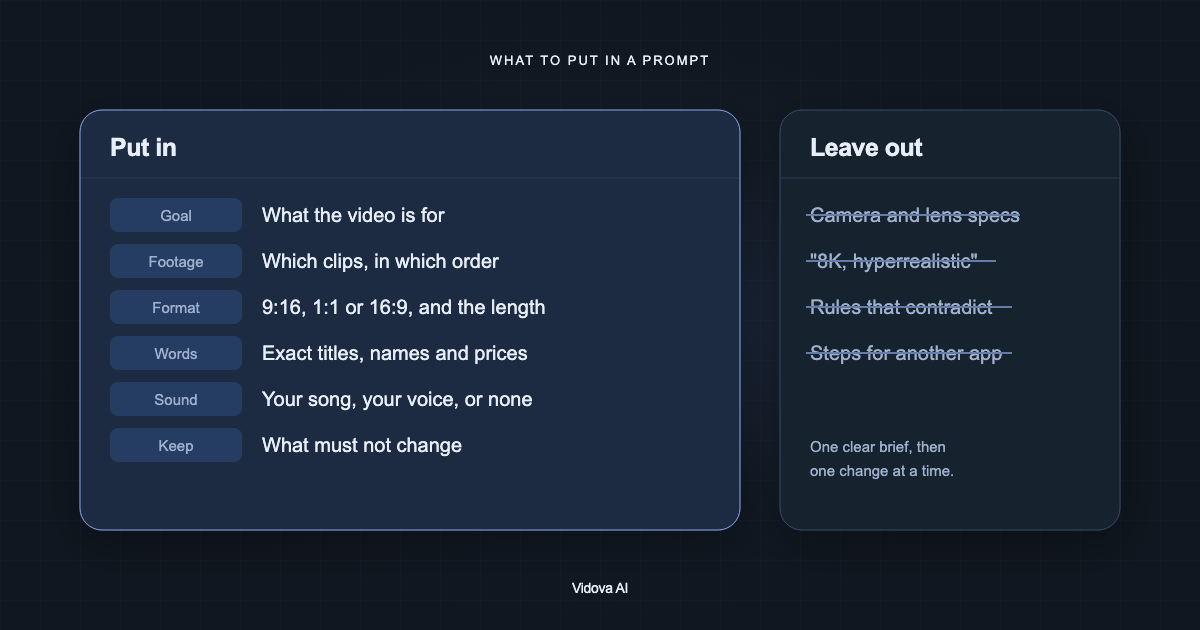
What a video editing prompt needs
- The source: which clips, photos or song, by file name if you can.
- The format and length: 9:16 for Reels, TikTok and Shorts, 16:9 for YouTube, and the number of seconds.
- The moment: the peak, the line or the beat the edit is built around, with a time if you know it.
- The exact words: quote titles, names, prices and calls to action.
- The sound: keep the voice, add a track or mute the clip.
- The check: ask the agent to check frames before it sends you the result.
Every request below is written the way a person types it in Vidova, and most are the requests behind Vidova's own templates. Swap in your clips and your words. For more on how to write one, read how to write a prompt for an AI video editor.
Cut and clean up
Cut the best answer from this podcast episode into a vertical clip of about 40 seconds. Start on the first word of the answer and end on a full stop, never in the middle of a thought.
Remove the pauses, filler words and false starts from this talking head video. Keep every full sentence and keep her voice at full volume.
Add punch-in jump cuts to this talking head, so it feels like two cameras. Snap closer on the words that matter and back out on the next sentence.
Turn my cooking clips into a fast recipe short. Start with the dish name and an ingredient list, number each step, speed up the slow parts, and finish on the plate.
Captions and text
Add word-by-word captions to this talking head clip, three words at a time, with the spoken word lit yellow and the key words in cyan.
Edit this interview into a TikTok. Punch in on every new sentence, add word-by-word captions and her name, and cut to space B-roll when she talks about Earth.
Add a name strap to this interview clip. When she starts talking, her name and role slide in low on the frame on a yellow bar, stay about four seconds and slide out.
Put a giant word behind the dancer in this clip, so she dances in front of the letters.
Beat sync
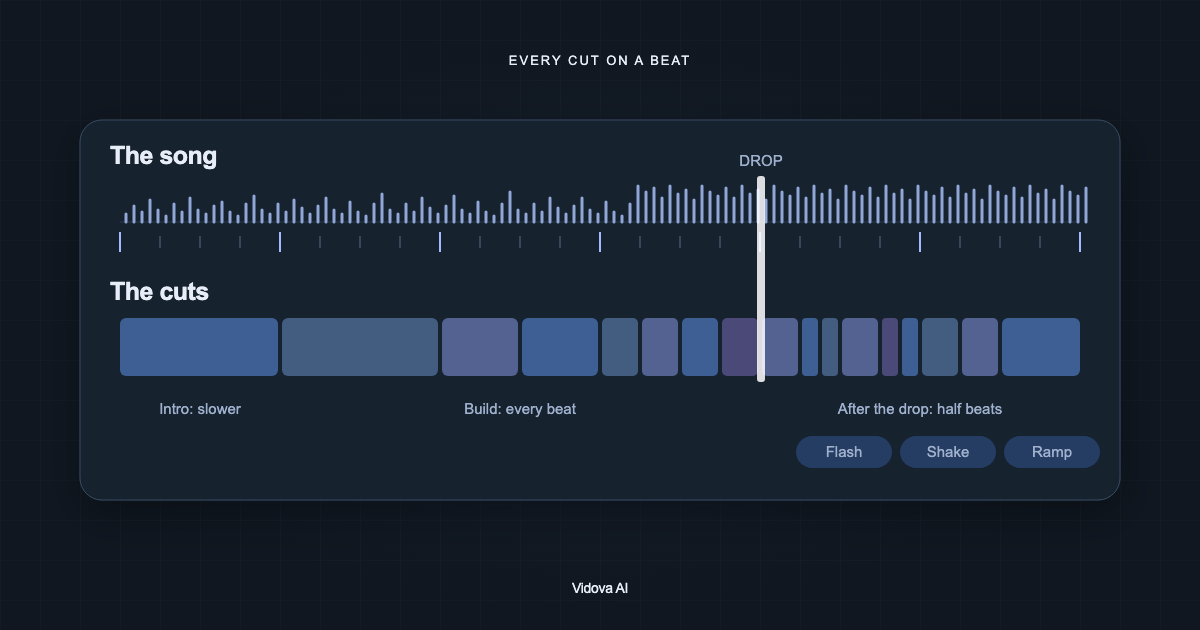
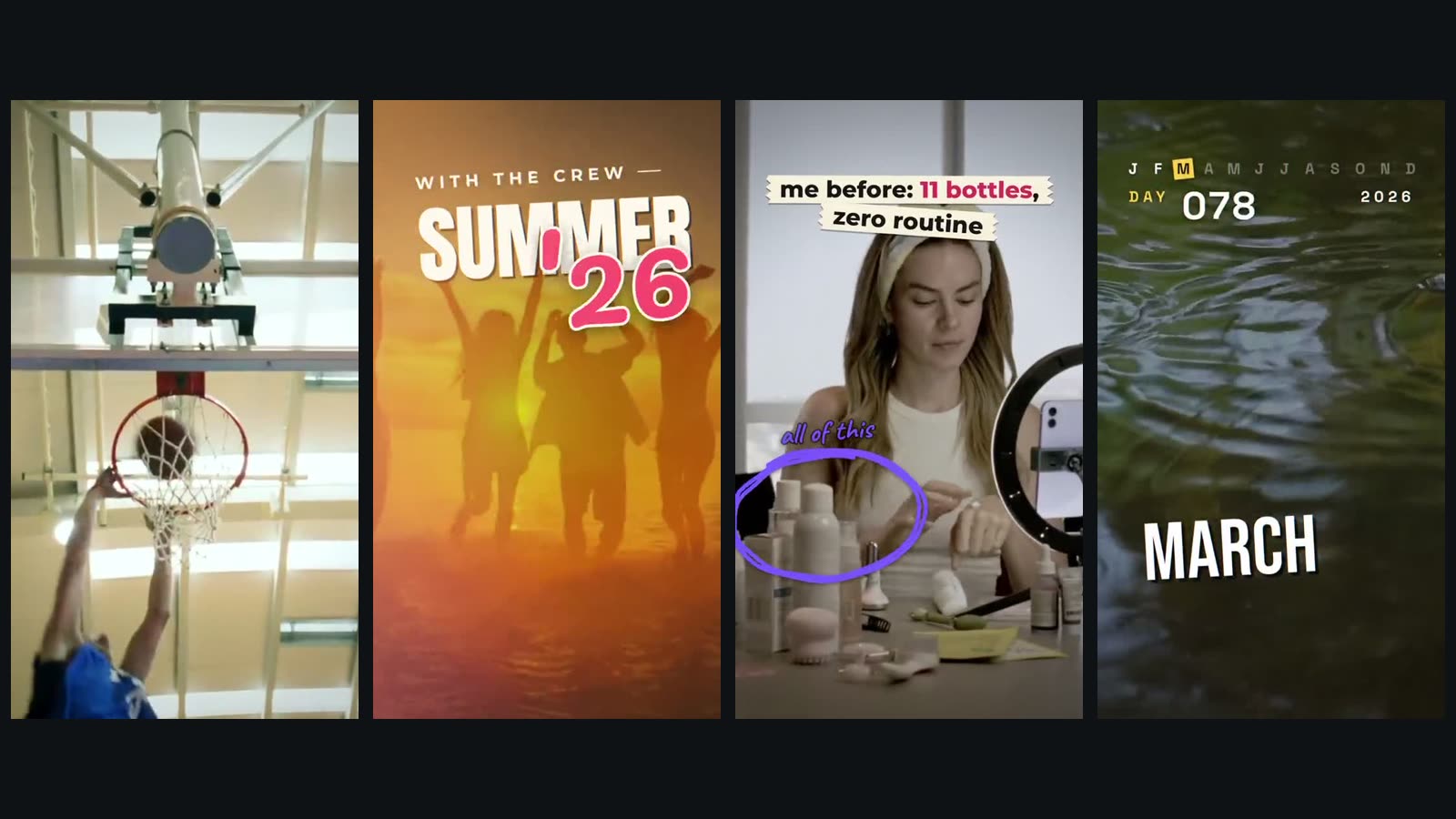
Cut these summer clips with my friends into a montage on the beat. Put a big title over the first shot, punch in on the downbeats, keep a warm look, and end on the sunset. The video is 9:16 and about 19 seconds long.
Cut these basketball shots together on the beat with a white flash on every cut. Each new shot punches in, the frame kicks a little, and a low drum hit lands under each flash.
Turn my summer photos into a photo dump. Drop them as Polaroids one per beat with a shutter click, add short handwritten captions, and end on "until next summer". The video is 9:16 and runs about 12.6 seconds.
The agent finds the beats in the song itself. To check a song's tempo first, use the free BPM detector.
Slow motion and speed ramps
Speed ramp this dunk. Let it glide into slow motion that almost stops when the hand is on the rim, then speed out faster than it went in, with a deep hit on the peak.
Speed ramp my action clips. Fast in, almost stop at the peak of each trick on the beat, then fast out, with a shake on each landing and a freeze frame at the end. The video is 9:16 and about 18 seconds long.
Slow the jump in this clip to about quarter speed with AI frame interpolation so it stays smooth, and play the run-up at double speed.
Freeze this clip on the moment the ball hits his head and slam a comic BAM! on it. Flash white, go black and white, snap closer with a shake, then let the action play on in color.
Vidova makes slowed footage smooth with AI frame interpolation, which draws new frames between the real ones. To try it on one clip, use the free AI slow motion tool.
Reframe for vertical
Turn this landscape podcast clip into a vertical short. Fill the frame with the speaker and have the camera follow his face so it never leaves the frame.
Cut this two-person podcast into a vertical short that follows who is talking. Crop on each speaker's face, cut to the other one when the turn changes, and tag each person's name the first time they talk.
Put this landscape penalty kick into a vertical video without cropping it. Show the whole shot across the middle over a blurred copy of itself, with a title in the band above.
Ads for a business
Make a UGC ad for our night skincare set from these clips. Start with a POV hook, show the routine as numbered steps, slash the price to $24, and end on a Shop now button.
Make a testimonial video for our coffee shop from this review. The best line over a pour, a review card with five stars, and end on our name, address and hours. I want a vertical 9:16 video of about 18 seconds, warm and calm, with a quiet smooth jazz track under it.
Make a listing video for this house. Open on the aerial with the address, show the price and the beds and baths, one room per shot with slow pushes, and end with our agency name. The video is 16:9 and about 34 seconds long.
Make a promo for our pizza place. The best shot first, a quick making-of montage, a chalkboard menu that fills in on the beat, today's deal as a price tag, and an order button. I want a vertical 9:16 video of about 22 seconds, cut to the beat of an upbeat track and starting on its drop.
Recaps
Make my year in review from my camera roll. One clip per month with its name, a day counter running to 365, and fireworks with THAT WAS 2026 at the end. Make it 9:16, about 20 seconds, cut to an upbeat celebration track at about 117 bpm.
Make a recap of our festival night. Open with the night, date and venue, strobe on the beat, show the crowd numbers counting up, and end on See you next year. It is 16:9, cut to a four-on-the-floor track at about 123 BPM, and runs about 25 seconds.
Make a cinematic travel film from my trip footage in widescreen. A big title, landscapes on the beat, speed ramps into the drums, and a map that draws our route. The title is "WANDER", the trip is four countries in twenty-one days, and the film runs about 36 seconds.
How to use these prompts in ChatGPT, Claude or Gemini
In Vidova, attach your clips in the chat and paste the request. From another assistant, connect Vidova's MCP server at https://mcp.vidova.ai/mcp first, then start with a request that picks the project:
List my Vidova projects and open Summer montage. Preview the timeline before you change anything.
- Claude: add the URL as a custom connector, or run claude mcp add in Claude Code.
- ChatGPT: add the URL as an app in developer mode.
- Gemini: add the URL as a custom app in the Gemini web app, or in Antigravity CLI or Gemini CLI.
Then ask for one change at a time, such as "Move the title above her head" or "Make the slow part last one more beat", with a frame check after each one. You can start free. Paid plans start at $19 a month, remove the watermark and export up to 4K at 60 fps.