Vidova
Reel ideas for hairstylists and barbers: 16 videos to film in the chair
Sixteen reel ideas for hairstylists and barbers, each with what to film, how long and the request for Vidova. What is different from spa reels, and the FTC rules on freebies.
 Vidova team
Last updated
The short answer
The best reels for a hairstylist or barber show one cut or colour from start to finish: open on the result, show a few steps close up, then show the result again and say how to book. Film the before and after from the same spot in the same light, keep transformations to 15 to 30 seconds, and ask every client before you film.
Key takeaways
- Film colour by a window or under one steady light, so the colour on screen is the colour the client got.
- Barbers need the side, the back and the top of a cut. Stylists need movement: a turn, a shake, a hand through the hair.
- If a client gets a free or cheaper service for the video, the FTC treats that as a connection you disclose in the post.
What is different about hair and barber reels
Our spa, salon and beauty reel guide covers the basics: open on the result, film close and calm, and end on one way to book. Hair adds problems of its own.
- Colour is hard to film. Overhead salon lights and the phone’s automatic settings shift tones. Film colour by a window or under one daylight lamp, and lock the exposure on the hair before you record.
- Hair sells in motion. The client turns in the chair, shakes the hair out or runs a hand through it. Film the reveal for 5 seconds so the edit can use the best second.
- A fade needs angles. Film the side, the back and the top, at the same height before and after.
- The sound sells. Clippers, scissors and the spray bottle. Record the real sound close, with no music playing in the room.
- The mirror is a second camera. A shot over the client’s shoulder shows the face and the back of the head at once. Check it for other clients first.
Ideas that build trust
Each idea has what to film, how long the finished reel runs and the request to type in Vidova.
- The same-spot before and after. Film: mark the floor with tape where the phone stands. Film 3 seconds before and 5 seconds after from that mark, in the same light. Length: 15 to 20 seconds. Ask Vidova: “Cut from the before to the after on the beat, with a flash of light on the change.”
- The consultation. Film: the client saying what they want and you explaining the plan, with the client’s permission. Length: 20 to 30 seconds. Ask Vidova: “Cut the pauses, caption both voices, and end on the finished cut.”
- The fade from every side. Film: the client turning slowly in the chair, then close shots of the side, the back and the top. Length: 10 to 15 seconds. Ask Vidova: “Slow the turn to quarter speed with AI slow motion and put the name of the cut on screen.”
- The reaction at the mirror. Film: the client seeing the result for the first time, from behind your shoulder. Length: 8 to 12 seconds. Ask Vidova: “Open on the reaction, show the steps fast, then the reaction again so the reel loops.”
- One tip to camera. Film: you answering one question clients ask, such as how often to book a trim. Length: 20 to 40 seconds. Ask Vidova: “Cut the pauses and add word-by-word captions with the key word large.”
Ideas that bring in bookings
- The service menu. Film: three services, a few seconds of each. Length: 15 to 20 seconds. Ask Vidova: “Make a menu reel: three services, each with its name, the time it takes and the price on screen.”
- Open slots this week. Film: your empty chair for 5 seconds. Make one every week. Length: 8 to 10 seconds. Ask Vidova: “Put the open slots on screen, Thursday 3 pm and 5 pm, and end on ‘Book from the link in bio.’”
- A three-hour colour in 20 seconds. Film: 5 seconds at every stage, from the sectioning and the foils to the rinse and the blow-dry. Length: 20 seconds. Ask Vidova: “Speed ramp through the hours with the time on screen, then slow down at the reveal.”
- A new stylist or barber. Film: their best recent result, then them saying their name, what they love to cut and the days they work. Length: 15 to 20 seconds. Ask Vidova: “Open on the result, then the name and the speciality as titles, and end on the days they work.”
Behind-the-scenes ideas
- Mixing the colour. Film: the colour going from the tube into the bowl and the brush mixing it, close up in good light. Length: 8 to 12 seconds. Ask Vidova: “Slow the colour going into the bowl with AI slow motion and keep the real sound of the brush.”
- Clippers and scissors, sound first. Film: one cut, close up, with the phone near the clippers. Length: 10 to 20 seconds. Ask Vidova: “No music. Keep the real sound of the clippers loud and cut on each pass.”
- Get ready with me, stylist edition. Film: your station before opening: the tools laid out, the chair, the mirror, you ready. Length: 15 to 20 seconds. Ask Vidova: “Use the get-ready-with-me look: tease the finished station first, label each step as it happens, then the reveal.”
- Cleaning the tools. Film: clippers being cleaned, combs going into disinfectant, the station wiped down. Length: 10 to 15 seconds. Ask Vidova: “Make a 12-second cleaning routine with a short title for each step.”
Seasonal ideas
- Prom and wedding updos (spring). Film: the trial and the final style from the same angle, then the client in the dress or the suit if they agree. Length: 20 to 30 seconds. Ask Vidova: “Show the trial and the final style side by side, then the final style turning in slow motion.”
- Back-to-school cuts (August). Film: quick cuts for children, with a parent’s permission, and the before and after. Length: 15 to 20 seconds. Ask Vidova: “Make a fast before and after for each child on the beat, and end on the open slots.”
- Party looks and gift cards (December). Film: a few party styles and a gift card on the counter. Length: 10 to 15 seconds. Ask Vidova: “Show three party looks on the beat, then the gift card with the price and how to buy it.”
Rules for client videos
Two FTC rules apply when clients appear in your reels. The FTC’s Endorsement Guides (16 CFR 255.5) say a connection between you and the person in your ad must be disclosed when the audience would not expect it. That includes “the provision of free or discounted products” to the person. A model who gets a free cut for a reel has that kind of connection. Say it in the post, for example “Free cut in exchange for this video.”
The FTC’s rule on consumer reviews and testimonials (16 CFR part 465) bans rewards “in exchange for, or conditioned expressly or by implication on, the writing or creation of consumer reviews expressing a particular sentiment, whether positive or negative.” A discount for a five-star video review breaks that rule. The same rule bans fake reviews and testimonials, including ones that misstate a client’s experience.
- Ask before you film, and keep the client’s yes in writing, for example in a message in your booking app.
- A parent or guardian says yes for a child.
- Check the mirror and the background for other clients. Blur any face you could not keep out with the face blur tool.
- Do not use a filter that changes the hair colour in a colour result. The reel shows what the client got.
- On TikTok, business accounts use the Commercial Music Library. TikTok says “businesses cannot use the general music library for commercial usage.”
Make a transformation reel in Vidova
Film the colour at each stage, the bowl close up and the final turn by the window. Open Vidova, attach the clips and describe the reel. This is an example brief. Replace the names, the service and the times with yours.
Make a 20-second vertical reel for Studio Nine from these clips. Open on the finished copper colour turning in the window light for 2 seconds. Then show the before, the sectioning, the bowl and the rinse in quick close-ups, labelled as each step happens. Slow the final turn with AI slow motion. Put “Copper balayage, 3 hours” on screen and end on “Book from the link in bio.” Keep the real sound of the scissors.
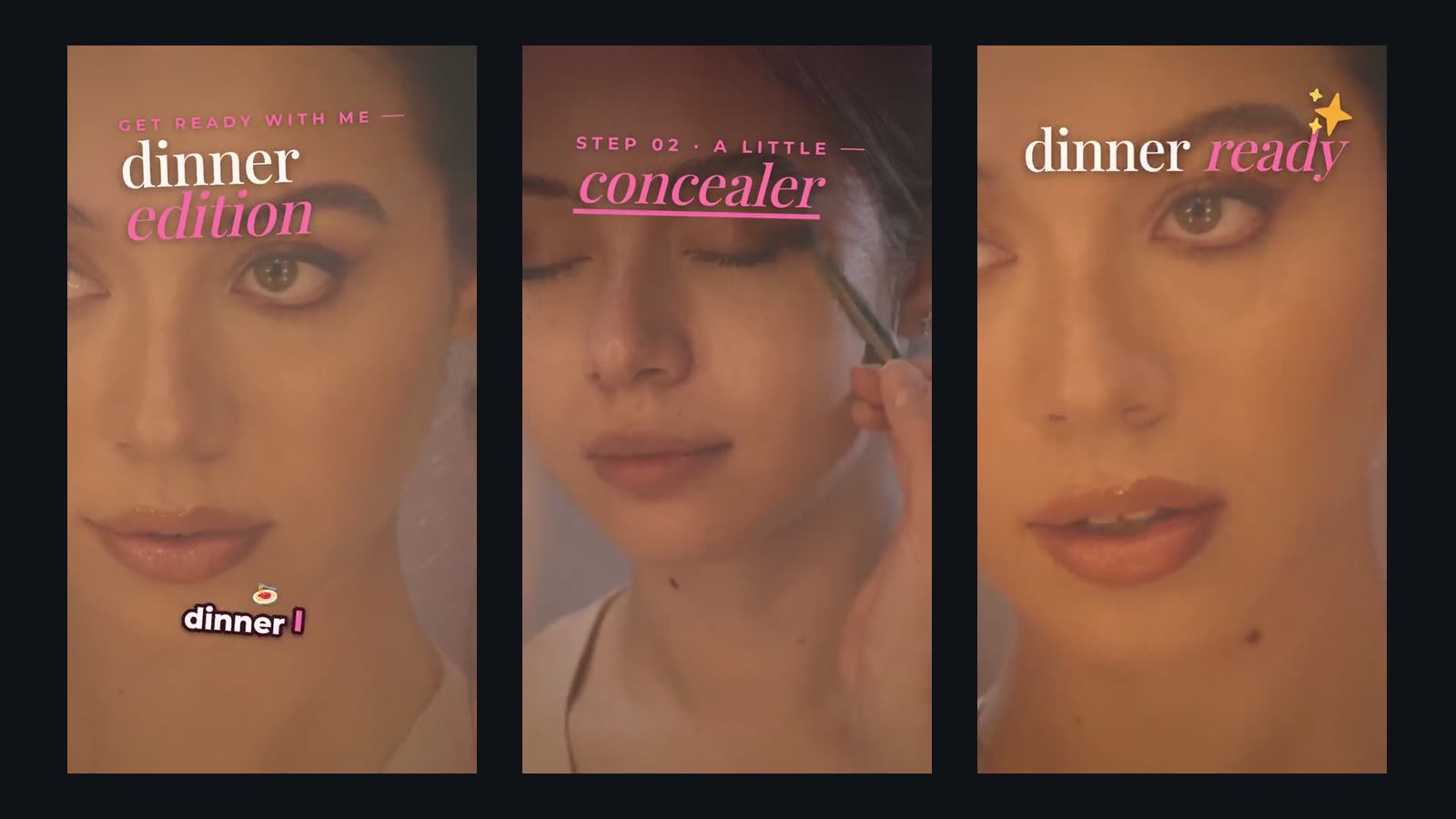
The agent builds the reel on a real timeline, slows the turn with AI frame interpolation so it stays smooth, previews frames of its own work and runs a quality check before it hands the cut over. It can also change what a clip shows while it keeps the motion and the sound. In the spa edit on the cover, the oil pours into a bowl that turns turquoise. You can start free. Paid plans start at $19 a month, remove the watermark and export up to 4K at 60 fps.
Sources
All sources checked October 2026.