Vidova
How to make football edits with AI, without CapCut
Make a football edit from your own match clips with AI: the strike at quarter speed, cuts on the beat, a score bug and the goal. What to film, what to ask, and what you may post.
 Vidova team
Last updated
The short answer
To make a football edit with AI, upload your own match or training clips and a song, and describe the edit: which goals, the order and the length. Vidova finds each strike, puts it on a beat, slows it to about quarter speed with AI smoothing and adds only the scores and names you give it. Use footage you filmed or licensed. Broadcast clips belong to their rights holders.
Key takeaways
- A football edit is moments: the build-up, the strike on a downbeat, the net, the celebration.
- Use clips you filmed or licensed. TV and streaming footage belongs to the broadcaster or the league.
- Give the agent the real scores, minutes and names. It does not invent them.
What makes a football edit work
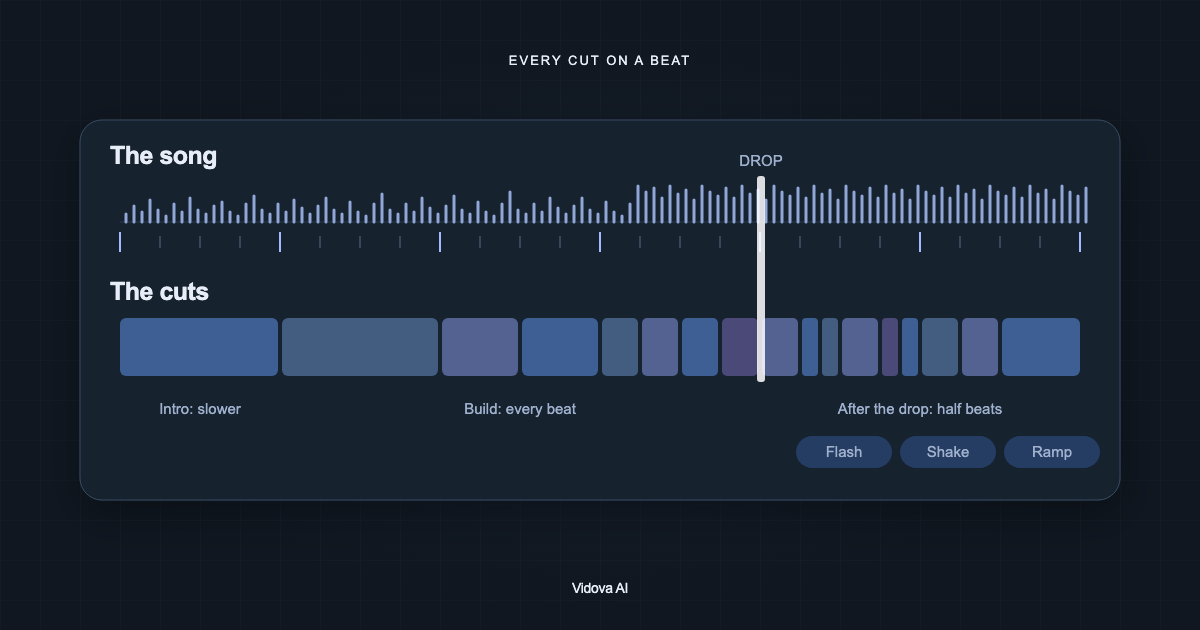
A football edit is a set of moments: the first touch, the dribble, the strike, the ball in the net, the celebration. A good edit finds the exact frame of each strike and puts it on a downbeat of the song. The build-up rushes, the strike slows to about quarter speed, and the real sound of the ball and the crowd carries the frame.
A weak edit plays every clip at the same speed in the order you filmed them, freezes on the goal under a big name, and pastes stock booms over a muted pitch.
Use your own clips, not broadcast footage
Matches on TV and on streaming services are filmed and owned by broadcasters and leagues. An edit made from their clips uses their work. YouTube's copyright page lists TV shows and other audiovisual works among the content you may not own, and says that none of its options guarantee you avoid "a copyright strike or Content ID claim". A strike means a video was removed after a legal copyright removal request, and after three strikes the account and its channels are "subject to termination" (YouTube).
TikTok's Intellectual Property Policy says that user content that infringes another person's copyright "may be removed", and that TikTok may ban the account of a user who repeatedly infringes. Both pages checked October 2026.
Footage you can use:
- Clips you filmed at your own matches and training sessions.
- Your club's own camera footage, with the club's permission.
- Footage you bought or licensed for this use.
For youth teams, ask the parents before you post, and blur the faces of children who should not appear. Vidova blurs faces in the editor, and there is a free face blur tool.
What to film at a match
- Film wide and horizontal from high on the halfway line or behind the goal. Vidova can reframe 16:9 to 9:16 later by tracking the player or the ball.
- Film at 60 fps or more, so the strike can slow down cleanly.
- Keep recording through the whole attack: the build-up, the strike, the net and the celebration.
- Film one calm wide shot of the pitch for the start and for full time.
- Write down the minute and the scorer of each goal. The edit uses only the names and scores you give it.
Pick a style
| Template | What it does | Format |
|---|---|---|
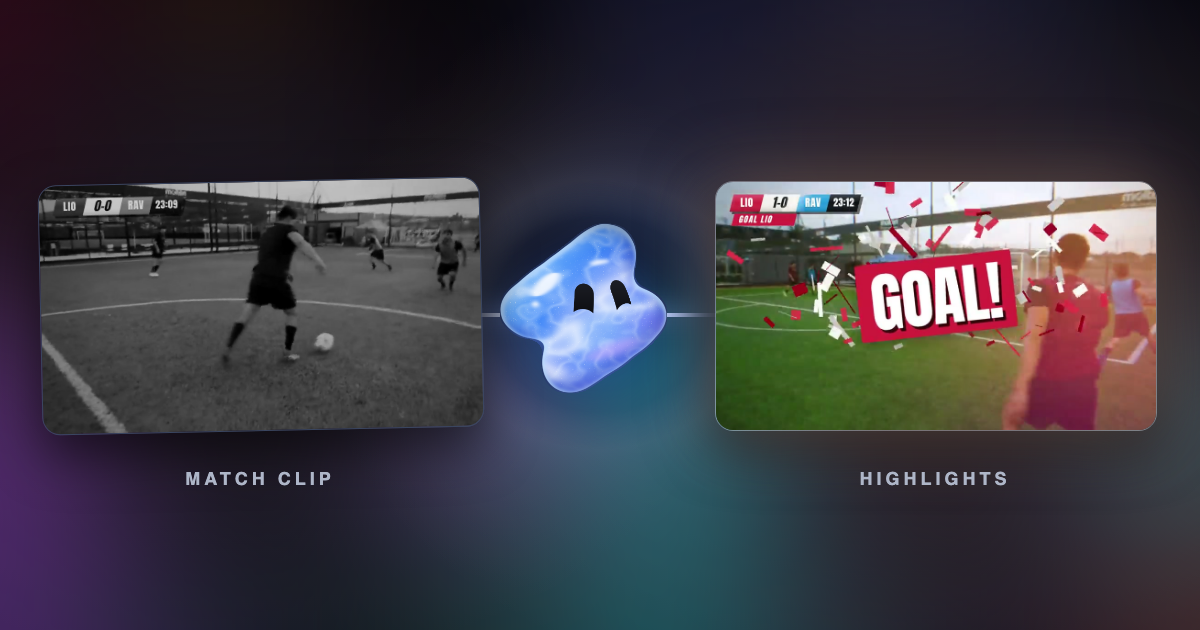
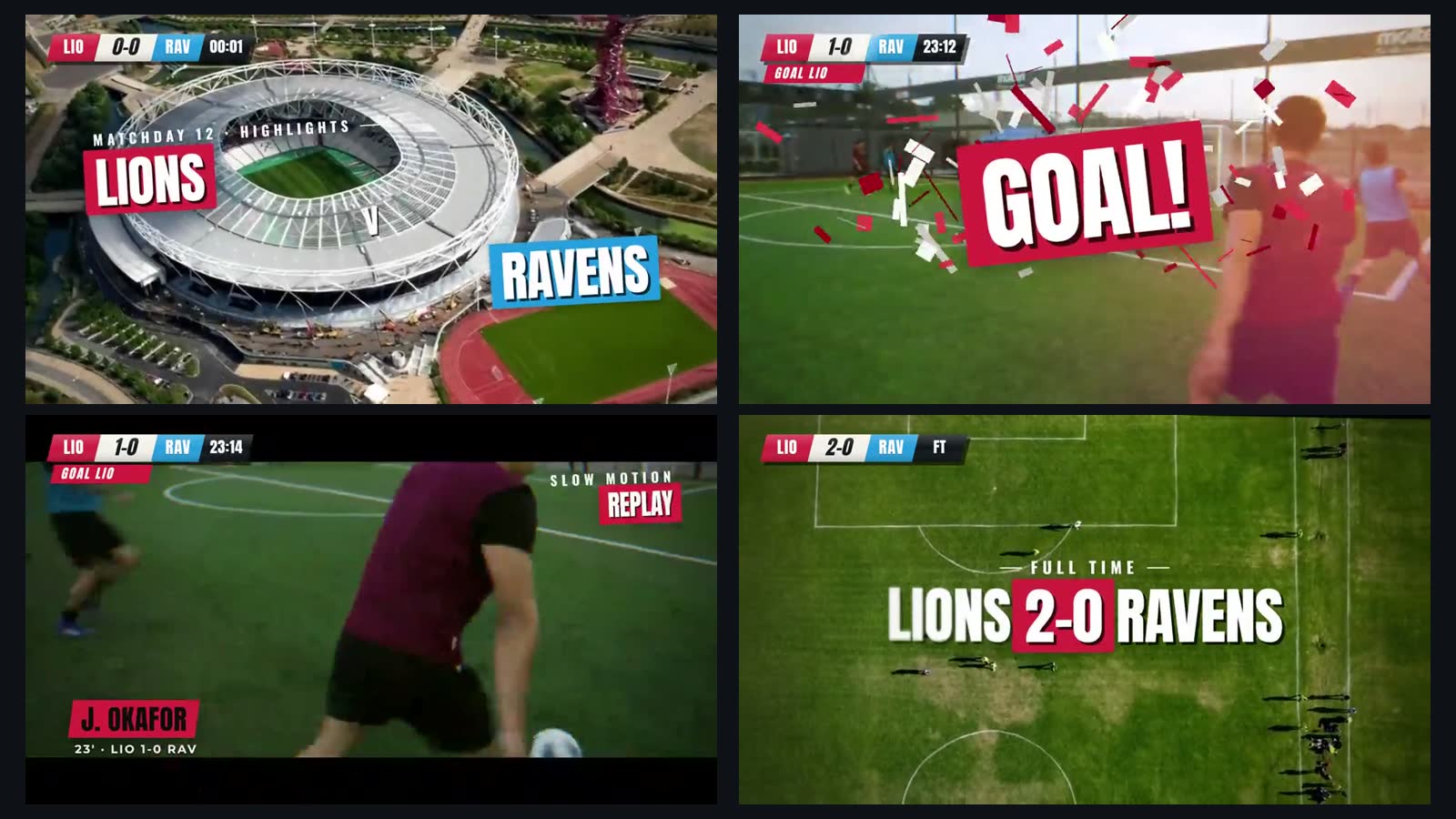
| match-highlights | A TV-style highlights package: both teams face to face, a score bug with the clock, GOAL! on every goal with the score rolling up, a slow-motion replay and full time | 16:9, about 22 seconds, an epic drum track around 123 bpm |
| player-intro | One player: the number huge behind them, freeze frames as cards, the name sliding in, three stats counting up on the beat | 9:16, about 19 seconds |
| cinematic-sports | A widescreen film: slow motion on the hits, title cards on black, big words on the beat, a teal and orange look | 16:9 in 2.39 scope, about 32 seconds |
The player-intro preview uses basketball clips and the cinematic-sports preview uses boxing clips. Both take football clips the same way.
Make it in Vidova
- Upload your clips and the song.
- Write the request: the goals in order, the names, the score, the length and the format.
- The agent reads every clip and finds each strike and each goal to a tenth of a second. It detects the beats and bars of the song.
- It places each clip so the strike lands on a downbeat, rushes the build-up, slows the strike to about quarter speed with AI smoothing, and keeps the real sound of the ball and the crowd with the music lowered under it.
- It previews the frames of each strike and runs a quality check on the film before it reports back.
Make a 25-second vertical edit of our 3-1 win from these clips and this song. Start with the wide shot of the pitch. For each of our three goals, play the build-up fast, put the strike on a downbeat at quarter speed with AI smoothing, then the ball in the net with the real crowd sound. Add a score bug: Riverside 3-1 Eastfield. Scorers: Sam Ortiz 12', Leo Grant 54', Sam Ortiz 81'. End on the team photo with FULL TIME.
This is an example brief with invented teams and names. Write your real ones. If you give no order, the agent opens on the best moment, builds to each goal and ends on the celebration.
What the highlights template looks like
Mistakes to avoid
- Broadcast or streaming clips. Film your own or license them.
- Every clip at the same speed in the order filmed. Build to each goal and slow only the strike.
- A timid half-speed replay. Go to about quarter speed, and keep it moving.
- A frozen frame under a slammed name. Let the play run on.
- Stock booms over a muted pitch. Keep the real strike and crowd sound.
- The ball or a head cut off when you reframe to vertical. Track the ball or the player.
- A score or a stat you did not check. The agent uses only the facts you give it.
Sources
Make your first football edit
You can start free. Paid plans start at $19 a month, remove the watermark and export up to 4K at 60 fps.