Vidova
How to make CGI ads with AI, including fake out-of-home (FOOH) ads
How CGI and FOOH (faux out-of-home) ads are made, and how to make one with AI: a generated shot, a real clip changed with AI, 3D objects and VFX overlays. With limits.
 Vidova team
Last updated
The short answer
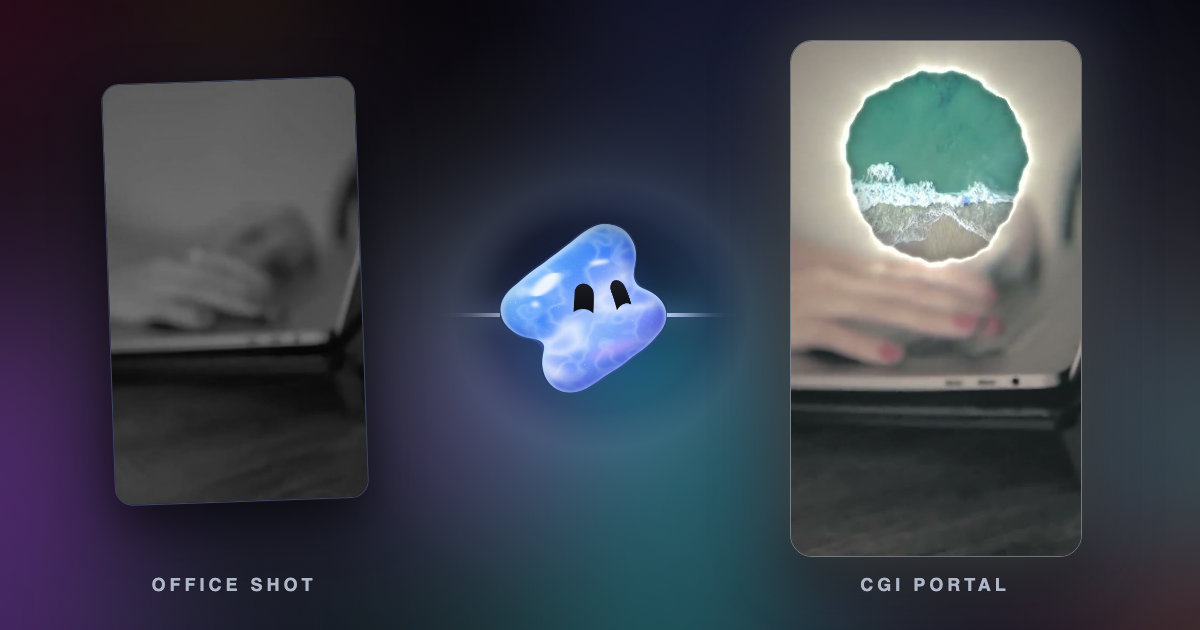
A CGI ad mixes real footage with things that were never there: a giant product on a building, a new world behind a window, spray that turns into light. A FOOH (faux out-of-home) ad is the street version, a fake billboard or stunt shown as a video. With AI you generate the shot, or change what a real clip shows while keeping its motion and sound. Vidova does both and adds 3D objects and VFX overlays.
Key takeaways
- A FOOH ad films a real place and adds an impossible object or event with CGI, then runs on social media, not on the street.
- With AI, you either generate the whole shot or change one thing in a real clip and keep its motion, camera and sound.
- Keep your real product as filmed and put the CGI around it. Label realistic AI scenes on TikTok and YouTube.
What CGI ads and FOOH ads are
CGI means computer-generated imagery: pictures made by software instead of a camera. A CGI ad puts those pictures into a real or a made scene, so something impossible happens in a place that looks real.
Out-of-home advertising is everything people see outside their home: billboards, posters, screens on buildings, wrapped buses. A FOOH (faux out-of-home, also called fake OOH) ad shows an out-of-home stunt that never happened. A product the size of a building stands in a square, or a shoe walks across a billboard and out of it. The street is real footage. The stunt is CGI. The ad runs only as a video on social media.
These ads work because the place looks real and the event cannot be. The idea lands in the first seconds. It has to be something only video can do. If a caption could deliver it, the idea is too weak.
How FOOH ads are made the classic way
- Film a real place with a steady camera or a slow, smooth move.
- Track the camera, so the software knows how it moved in 3D. This step is called camera tracking or matchmoving.
- Model and animate the object in 3D software such as Blender, Cinema 4D or Houdini.
- Light the object to match the sun, the sky and the shadows of the real shot.
- Render it, composite it into the footage, grade both together and add the real sound of the place.
This gives full control and the most realistic result. It also needs a 3D artist and time for every second of video.
Three ways to make a CGI ad with AI
| Method | What you give | What you get | Limits |
|---|---|---|---|
| Generate the shot | A written shot and, if you want, pictures of the product or the place | A new shot of 4 to 15 seconds with its own sound | Text, logos and small details can come out wrong |
| Change a real clip | Your clip and one change: "turn the street to snow", "make the spray glowing particles" | The same motion, camera, timing and sound, with that one change | 3 to 10 seconds per edit, one change per edit works best |
| Add 3D objects and VFX | Your clip, plus 3D objects or VFX overlays (fire, smoke, sparks, light leaks, snow) from the stock library | Layers on the timeline that you can move, time and make follow a tracked point | Best on a steady shot or a slow camera move |
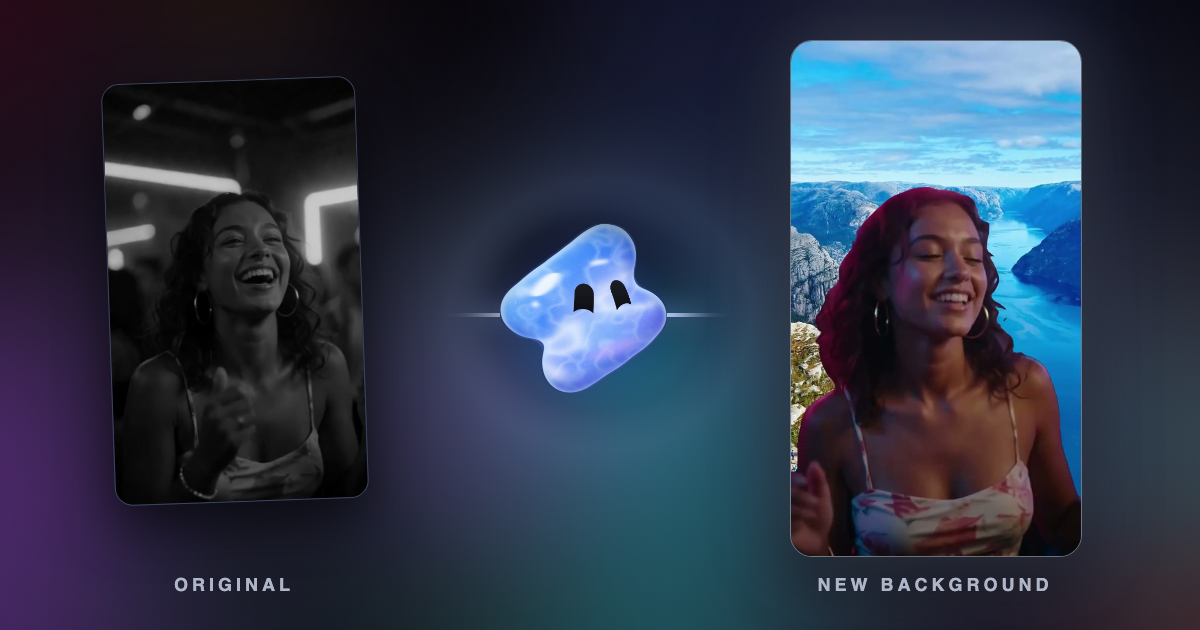
Changing a real clip is often the strongest choice for a business. Your real product, your real hands and your real location stay, and only the world around them changes. The same action can play through several worlds, cut on the beats of the music at matching moments, so the motion never stops.
The same shot description also works as a prompt in other video generators. In the Gemini app, video generation uses Gemini Omni, makes 10-second videos with sound, needs a paid Google AI plan, and embeds Google's invisible SynthID watermark in every video (Google, checked October 2026). Gemini makes the shot. You still edit it into an ad.
What to film or gather
- A steady shot of a real place, 5 to 10 seconds, in daylight, with open sky or a plain wall where the CGI goes.
- No people or cars passing in front of the spot where the object appears. Things that pass in front are the hardest part to fake.
- Your product filmed for real, for the end shot. Clean product photos on a plain background, if the AI should use them as a reference.
- The real sound of the place: traffic, wind, the crowd.
- One sentence that says the idea: "the world behind the glass changes on every beat".
Make it in Vidova
- Upload your clips and photos, and write the idea in one sentence.
- The agent plans the shots, then makes the AI changes one at a time on the seconds that matter. It tells you the cost before each AI edit or generated shot, because both use credits.
- It compares frames before and after each change, so your product and your hands stay as filmed. When an edit misses, it tries once more with a simpler prompt.
- It cuts the worlds on the beat at matching moments, keeps the real sound under the music, previews the film and runs a quality check.
Make a 15-second vertical ad for my glass coating service from these clips. Keep the squeegee stroke from clip 1 playing the whole time, and change the world behind the glass on every beat: a beach, a snowy street, a sunset. Then turn the spray in clip 2 into glowing blue particles. Keep my hands, the glass and the bottle exactly as filmed. Real sound of the squeegee and the spray under the music. End on my brand name.
For a FOOH-style shot, describe the place, the object, what it does, the light and the sound:
Make an 8-second vertical FOOH shot for my perfume from my clip of the city square at dusk. A perfume bottle as tall as the building on the left rises out of the street on the beat, with mist rolling off it. Use my product photo as the reference for the bottle. Keep the real traffic sound. Tell me the cost first.
A generated copy of your product may not match every detail of the label. Check every frame, and use your real product footage for the end shot.
What a changed real clip looks like
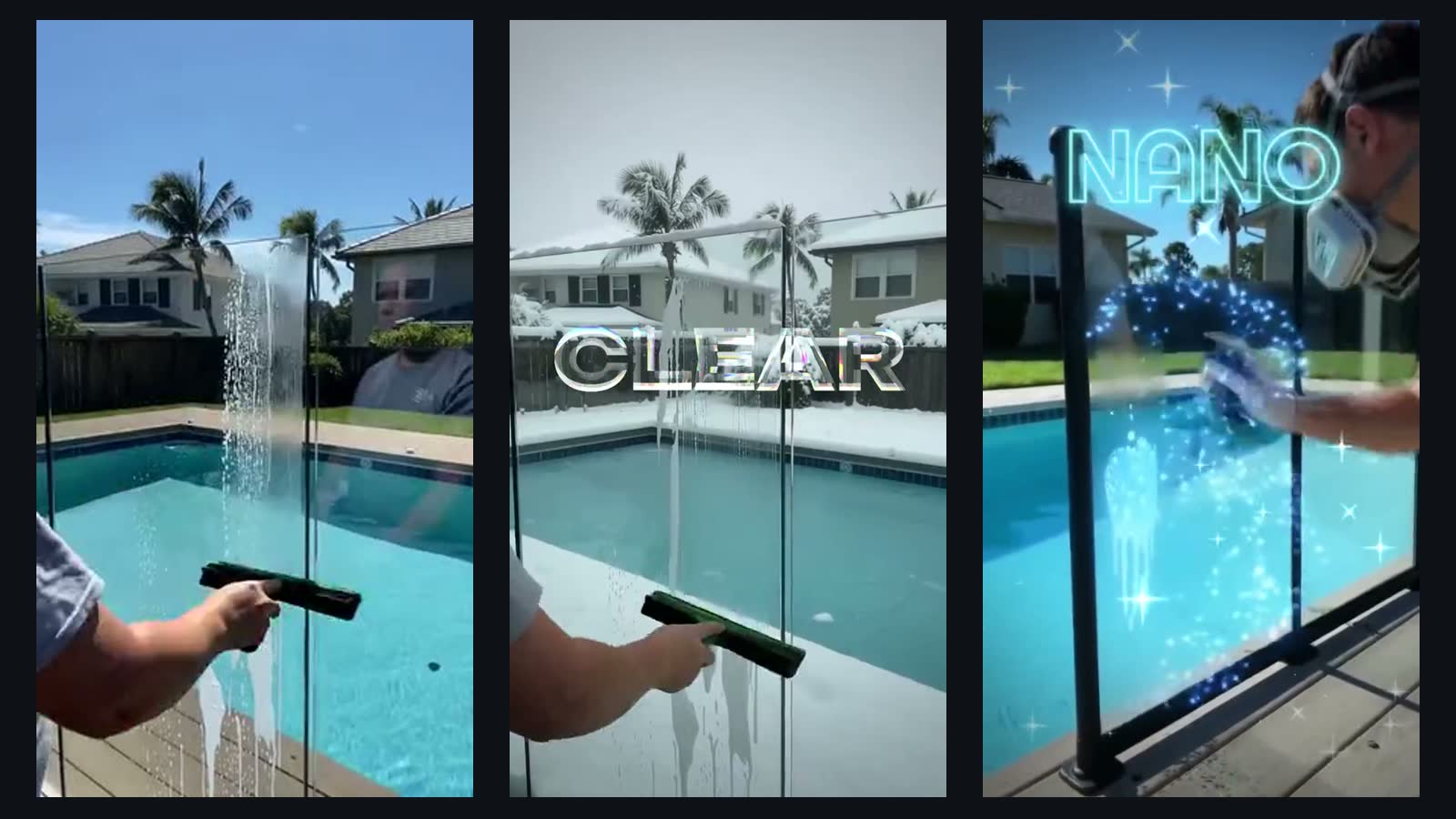
Limits to know before you start
- AI edits and generated shots are short: 3 to 10 seconds per edit and 4 to 15 seconds per generated shot. A 30-second ad is several of them cut together.
- Text, logos, labels and hands can come out wrong in generated pictures. Keep the real product as filmed and put the CGI around it.
- A giant object that must stay fixed in a busy street through a long, fast camera move is still work for a 3D artist with camera tracking.
- Faces of famous people may be refused as references.
- Realistic results need a label. TikTok requires creators to label "AI-generated or significantly edited content that shows realistic-looking scenes or people" (TikTok). YouTube requires disclosure of realistic altered content and gives "AI generated extra footage of a real place" as an example (YouTube). A FOOH stunt shown as real is that kind of content.
Mistakes to avoid
- No single idea. Effects on every cut are decoration, not a CGI ad.
- Letting the AI redraw your product. A changed label or shape is a false claim.
- Several changes in one AI edit. Make one change, then the next on the new clip.
- A shaky handheld shot for the CGI plate. Use a tripod or a slow, smooth move.
- Muting the real sound and pasting stock effects on top.
- Posting a realistic fake stunt with no AI label.
Sources
Make your first CGI ad
You can start free. Paid plans start at $19 a month, remove the watermark and export up to 4K at 60 fps.