Vidova
Cursor for video editing: can Cursor edit video, and the apps like it
Cursor writes code, not video. Connect it to an MCP editor and its agent can cut a real timeline. Plus Motion, Cardboard and Diffusion Studio, compared.
 Vidova team
Last updated
The short answer
Cursor cannot edit video by itself. It is a coding agent and code editor. Connect it to a video editor's MCP server and its agent can cut, caption and render a real timeline: add Vidova's server, https://mcp.vidova.ai/mcp, to ~/.cursor/mcp.json and sign in. Startups also build Cursor-style editors for video, where an agent makes the cut and you fix it by hand: Mosaic's Motion, Cardboard and Diffusion Studio.
Key takeaways
- Cursor writes and runs code. With an MCP server, its agent can also call a video editor's tools.
- Vidova's hosted server works in Cursor with one entry in ~/.cursor/mcp.json and a browser sign-in.
- Cursor shows the images that MCP tools return, so the agent can look at preview frames.
- Mosaic's founders say on their YC page that they set out to build the Cursor for video editing. Their product is Motion.
Can Cursor edit video by itself?
No. Cursor calls itself "your coding agent for building ambitious software" (cursor.com). Its agent reads and writes files and runs terminal commands. It has no video player, timeline or renderer. It can still help with video in two ways:
- Code. The agent can write FFmpeg commands or a Remotion project and run them. Remotion's agent skills name Cursor among the agents they support. You get a rendered file, and each change means new code and a new render.
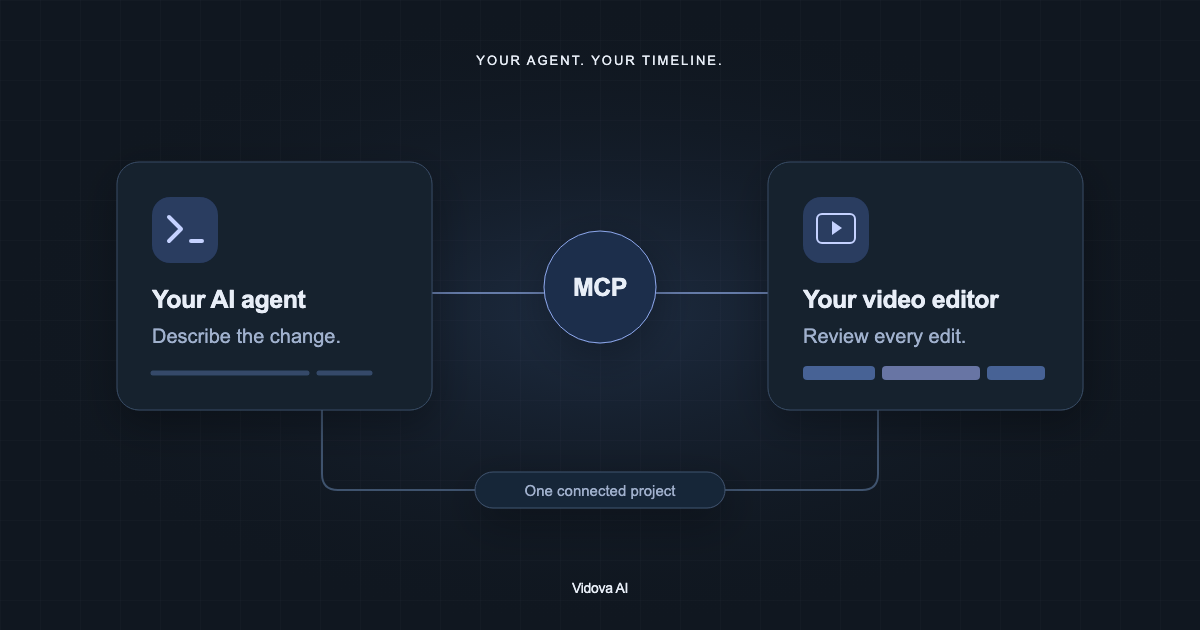
- MCP. Cursor connects to MCP servers. A video editor's server gives the agent tools that open a project, change the timeline, preview frames and render. You review the edit in the editor and can change any cut by hand.
How to connect Cursor to Vidova
Cursor reads MCP servers from ~/.cursor/mcp.json for every project, or from .cursor/mcp.json in one project. It supports remote servers over Streamable HTTP, with OAuth sign-in (Cursor MCP docs). Add Vidova next to the servers you already have:
{
  "mcpServers": {
    "vidova": {
      "url": "https://mcp.vidova.ai/mcp"
    }
  }
}- Save the file. In current versions, Cursor lists MCP servers under Customize in the sidebar.
- Find vidova and complete the sign-in Cursor offers. Use the account you use in the Vidova editor.
- Ask the agent to list your Vidova projects. By default Cursor asks you to approve each MCP tool call. You can allow tools to run on their own.
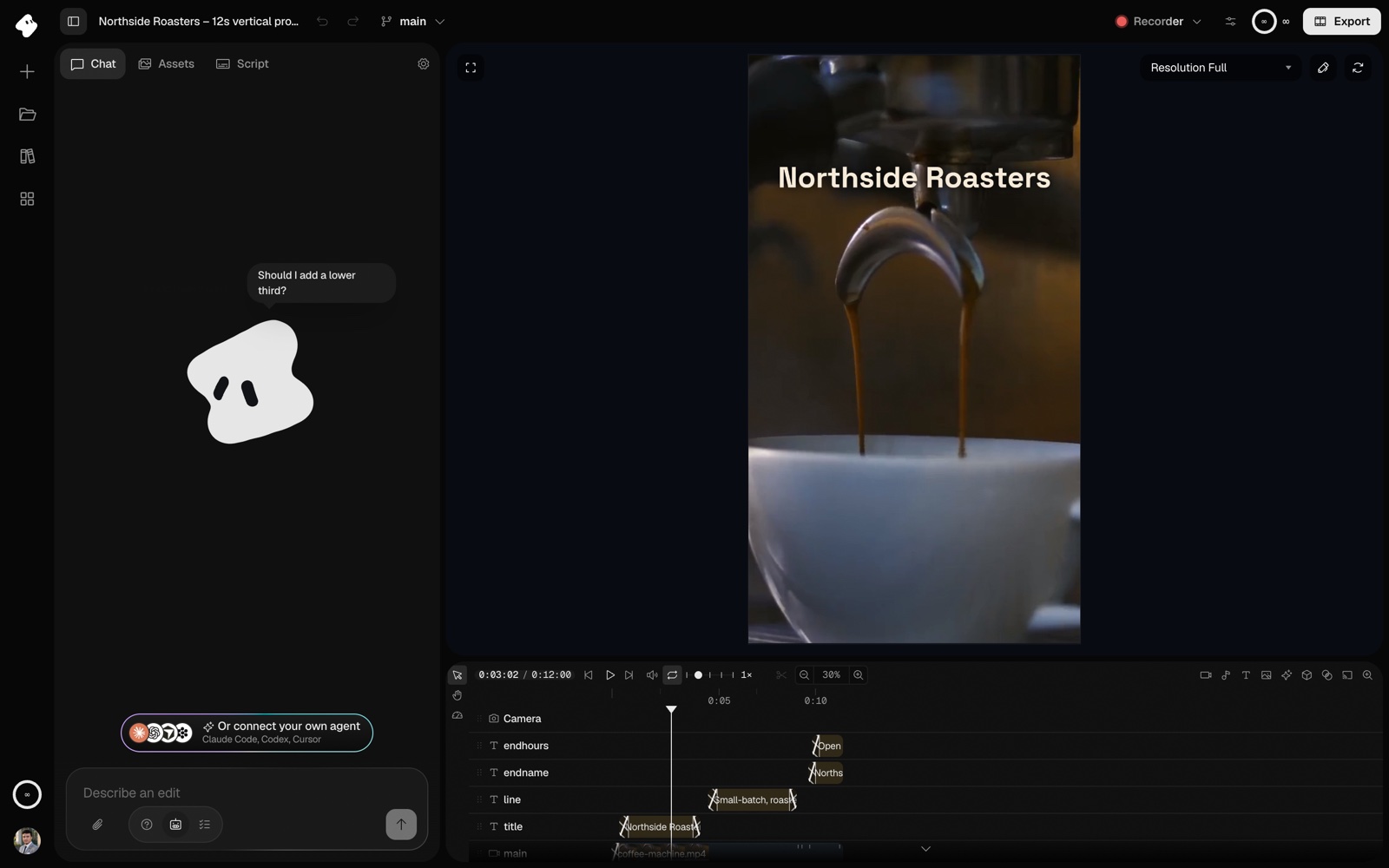
Cursor attaches the images that MCP tools return to the chat, and models that read images can look at them. Vidova's preview tools return rendered frames, so the agent can see a title that runs off the frame and fix it before you see it.
What to ask Cursor
List my Vidova projects and open Spring promo. Preview the timeline and tell me what is on it. Do not change anything yet.
Make a 15-second vertical ad for Clearline Glass from the three pool fence clips in my library. Open on the squeegee stroke, cut on the beat, put the brand name at the end, and check frames at 1, 7 and 14 seconds. Then render it and send me the link.
Write the brief the way you write a ticket: exact times, exact words and a check after each change. Ask for a branch before a big change, so you can compare it with the current cut and merge it.
The "Cursor for video" startups, compared
The phrase means an editor where an agent makes the first cut from a request and you keep a timeline to fix it, the way you keep editing the code Cursor writes. Mosaic's founders write on their Y Combinator page that they set out "to build the Cursor for Video Editing". Mosaic (YC W25) now sells Motion, "The General Video Agent". Cardboard (YC W26) calls itself an agentic video editor, and its YC page calls the idea "vibe editing". Diffusion Studio says: "Turn your agent into a video editor." We read each site on 27 October 2026.
| Feature | Vidova | Motion (Mosaic) | Cardboard | Diffusion Studio |
|---|---|---|---|---|
| Use it from Cursor | Yes, hosted MCP server | Yes, MCP for Claude, ChatGPT, Cursor and other agents | Through its CLI or MCP server. The Mac app names Claude Code and Codex | Yes. Agent editing needs the desktop app |
| Edits your own footage | Yes | Yes | Yes | Yes |
| Timeline you can edit by hand | Yes, multitrack | Yes | Yes | Yes, plus an infinite canvas |
| Where it runs | Browser on desktop and phone, iPhone app, Mac | Not stated on its home page | Chrome, and a Mac app for Apple silicon. No phones or tablets | Desktop browsers. Desktop app for macOS 12 or later on M1 or later, and Windows x64 |
| Hand-off to pro editors | Premiere Pro (FCPXML) and DaVinci Resolve (OTIO) | Premiere Pro, After Effects, DaVinci Resolve, Remotion and Hyperframes | Premiere Pro, Final Cut Pro and DaVinci Resolve, on Starter and up | Not stated |
| Price | Free plan. Paid from $19 a month | Flex: $6 for 200 credits. Pro: from $29 a month for 1,000 credits | Lite: $8 to $10 a month. Starter: $29 to $40 a month | Free and open source (MPL 2.0). Credits only for AI models |
| Free option | Watermark, 720p exports, 1-minute projects | None listed | Lite is free in the Mac app. Watermark-free exports start on Starter | Editing, exports and agent workflows are free |
- Vidova fits if you want to edit from Cursor, Claude or Codex and also from your phone, with one hosted server and nothing to install. It is built around an agent, so people who want to drag every clip by hand have more mature manual editors. There is no Android app. On Android it works in the browser.
- Motion fits if you want an agent-first service with an API and a hand-off to After Effects or Remotion.
- Cardboard fits a team that edits in Chrome or on a Mac and finishes in Final Cut Pro.
- Diffusion Studio fits if you want open source and a free editor, on a Mac with Apple silicon or on Windows.
ChatCut is another chat-first editor with a timeline. See Vidova vs ChatCut for that comparison.