Vidova
Claude skills for video editing: what they can and cannot do
A Claude skill teaches Claude how to edit video, but it has no renderer or timeline. See the video skills on GitHub and how skills work with an MCP editor.
 Vidova team
Last updated
The short answer
A Claude skill for video editing is a folder with a SKILL.md file that tells Claude how to do an edit. A skill holds instructions and scripts. It has no renderer, timeline or preview of its own, so it edits video only through tools: FFmpeg or Remotion on your computer, or an MCP server such as Vidova's, which loads its own editing skills and edits a hosted timeline.
Key takeaways
- An Agent Skill is a folder with a SKILL.md file. Claude reads each skill's name and description at startup and the rest only when a task matches.
- A video skill cannot render by itself. It needs FFmpeg, Remotion or an editor's tools to change frames.
- Anthropic's public skills repository has no video editing skill. Community skills use FFmpeg, Remotion or a vendor's API.
- Vidova's MCP server gives Claude 27 skills for kinds of edits and 39 built-in skills, with nothing to install.
What is a Claude skill?
Agent Skills are, in Anthropic's words, "modular capabilities that extend Claude's functionality" (Anthropic docs). A skill is a folder with a SKILL.md file: YAML frontmatter with a name and a description, then instructions in Markdown. The folder can also hold scripts, templates and reference files.
Skills load in stages. Claude reads every skill's name and description at startup, about 100 tokens each. It reads the SKILL.md body, usually under 5,000 tokens, only when your request matches the description. Bundled files load only when the instructions point to them, and a script runs without its code entering the context.
Anthropic published the format as an open standard at agentskills.io. Claude Code skills follow it, so the same folder works in other agents that support the standard.
| Surface | How you add a skill | What the skill can reach |
|---|---|---|
| Claude Code | A folder in ~/.claude/skills/ or .claude/skills/ | The same network and programs as any other program on your computer |
| claude.ai | Upload a zip file in Settings, on Pro, Max, Team and Enterprise with code execution on | Full, partial or no network access, set by user and admin settings |
| Claude API | Upload through the Skills API and run it with the code execution tool | A sandbox with no network access and only pre-installed packages |
What a video skill can do on its own
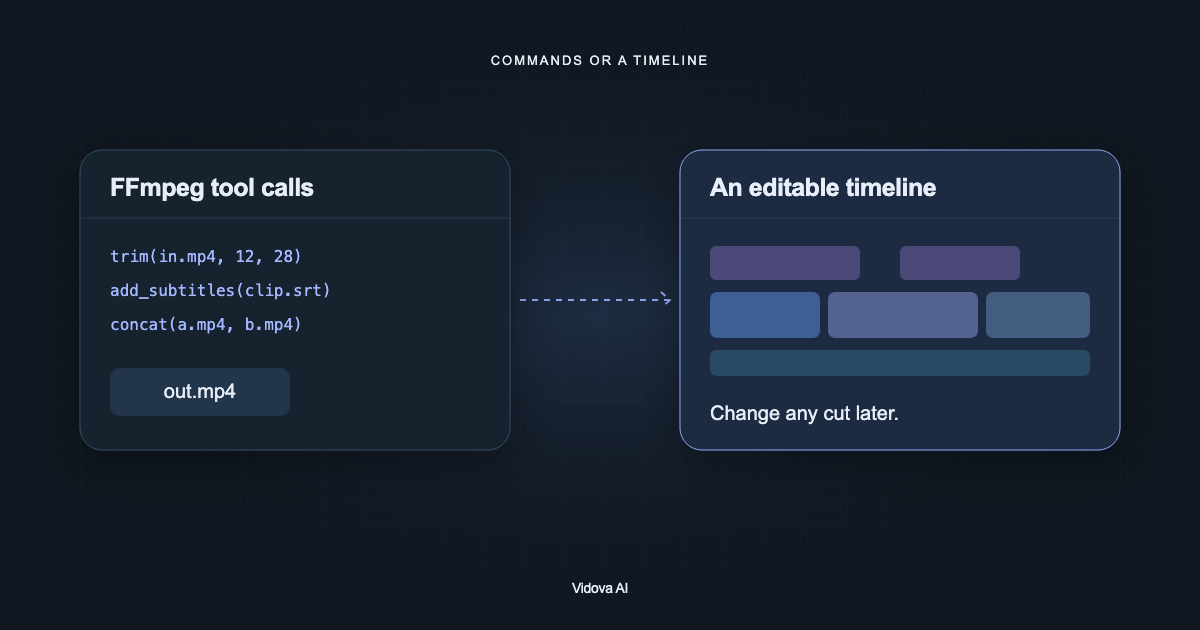
A skill is knowledge plus code. It can teach Claude your caption style, your cut rules or the steps of an event recap, and it can ship a script that calls FFmpeg. It cannot make frames by itself. To cut, render or preview, Claude needs a program that does the work:
- With FFmpeg on your computer, Claude can trim, join, scale, burn in subtitles and encode. A skill tells it which commands to run.
- With Remotion, Claude writes the video as React code, and Remotion renders it.
- With an editor's MCP server, Claude calls tools that change a real project, and you review it on a timeline.
The surface sets the limits. On the Claude API, a skill's scripts have no network access, so a skill there cannot call a video service. On claude.ai, network access depends on your settings. In Claude Code, a script can run any tool you installed.
A skill can also tell Claude to check its work. Claude can only do that with a tool that renders frames it can look at.
Video editing skills on GitHub
We opened these repositories on 27 October 2026. Check each one again before you install it. Anthropic's own skills repository has no video editing skill. Its closest skill, slack-gif-creator, makes animated GIFs for Slack.
| Repository | What it does | What it needs to make video | License |
|---|---|---|---|
| remotion-dev/skills | Remotion's own skills: best practices, create a project, open the Studio preview, render | A Remotion project on your computer | None listed on GitHub |
| opus-pro/opus-skills | OpusClip's skills: clip long videos into shorts and post them, copy a reference video's style, generate voice, music and clips | An OpusClip API key on an Enterprise, Pro or Max plan for clipping. FFmpeg for local editing | MIT |
| calesthio/OpenMontage | An open-source production system with over 700 skill and knowledge files and more than 10 pipelines, from explainers to trailers | Python 3.10 or later, FFmpeg and Node.js 18 or later | AGPL-3.0 |
| affaan-m/ECC, skill video-editing | A workflow for real footage: FFmpeg cuts, Remotion, voice and generated assets, a final polish in Descript or CapCut | FFmpeg, Remotion and the other tools you choose | MIT |
They differ in where the edit lives: a rendered file, a Remotion project or an editable project file. All of them run on your computer or call the vendor's API.
Anthropic's advice applies to all of them: use skills only from sources you trust, and read every bundled file first, because a skill can direct Claude to run code (security considerations).
Skills plus an MCP server
An MCP server and a skill do different jobs. The server gives Claude tools, such as open a project, change the timeline, preview a frame and render. The skill gives Claude the know-how to use those tools well. With both, Claude knows what a good beat edit looks like and has a timeline to build it on.
A hosted MCP editor also removes the setup. You install nothing, the media and renders run on the editor's servers, and you open the result in its web editor. In Claude Code, one command adds Vidova:
claude mcp add --transport http --scope user vidova https://mcp.vidova.ai/mcpRun /mcp, choose vidova, then Authenticate, and sign in with your Vidova account. In claude.ai, add the same URL as a custom connector. The Vidova MCP guide has the setting for each client.
How Vidova's editing skills work
Vidova's agent works the same way, with the skills served by the MCP server instead of a folder on your disk. Its skills directory has 27 skills, one per kind of edit: beat edits, product ads, wedding films, podcast clips, travel recaps, real estate tours, screen tutorials and more. Each one says what makes that kind of edit good: the idea, the structure and timing, the type and colour, the sound, the templates that fit and the checks before the agent reports. A skill body has a limit of 14,000 characters.
Next to them are 39 built-in skills on how to write and design a film, such as keyframes, object tracking, music and storyboards. In Vidova's own chat, four of them, including the creative director and the edit craft, are always loaded. The agent loads the others when a step needs them.
- For a whole new edit, the server tells Claude to read the matching skill with read_docs and the id skills/<id> before it plans.
- Before a timeline write, Claude loads the skills that write needs with load_skill, all in one call. A loaded skill stays loaded for the conversation.
- When a write fails, for example because the film does not compile, the answer carries the skills that cover what Claude wrote, so it can fix the write.
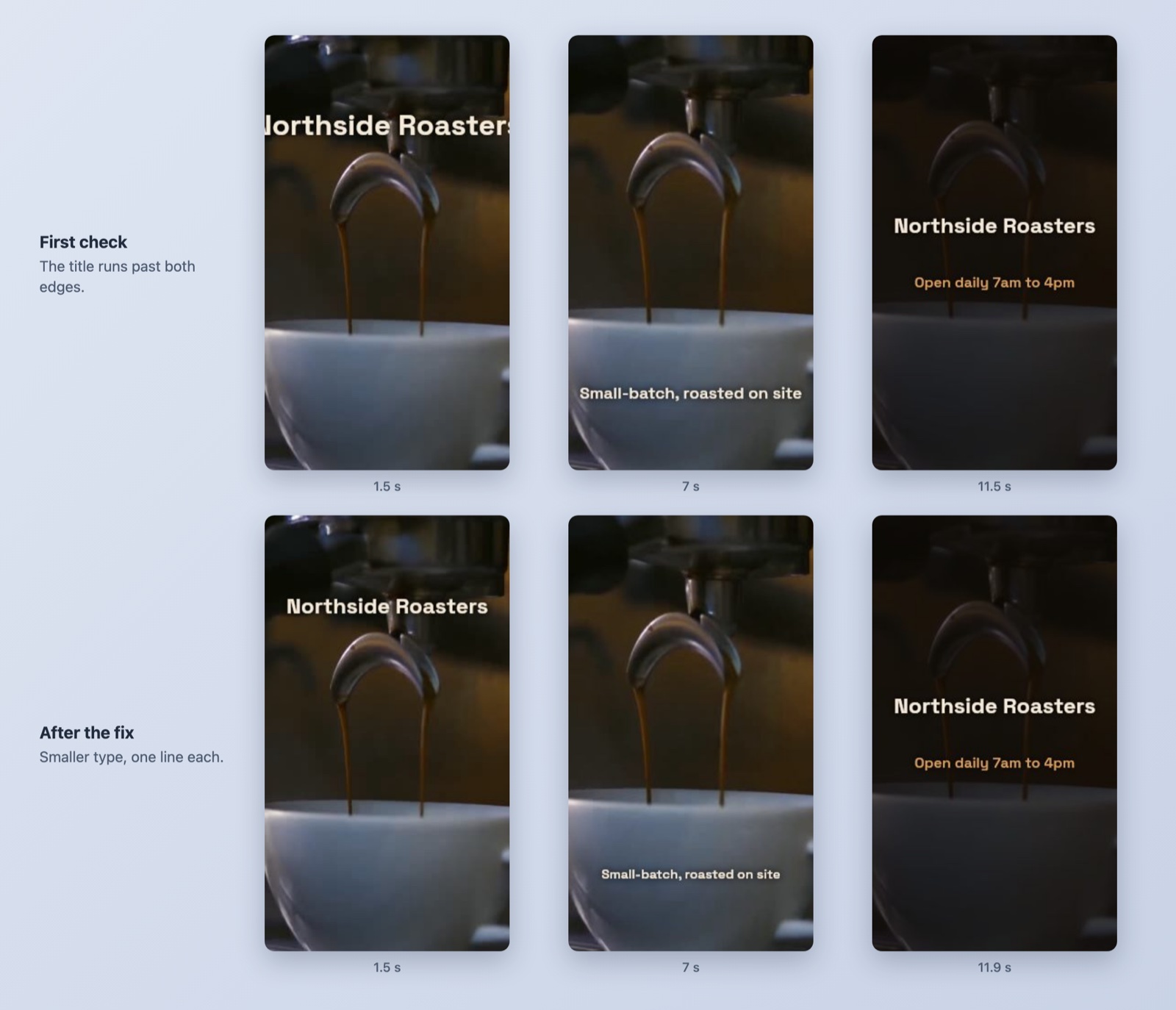
- Vidova's tools let Claude check rendered frames with preview_frame and run a quality check on the film with check_film before it hands the cut over.
The skills give exact numbers. The beat edit skill starts the edit 4 bars before the drop, gives the drop 4 shots of one beat each, and slows each clip's peak to about 0.25x with AI frame interpolation. A 0.5x to 0.7x slow-down, it says, reads as a stutter.
Vidova publishes the directory apart from app releases. A change to a skill reaches Vidova's chat within a minute, and MCP clients read the same directory. You do not install or update anything.
Try it in Claude Code
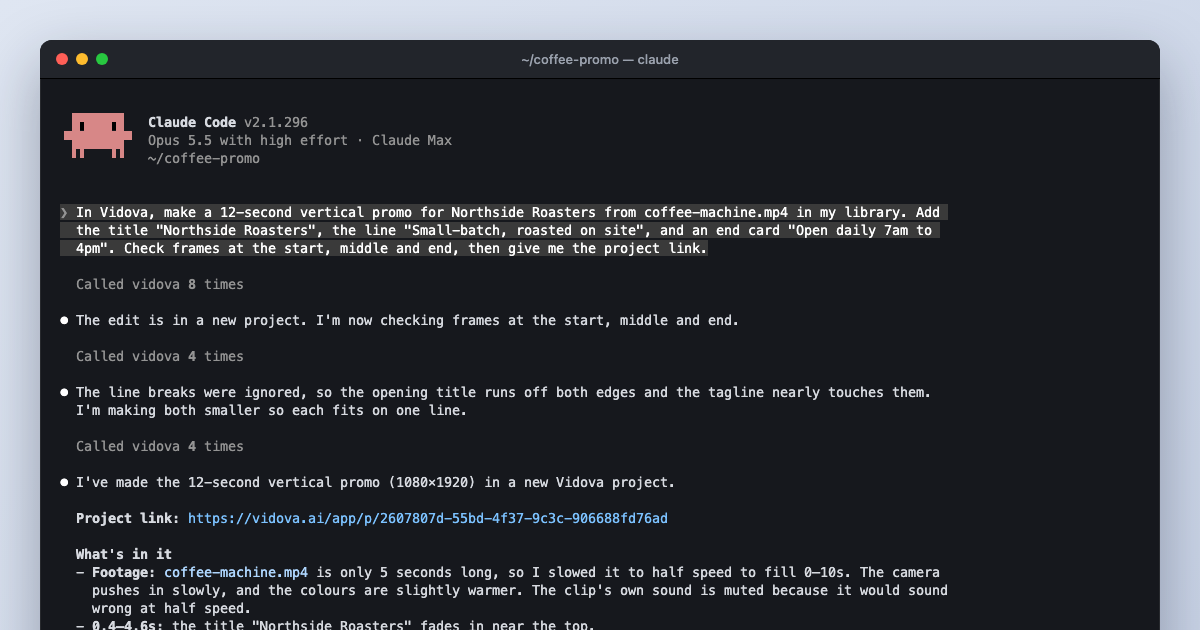
In Vidova, make a 20-second vertical beat edit from my skate clips and the song in my library. Read your beat edit skill first. Put each clip's peak on a beat, save the best trick for the drop, and check frames on the drop before you send me the link.
The agent searches Vidova's templates, plans the cut and builds it in a project you can open in the web editor. You can start free. Paid plans start at $19 a month, remove the watermark and export up to 4K at 60 fps.