DaVinci Resolve MCP, Premiere Pro MCP or a hosted video MCP?
There is no official DaVinci Resolve, Premiere Pro or Final Cut MCP server. We compare the community bridges with a hosted editor and explain when each one fits.
Last updated
The short answer
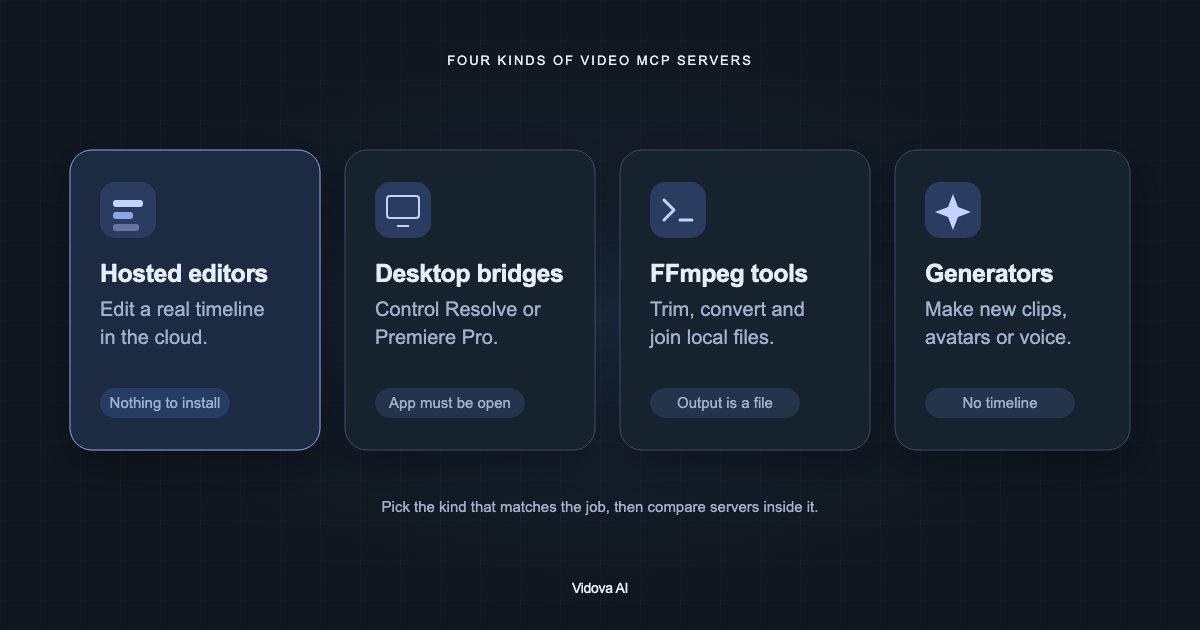
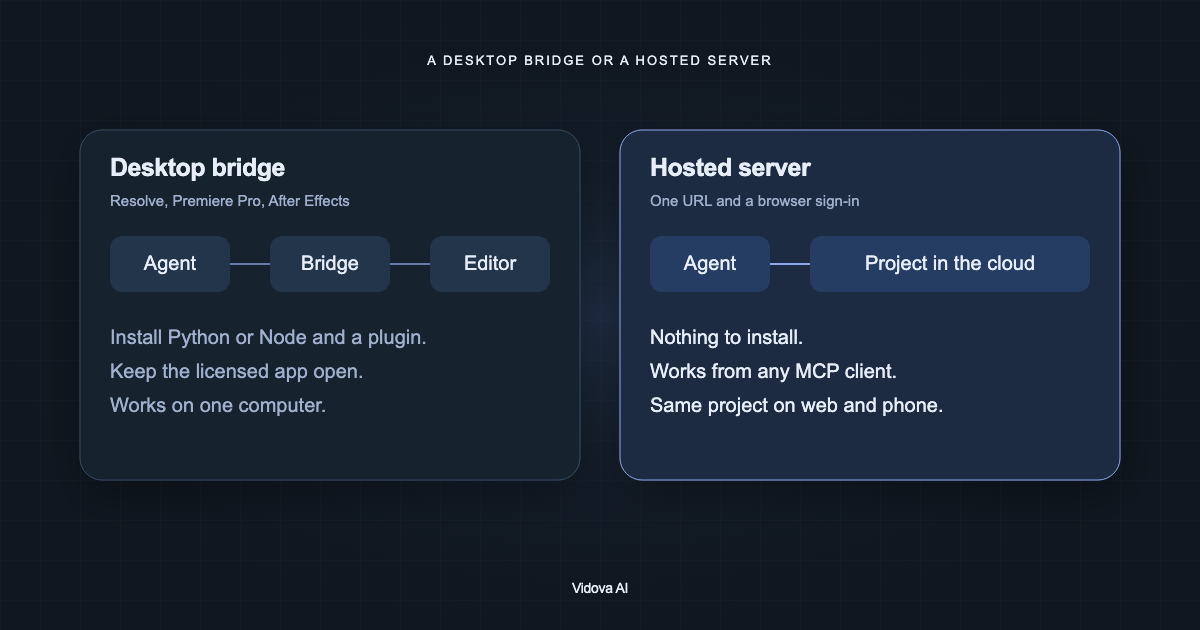
As of October 2026 there is no official MCP server from Blackmagic, Adobe or Apple for DaVinci Resolve, Premiere Pro or Final Cut Pro. Community bridges exist. They run on your computer and need the editor installed and open, and the popular Resolve bridge needs Resolve Studio. A hosted server such as Vidova needs only a URL and a sign-in, and can export FCPXML or OTIO when you want to finish in Premiere or Resolve.
Key takeaways
- Every Resolve, Premiere, After Effects and Final Cut MCP server is community-built.
- Bridges need the licensed app on the same computer, and usually open, while the agent works.
- You can build the cut on a hosted server and export it to Premiere or Resolve to finish.
Is there an official DaVinci Resolve or Premiere Pro MCP server?
No. On October 10, 2026 we found no official MCP server for DaVinci Resolve from Blackmagic Design, for Premiere Pro or After Effects from Adobe, for Final Cut Pro from Apple, or for CapCut from ByteDance. People search for "davinci resolve mcp official", which suggests many expect one.
Adobe has a Claude connector called Adobe for creativity, with more than 50 tools across Creative Cloud apps. Its only documented video use is reframing a clip for Shorts or Reels. It does not describe editing a Premiere project or timeline. Adobe's in-app AI Assistant in Premiere is a separate product, and its announcement does not mention MCP.
DaVinci Resolve MCP servers
samuelgursky/davinci-resolve-mcp is the most used bridge, with 3,459 GitHub stars on October 10, 2026. It uses Resolve's scripting API and covers editing, the media pool, rendering, grading, Fusion and Fairlight. It needs Resolve Studio with external scripting set to Local. Its README says Resolve 21.1 moved Python scripting to Studio only, so its bridge for the free edition works on 21.0 only.
Other Resolve servers exist. hiteshK03/davinci-resolve-mcp claims to work on the free version through a script inside Resolve. wassermanproductions/unofficial-davinci-mcp writes FCPXML, EDL and LUT files when Studio is not available.
Premiere Pro and After Effects MCP servers
Premiere bridges need Premiere open with a panel or plugin that receives commands. mikechambers/adb-mcp uses a UXP plugin and says it is not endorsed or supported by Adobe. hetpatel-11/Adobe_Premiere_Pro_MCP and leancoderkavy/premiere-pro-mcp use CEP panels. CEP installs turn on Adobe's debug mode for unsigned extensions. For After Effects, Dakkshin/after-effects-mcp uses an ExtendScript bridge.
Does Final Cut Pro have MCP? What about CapCut?
Final Cut Pro has no official MCP server and no scripting API. Community servers such as DareDev256/fcp-mcp-server read, change and generate FCPXML files that Final Cut imports. CapCut has no official server either. sun-guannan/VectCutAPI writes draft files that CapCut or JianYing opens. It does not control the app while it runs.
Desktop bridge or hosted server
| Question | Desktop bridge | Hosted server (Vidova) |
|---|---|---|
| What do you install? | Python or Node, the bridge, and a plugin or script in the editor | Nothing. Add https://mcp.vidova.ai/mcp and sign in |
| What must be running? | The licensed editor, on the same computer | Nothing on your computer |
| Which clients work? | Local MCP clients on that computer | Any client with remote MCP: Claude, Claude Code, ChatGPT, Codex, Cursor, Windsurf, VS Code |
| Can the agent see frames? | Depends on the bridge | Yes: preview_frame, preview_range and preview_timeline |
| Where is the project? | In your editor's project files | In the cloud, open on web and phone |
| Can you finish in Premiere or Resolve? | You are already there | Yes: export FCPXML for Premiere Pro or OTIO for DaVinci Resolve, with media |
When to use each
- Use a desktop bridge when the project must stay in Resolve or Premiere, for example for colour grading, Fusion work, or a shared facility project.
- Use a hosted server when you want an agent to build the cut from any computer or client, and to share the project in a browser.
- Use both when you want speed and a finishing tool: build and review the cut in Vidova, then export it to Premiere Pro or DaVinci Resolve.
Sources
- samuelgursky/davinci-resolve-mcp
- hiteshK03/davinci-resolve-mcp
- wassermanproductions/unofficial-davinci-mcp
- mikechambers/adb-mcp
- hetpatel-11/Adobe_Premiere_Pro_MCP
- leancoderkavy/premiere-pro-mcp
- Dakkshin/after-effects-mcp
- DareDev256/fcp-mcp-server
- sun-guannan/VectCutAPI
- Adobe: Adobe for creativity connector
- Vidova: exporting to Premiere Pro and DaVinci Resolve